3025EMC Master Control Switching & Channel Branding
Page 154 Revision 3.0.3
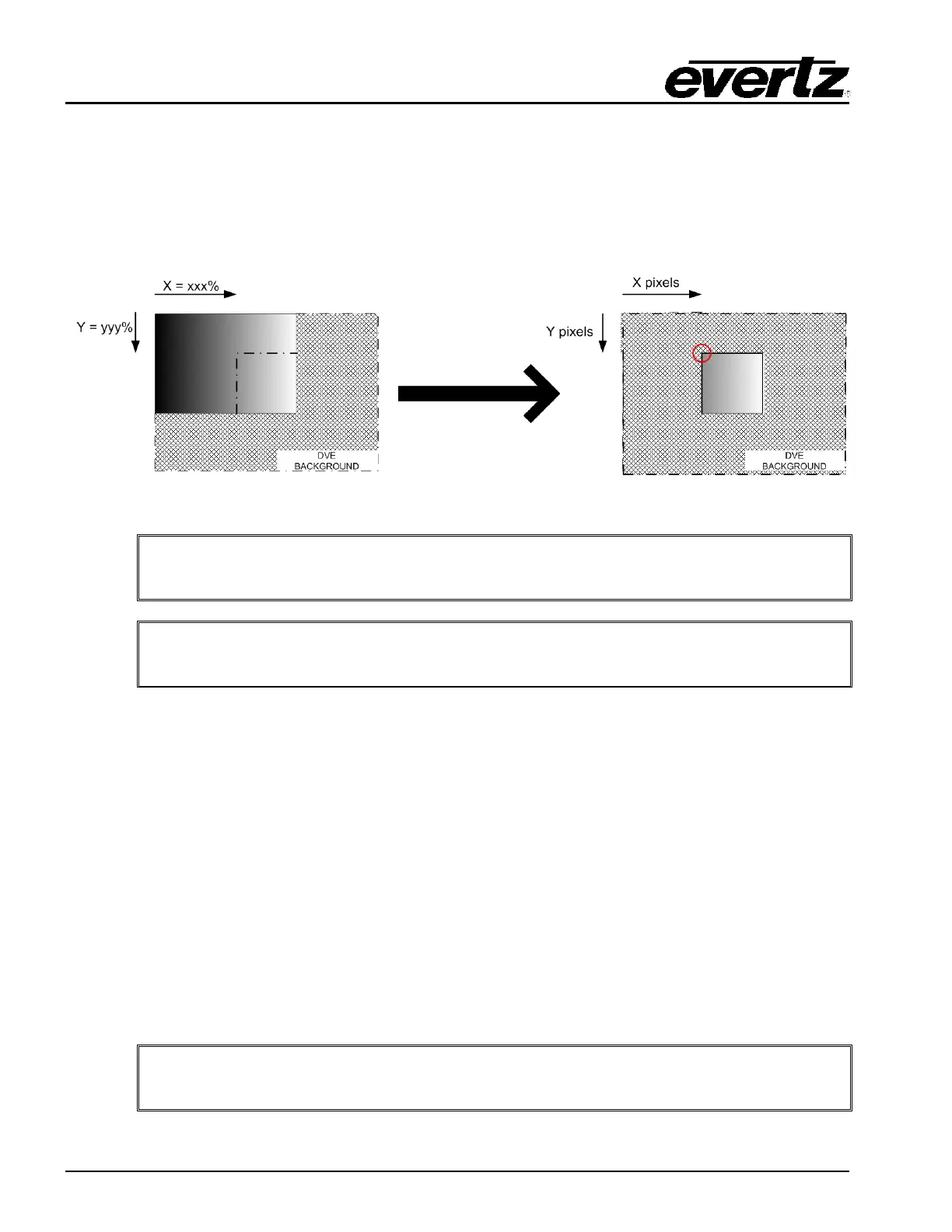
Cropping can either be performed on a full screen DVE or on a DVE that has already been scaled.
If cropping is performed then the X/Y Position is the X/Y Position of the TOP CORNER OF THE
CROPPED DVE and NOT of the scaled DVE. Cropping can either be performed as a
percentage/number of pixels of the full screen (both start and end frame) or performed as a
percentage/number of pixels of the scaled DVE (end frame only).
Figure 7-8: After Cropping X/Y Position
Note: If the DVE has been scaled ONLY then the X/Y position is based on the top
left corner of the scaled DVE.
Note: If the DVE has been scaled and cropped then the X/Y position is based on
the top left corner of the cropped DVE.
7.3. MACROS
The 3025EMC offers a feature called Macros. Macros allow users to define a timeline of actions and
assign it to a macro number. This macro number can be recalled using the control panel, automation or
GPI. The macro is an ideal tool to simplify a number of secondary events into a single action that can be
used by either automation or operators.
7.3.1. Macro Manager
To create Macros, users need to use EMC-Setup Macro Manager. This is selected on the main EMC-
Setup screen. There is an online or an offline Macro Manager if you want to create macros. The offline
will create a file with an .MRO extension. The online Macro Manager will connect directly to the EMC
and manage them directly, i.e. no configuration upload to the EMC channel required.
The Macro Manager window will open. It will connect to the EMC (over serial or Ethernet based on
comms setting) and show the current list of available macros.
Note: A maximum of 255 Macros can be created per EMC channel. Each Macro can
consist of up to 1000 separate actions.



 To Next Page