3025EMC Master Control Switching & Channel Branding
Page 54 Revision 3.0.3
4.5.2. Metadata Router/Metadata Presets
Please note: Metadata Control/Metadata Presets are currently NOT fully
supported. Some settings might be required. See below for more information on
the metadata routing configuration.
SMPTE 2020
DE-EMBEDDER
SMPTE 2020
DE-EMBEDDER
PGM
IN
PST
IN
PGM PATH DE DECODER
PST PATH DE DECODER
PGM
IN
PST
IN
METADATA
ROUTING
SMPTE 2020
EMBEDDER
PGM
OUT
SMPTE 2020
EMBEDDER
PST
OUT
DE ENCODER #1
DE ENCODER # 2
SMPTE 2020
CONFIGURATION
METADATA ROUTING
CONFIGURATION
TO AUDIO
EMBEDDER
TO AUDIO
EMBEDDER
SMPTE 2020
EMBEDDER
CLN
OUT
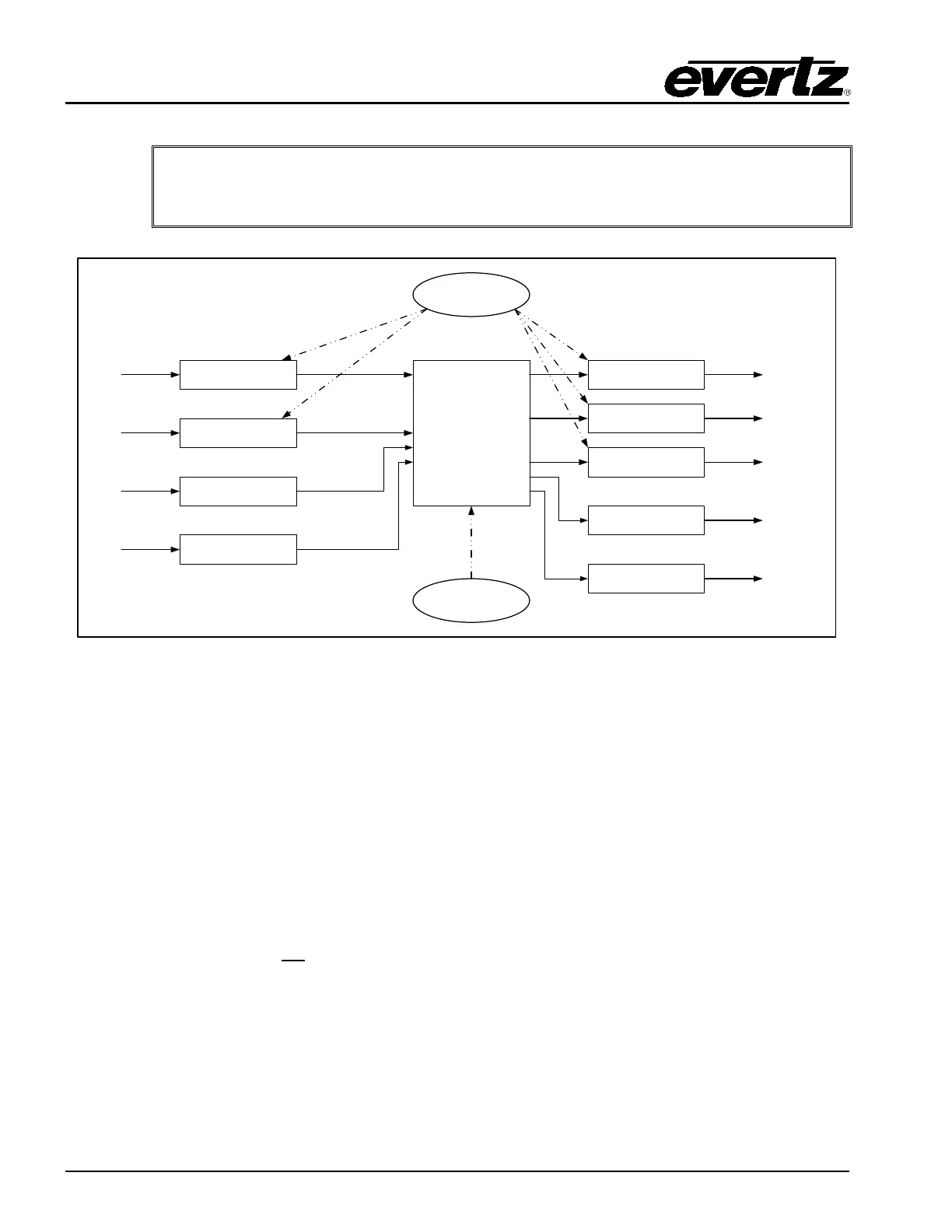
Figure 4-17: Dolby-E Metadata Routing
The 3025EMC currently supports the following metadata routing options:
1. SMPTE 2020 VANC (Vertical Ancillary) metadata embedded into the input video signal routed
to SMPTE 2020 VANC metadata embedded into the output video signal.
2. Metadata from internal Dolby-E Decoders (installed on the 3025AP audio processing module)
routed to the SMPTE 2020 metadata embedded into the output video signal.
3. Metadata from internal Dolby-E Decoders routed to the internal Dolby-E Encoder(s).
The VANC (vertical ancillary) metadata embedder settings will only take effect if the Output Vertical
Blanking control settings do not
blank the selected lines on the Program, Preset and Clean buses.
Insertion Line(Ch 1/2): The 3025EMC allows for SMPTE 2020 metadata insertion onto
two different lines of the Program, Preset and Clean outputs. This
setting configures which line will be used to embed metadata
channels one and two. If this is configured as “0 (off)” then
insertion of channels one and two will be disabled.



 To Next Page