3025EMC Master Control Switching & Channel Branding
Revision 3.0.3 Page 35
Click Query Current to pull the current Port 1 configuration from the 3025EMC. Then set the IP Address,
Subnet Mask and Gateway to what are required (consult with Network Administrator if required). Then
click Update. You will be prompted to restart the 3025EMC after 30 seconds for the changes to be
effective.
Repeat for Port 2. There is no need to configure the Gateway for the second port as the gateway
address is shared between the two ports.
When finished wait for 30 seconds then reboot the unit as instructed.
The IP address may be changed using a third party tool like HyperTerminal or TeraTerm. Use the
following setups:
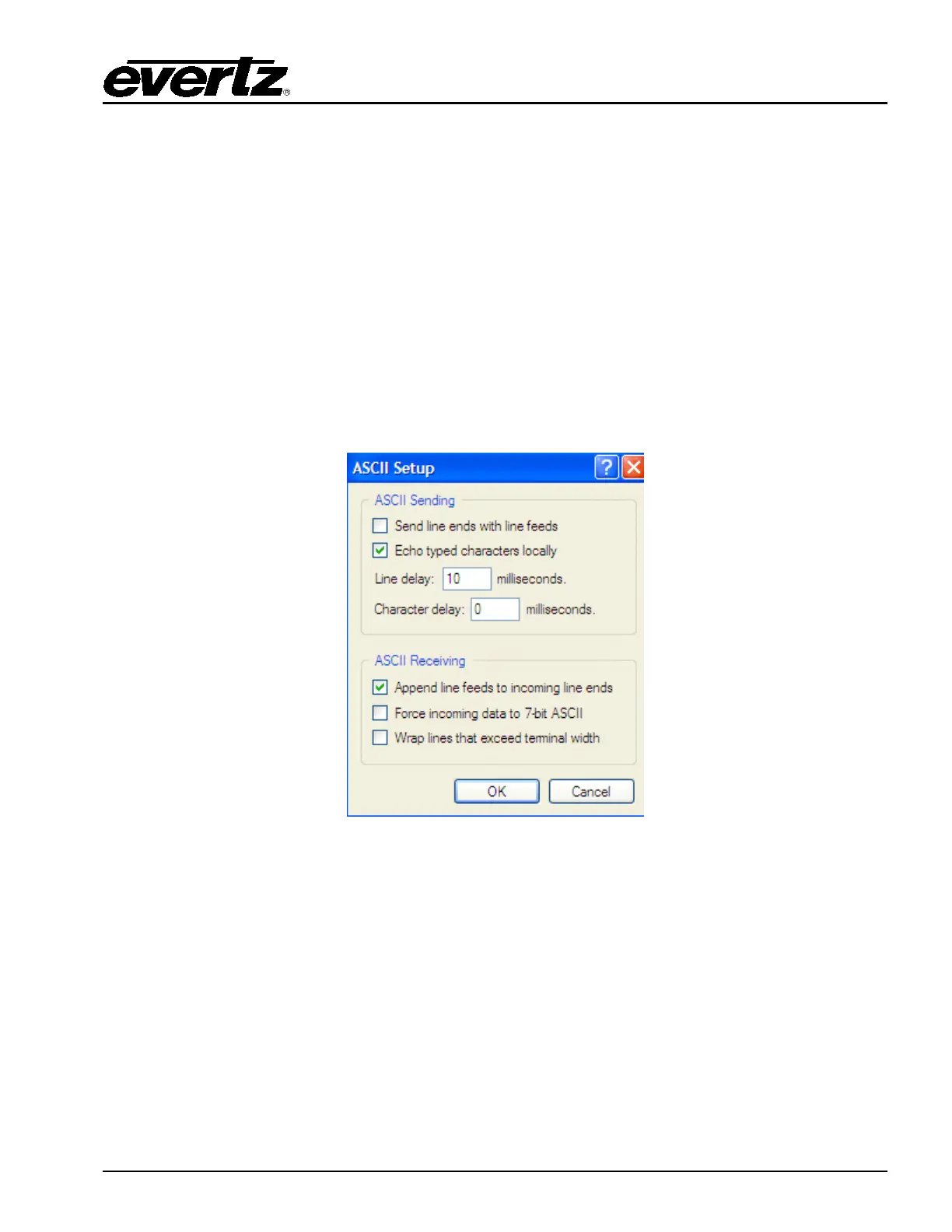
1. Set-up the serial console so that ASCII Sending is configured to ‘Echo typed characters locally’ and
ASCII Receiving is configured for ‘Append line feeds to incoming line ends’.
Figure 4-4: ASCII Setup Window
(PRIMARY IP)
2. Type ‘.$LOCALTCPIP,192.168.9.100’ or any appropriate IP Address for your local network
configuration. The EMC will respond with ‘Routemgr: set default gateway
.$LOCALTCPIP,192.168.9.100’.
3. Type ‘.$TCPGATE,192.168.9.1’ or any appropriate Gateway Address for your network
configuration. The EMC will respond with ‘Route-add: set default gateway(192.168.9.1),
interface[0].$TCPGATE,192.168.9.1
4. Type ‘.$TCPNETMASK,255.255.255.0’ or any appropriate Netmask Address for your network
configuration. The EMC will respond with similar to above.



 To Next Page