3025EMC Master Control Switching & Channel Branding
Page 202 Revision 3.0.3
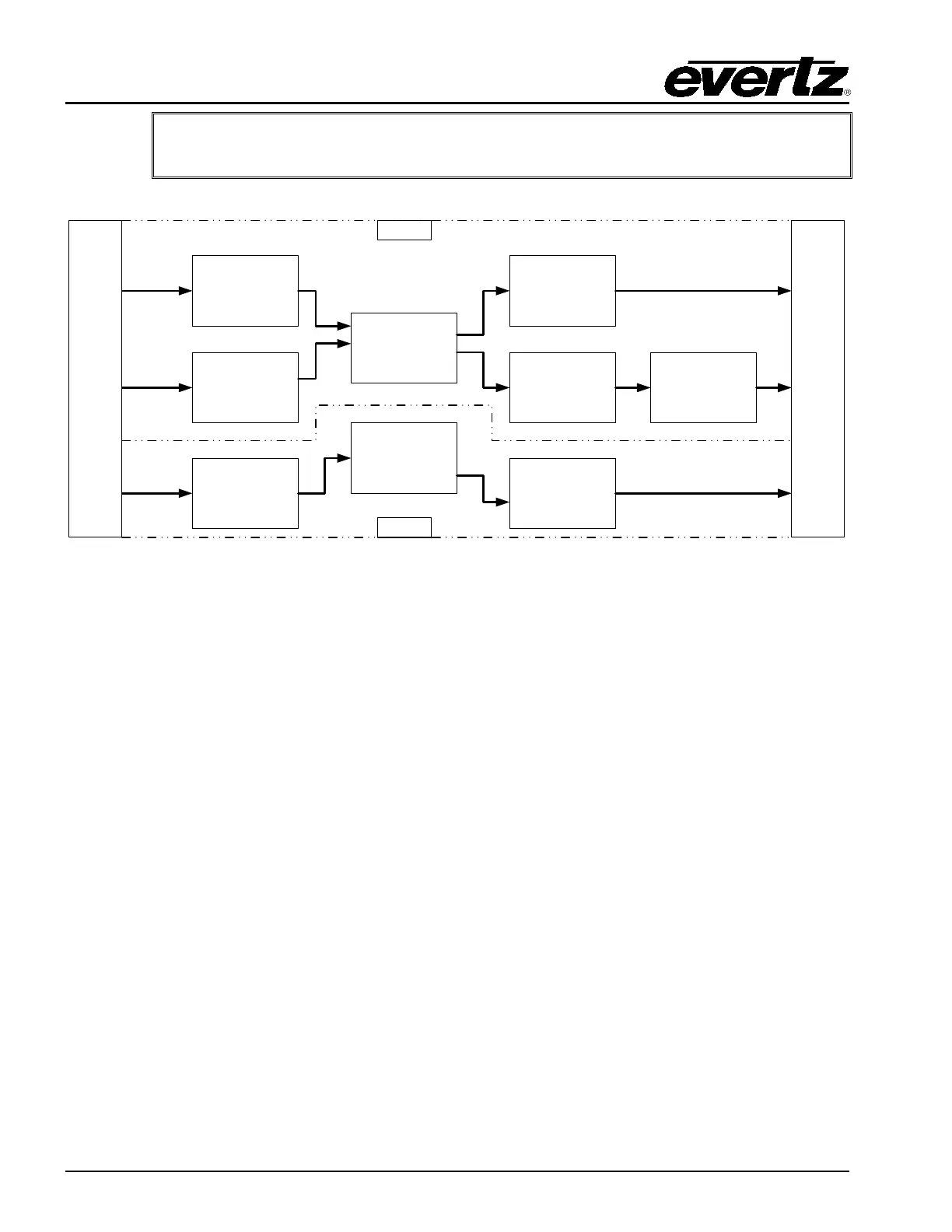
IMPORTANT: When using Dolby-E decoding or encoding at 720p video standards
an even number of frames I/O delay should always be used.
Audio Input
Delay
(Variable Delay)
DVE Processing
(1 Frame Delay)
Dolby-E™
Decoders
(Fixed Delay)
Audio
Mixer
Video
Mixer
Video Output
Delay
(Variable Delay)
Dolby-E™
Encoder Extra
Delay
(Variable Delay)
Audio Ouptut
Delay
(Variable Delay)
Dolby-E™
Encoder Delay
(Fixed Delay)
A
U
D
I
O
D
E
|
E
M
B
E
D
D
E
R
A
U
D
I
O
E
M
B
E
D
D
E
R
Video Path
Audio Path
Figure 9-7: 3025EMC Video/Audio Delay Path with Dolby-E™
9.6. UP/DOWN TIMER CONFIGURATION
In 3025EMC Release 1.6 or later Up/Down timers are now supported. Time, Data and Temperature
objects can be rendered on-air by the internal graphics engine without the +TXT option being enabled on
the hardware.
There are a maximum of two up/down timer objects that can be used simultaneously on the 3025EMC.
Before the timers can be used on the 3025EMC the template(s) need to be designed using the Overture
Suite Media Designer software. When the templates have been compiled and transferred over the
3025EMC (and the required ttf file) the timers can be used. For more details on how the digital timer
templates are designer please refer to the Overture Suite v3 manual.
The following controls are available on the 3025EMC for Up/Down Timers…
- set the up/down parameters (timer #, direction and time).
- reload the up/down timer
- start the up/down timer
- stop the up/down timer
- toggle the up/down timer
For the purposes of documentation, the name of timer 1 is “timer1” and the name of timer 2 is “timer2”. In
practice the timers do not have to use this naming convention and normal naming rules will apply, i.e. the
media name can’t exceed sixteen characters and the template and ttf (true type font) need to be in the
same storage location (CF or NAS).
9.6.1. Up/Down Timer Parameter Configuration



 To Next Page