3025EMC Master Control Switching & Channel Branding
Revision 3.0.3 Page 129
Buddy Panel Address: In some applications, two panels might be required to work with one
another. If this is the case then this address field should be set to the address of the
panel that this panel is required to work with. The other panel will also need this field set
as the communication is bi-directional.
Tally remains when protected: This checkbox allows the user to configure if the panel will show
tally (status) when the panel is in a “channel protect mode”.
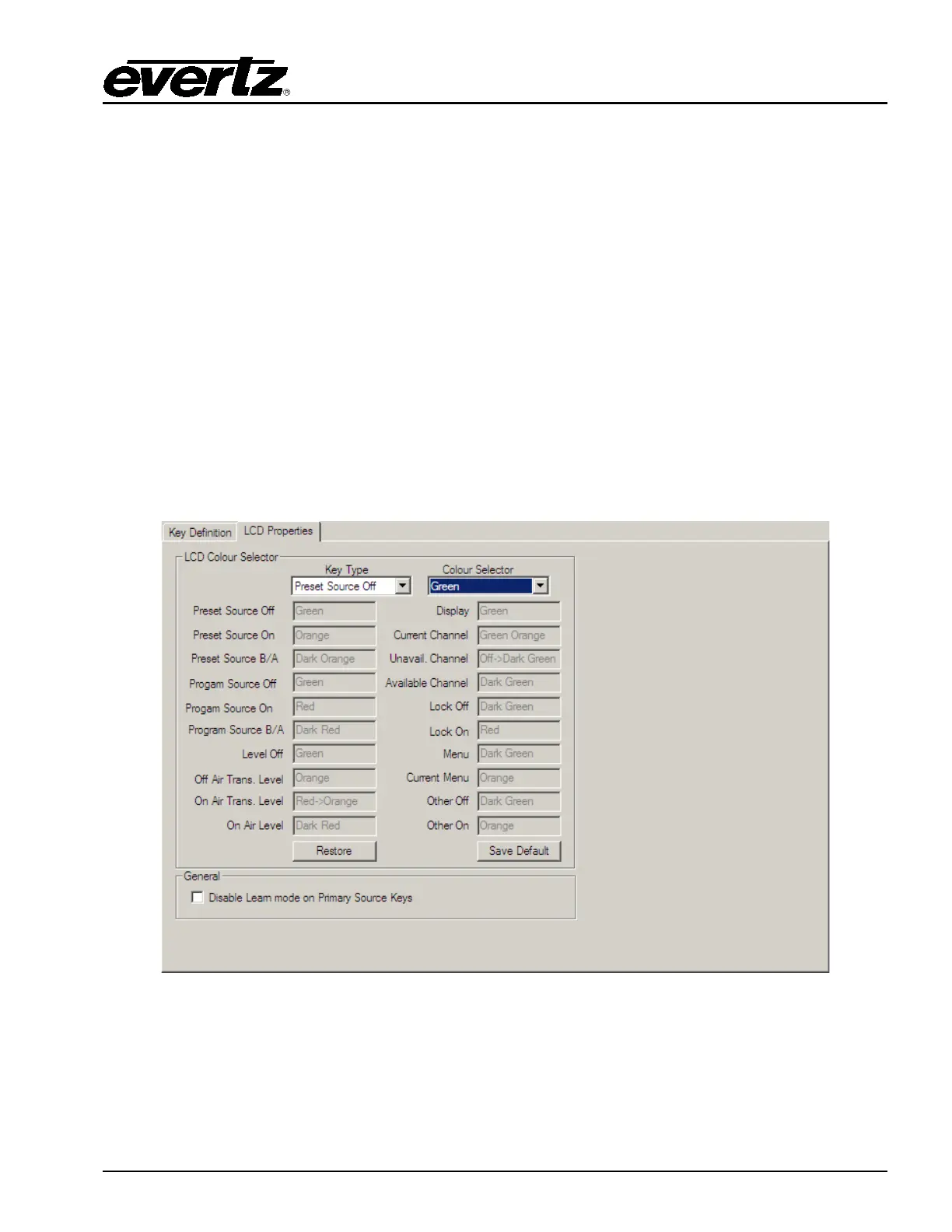
6.3.2. QMC-CP1000E LCD Properties
The LCD Properties tab allows users to configure the colour for various behaviors of the LCD buttons.
By default different key types use a 'standard set' of colours, but the user can change these colours on
an individual panel basis.
There are a number of standard key types that have colour configuration capability; these are shown in
greyed-out edit boxes within this section. Any key type not covered by these types will be configured by
the "Other Off" or "Other On" settings.
Figure 6-7: QMC-CP1000E LCD Properties Tab
Key Type: This selects the key type that requires a colour change, when changing the selection the
current colour setting will change in the Colour selector.



 To Next Page