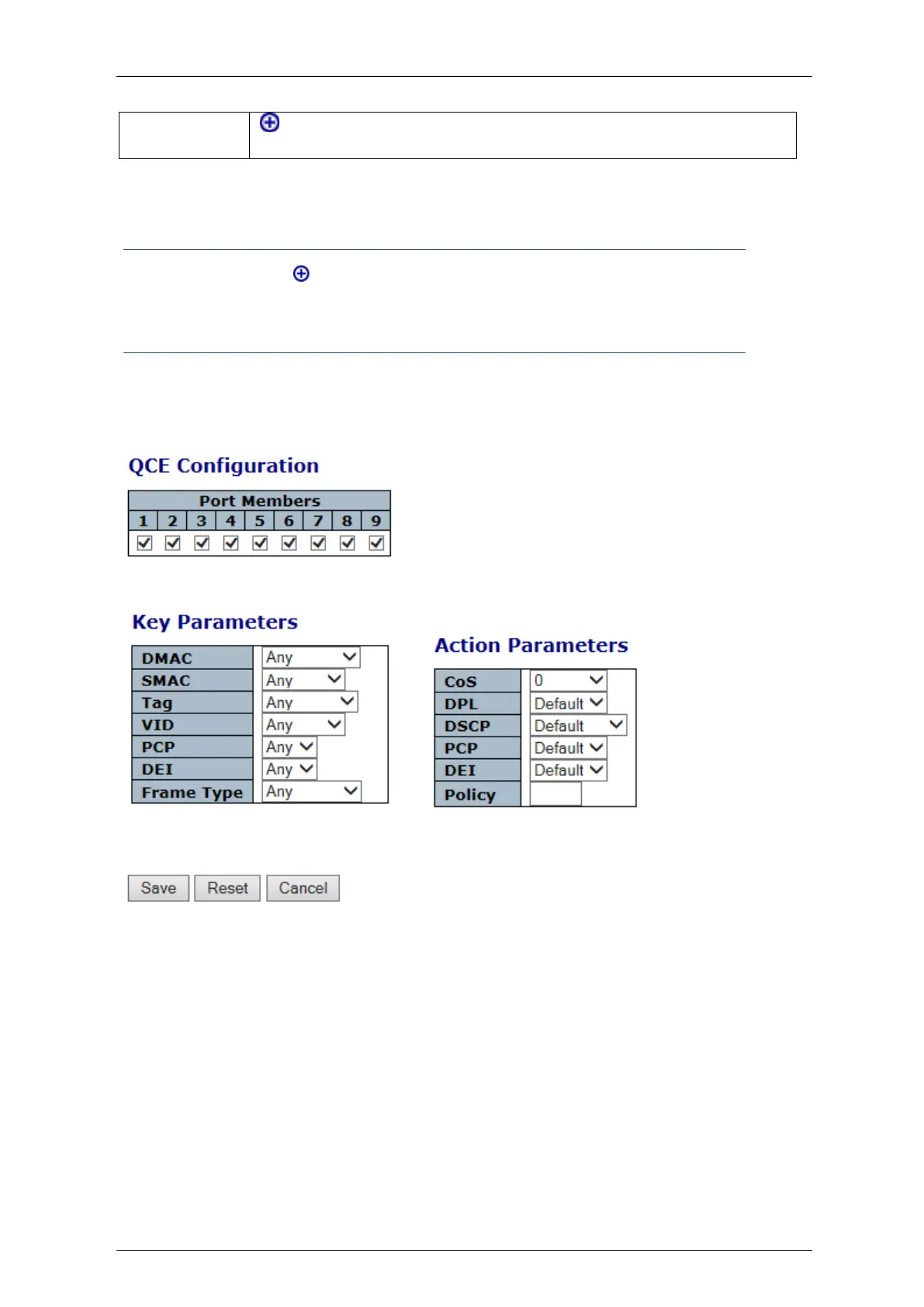
4.8.11 QCE Configuration
Note: by clicking on the sign in the previous QoS Control List Configuration display, we
get the below QCE Configuration display, by means of which we can select the required
QCE Parameters
This section allows to edit/insert a single QoS Control Entry at a time. A QCE consists of several
Parameters. These Parameters vary according to the frame type that you select.
Figure 4-59: QCE Parameters displays



 To Next Page