Falcon M-Class | User Guide
366
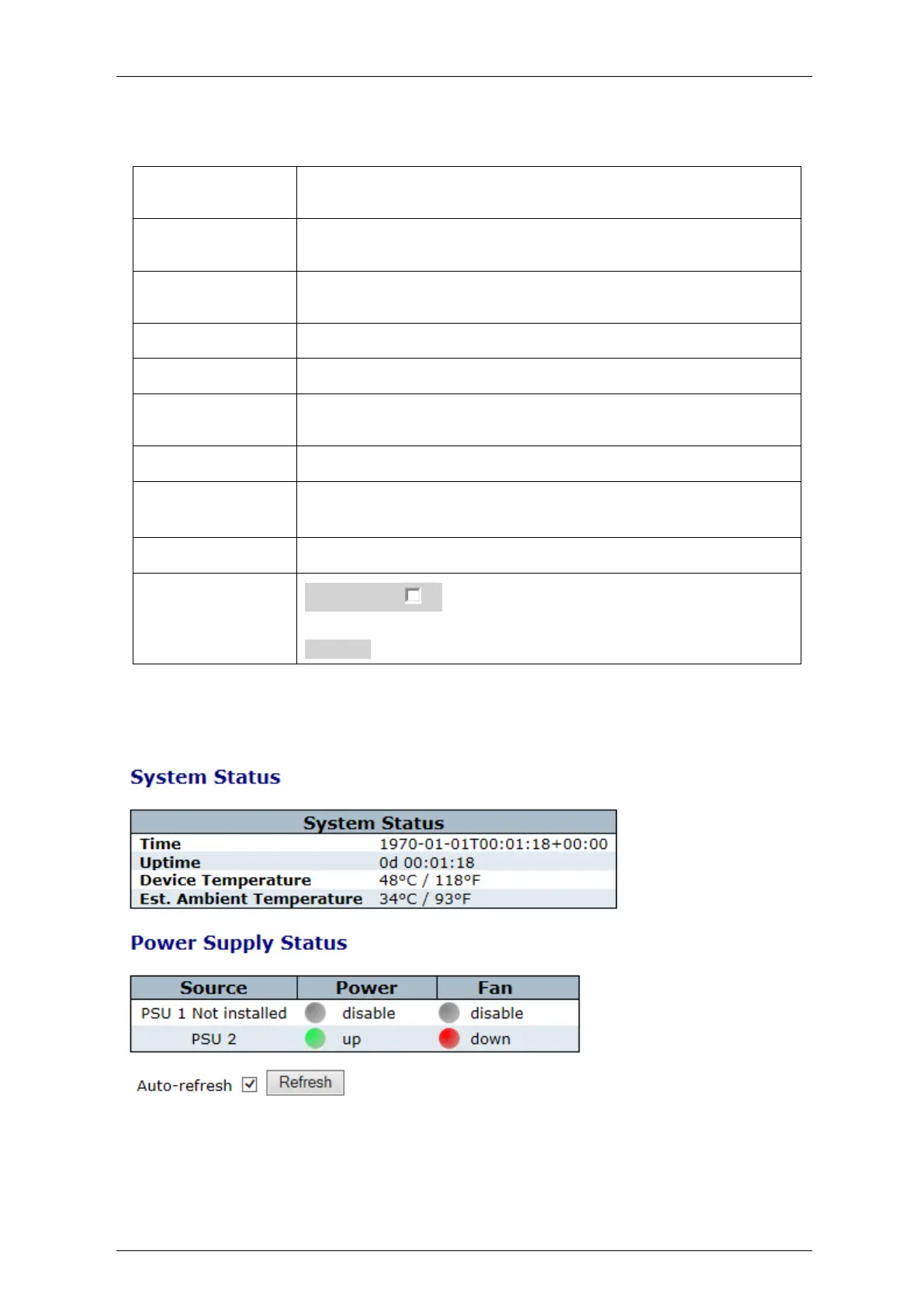
Table 5-1: System Information Parameters
The system contact configured in Configuration | System | Information
| System Contact.
The system name configured in Configuration | System | Information |
System Name.
The system location configured in Configuration | System |
Information | System Location
The MAC Address of this switch.
The Chip ID of this switch.
The current (GMT) system time and date. The system time is obtained
through the Timing server running on the switch, if any.
The period of time the device has been operational.
The software version of this switch.
The date when the switch software was produced.
Auto-refresh : Check this box to refresh the page automatically.
Automatic refresh occurs every 3 seconds.
Refresh: Click to refresh the page
5.1.2 System Status
The switch system status is provided here.
Figure 5-2: System Status



 To Next Page