Falcon M-Class | User Guide
438
6.6 Power Supply Overview
6.6.1 AC Power Supply
Connect AC line voltage using the power supply cords provided (alternatively you may use other
18AWG three wire cord). M-Class devices will accept any line voltage from 100 to 240 VAC, 50-60
Hz.
There is no ON/OFF switch on the device. When the power is connected to the device, the device is
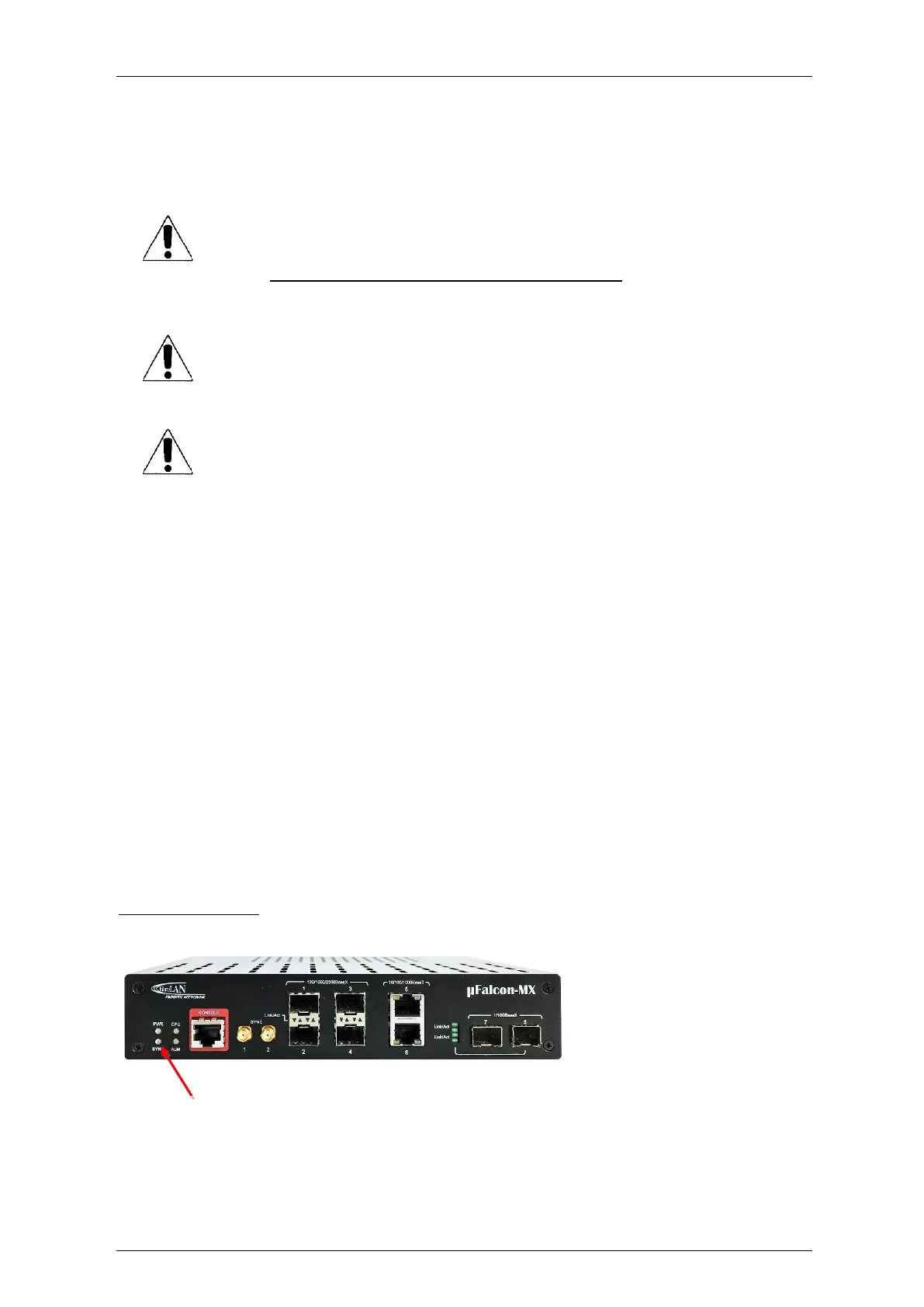
ON. This will be indicated by the Power (PWR) LED lit green on the front panel.
The PS is rated for ambient temperature of: -10°C ÷ +50°C.
125VDC Connection
In this case, the supplied AC cable allows the connection to an external DC source of 125VDC.
Figure 6-17: µFalcon-MX front panel
Power LED
ONLY the Fibrolan Power Supply (AC or DC) is suitable to be used with the M-Class
series unit.
Any other PS module (Fibrolan products or other), even if mechanically matching,
may cause irreversible damage to the system.
IN SUCH CASES THIS WILL VOID ANY WARRANTY!
NEVER OPEN THE DEVICE WHEN IT IS CONNECTED TO POWER LINES!
When connecting a device to an AC (DC) power outlet, always:
1. First connect the power cord to the device
(ensure that it is securely fastened).
2. Only after connecting the power cord to the device should it be plugged into
the wall outlet. Make sure to use grounded (3 way) outlets (for AC models).
For most countries Fibrolan ships an appropriate power supply cord
which is safety approved in accordance with the country’s National
Electric Code.
For certain countries Products are shipped without power cords.
In such cases, locally purchased safety approved power cords (in
accordance with that country’s National Electric Code) may be used.



 To Next Page