Falcon M-Class | User Guide
36
4.3.9 Events
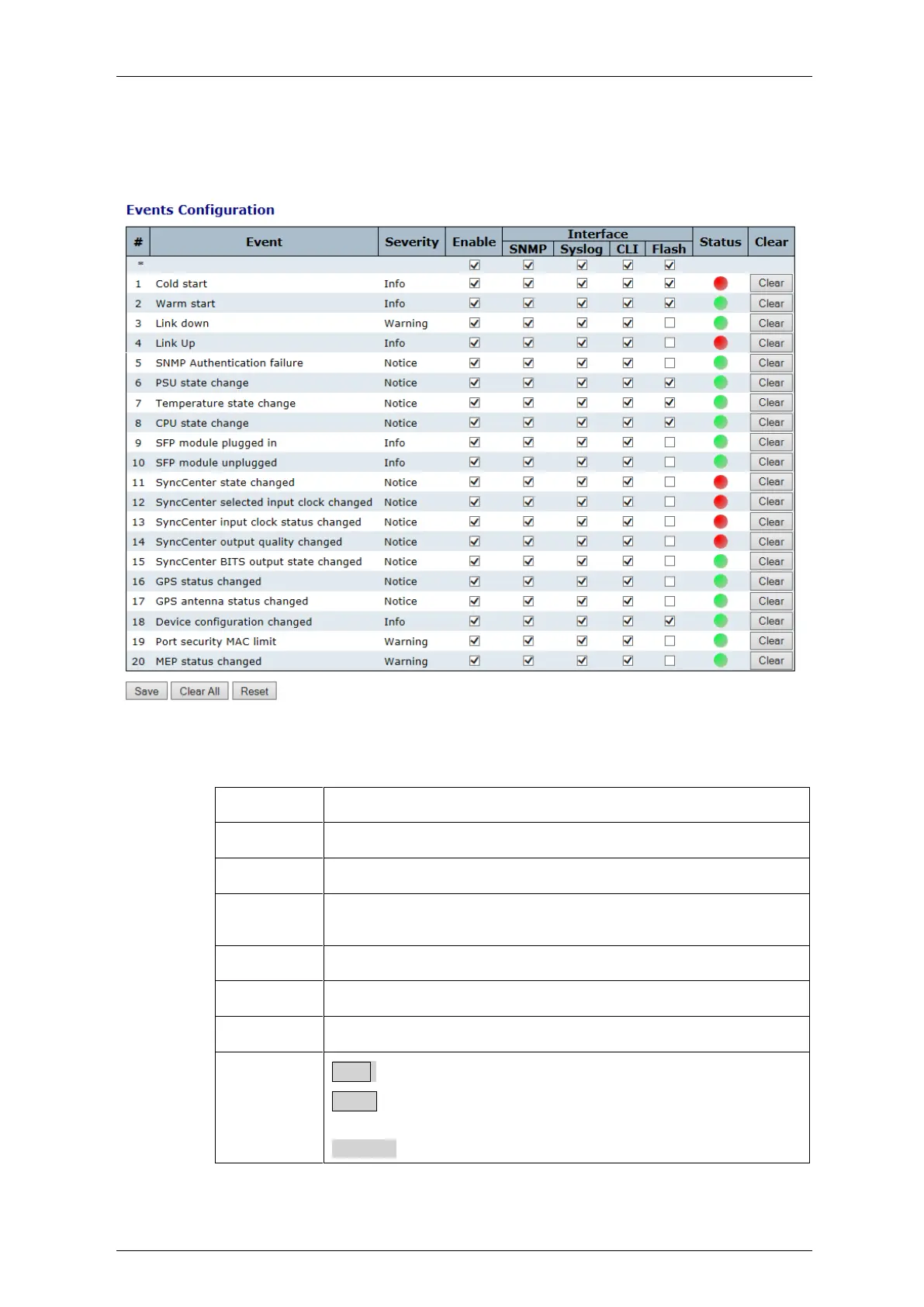
This page allows the user to change (enable/disable) and their corresponding
interfaces to the current events configuration
Figure 4-12: Events Configuration
Table 4-11: Events Configuration Parameters
Unique Name of the Event.
Indicates the severity of the event (Notice, Info.Warning)
Disable/Enable Event (Change will take effect on all checked
interfaces: snmp, syslog, cli).
Distribute event on a give interface: SNMP, Syslog, CLI .Flash
Indication whether an event occurred or not .
Clear event occurred indication
Save: Click to save changes.
Reset: Click to undo any changes made locally and revert to
previously saved values.
Clear All: Click to clear ALL event occurred indications.


 To Next Page