Falcon M-Class | User Guide
237
4.17.3 MSTI Configuration
This section allows the user to inspect the current STP MSTI bridge instance (group of VLANs)
priority configurations, and possibly change them as well.
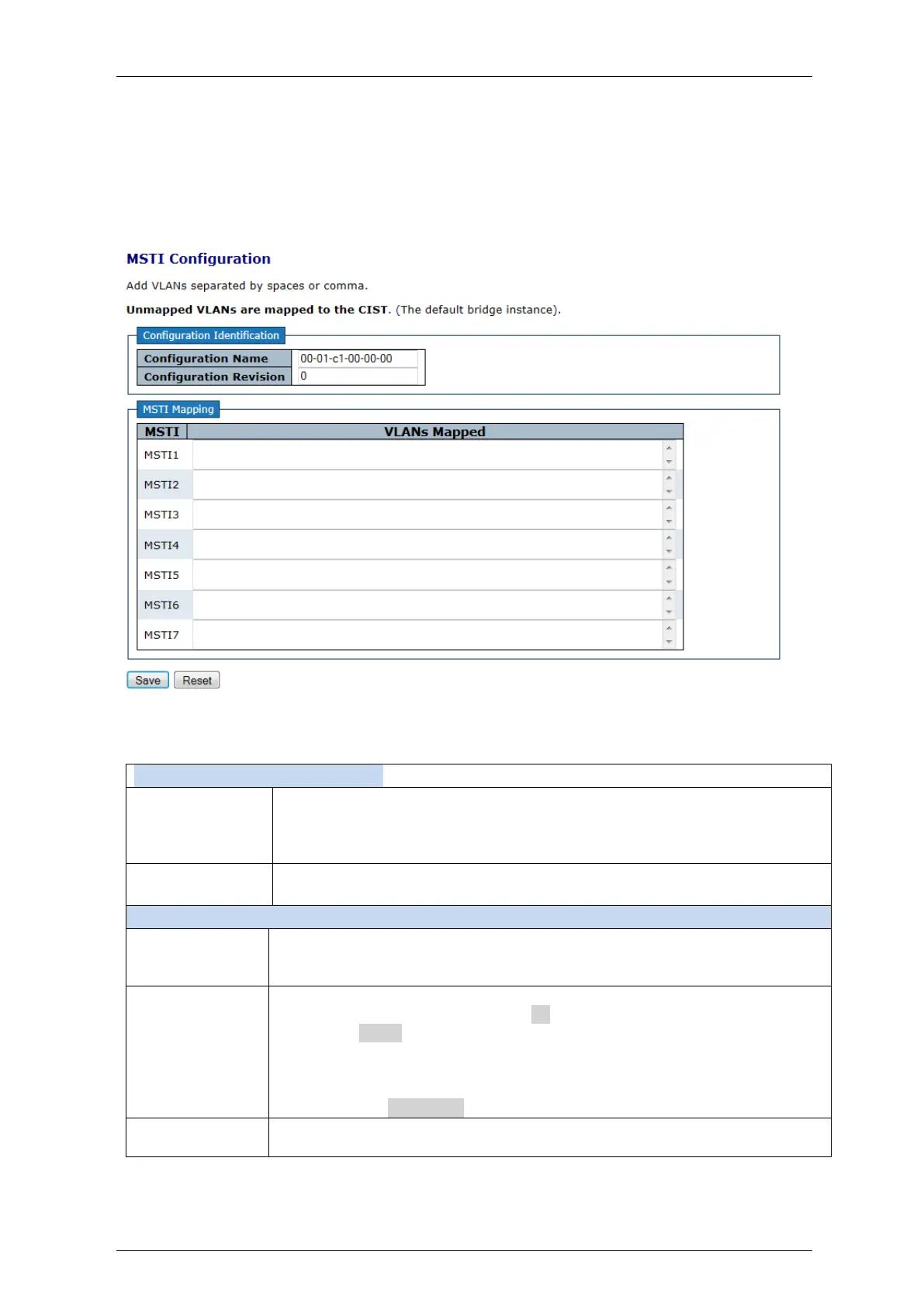
Add VLANs separated by spaces or comma.
Figure 4-131: MSTI Configuration
Table 4-125: MSTI Configuration Parameters
Configuration Identification
The name identifying the VLAN to MSTI mapping.
Bridges must share the name and revision (see below), as well as the VLAN-
to-MSTI mapping configuration in order to share spanning trees for MSTI's.
(Intra-region). The name is at most 32 characters
The revision of the MSTI configuration named above.
This must be an integer between 0 and 65535.
The bridge instance
The CIST is not available for explicit mapping, as it will receive the VLANs not
explicitly mapped.
The list of VLAN's mapped to the MSTI.
The VLANs can be given as a single (xx, xx being between 1 and 4094) VLAN,
or a range (xx-yy), each of which must be separated with comma and/or
space.
A VLAN can only be mapped to one MSTI.
An unused MSTI should just be left empty. (I.e. not having any VLANs mapped
to it.) Example: 2,5,20-40.
Save:Click to save changes.
Reset:Click to undo any changes made locally and revert to previously saved values.


 To Next Page