Falcon M-Class | User Guide
271
4.19.3 LACP Monitoring
1. LACP System Status
2. LACP Port Status
3. LACP Port Statistics
4.19.3.1 LACP System Status
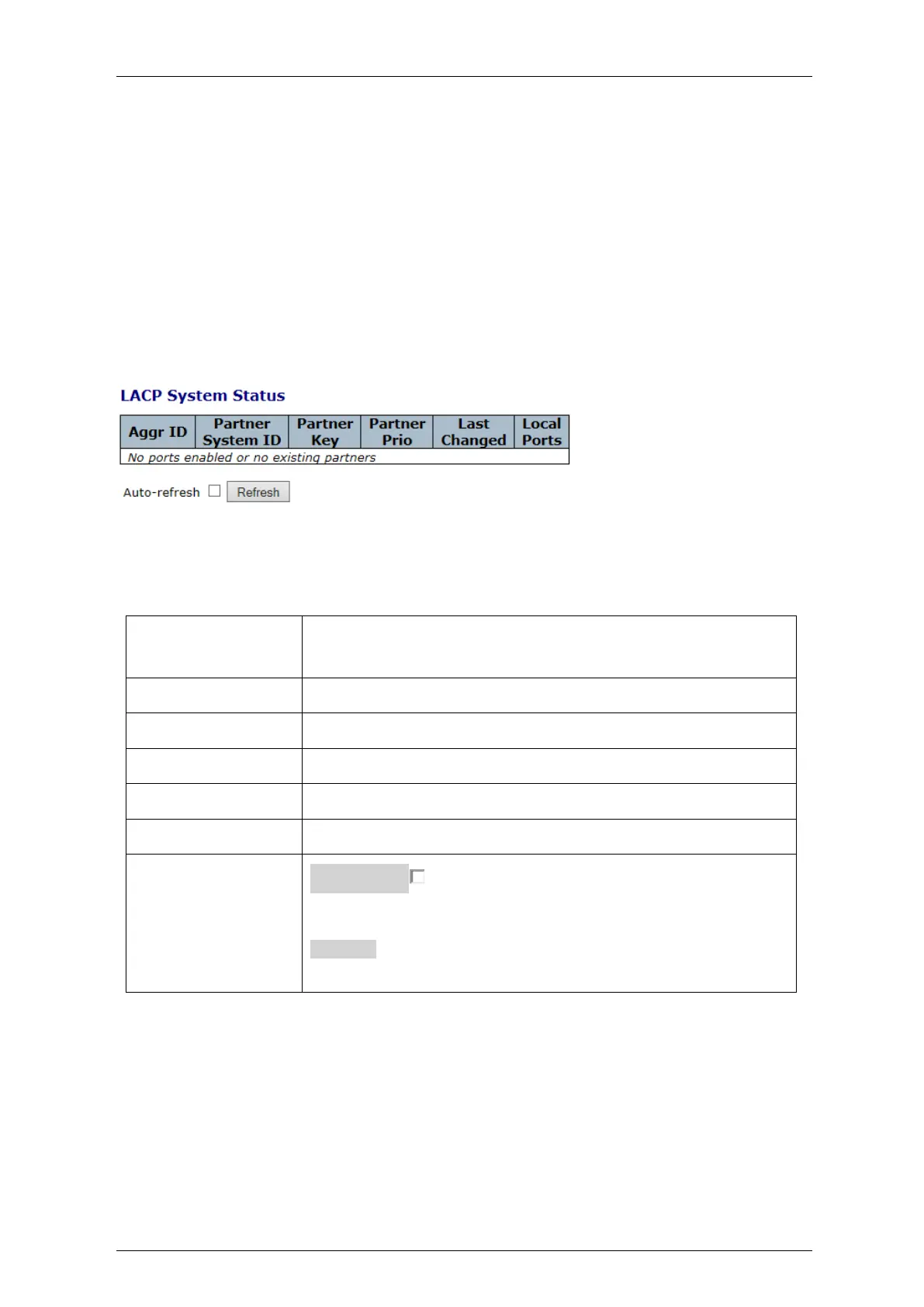
This section provides a status overview for all LACP instances
Figure 4-153: LACP System Status
Table 4-146: LACP System Status Parameters
The Aggregation ID associated with this aggregation instance.
For LLAG the id is shown as 'isid:aggr-id' and for GLAGs as 'aggr-id'.
The system ID (MAC address) of the aggregation partner.
The Key that the partner has assigned to this aggregation ID.
Indicates the priority of the partner
The time since this aggregation changed.
Shows which ports are a part of this aggregation for this
Auto-refresh : Automatic refresh occurs every 3 seconds.
Check this box to enable an automatic refresh of the screen at
regular intervals.
Refresh:
Click to refresh the screen immediately.



 To Next Page