Falcon M-Class | User Guide
46
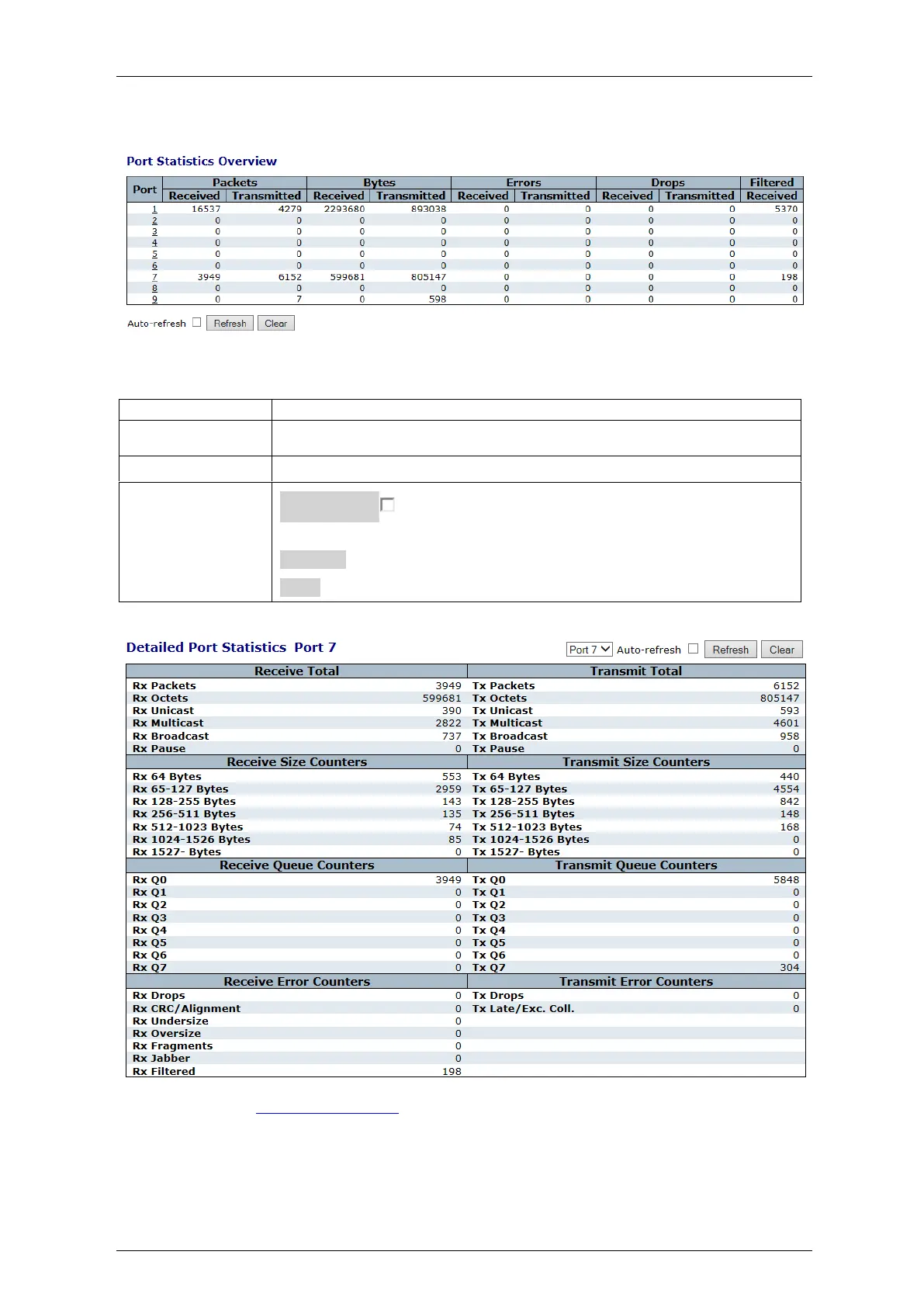
4.5.6 QoS Statistics
Figure 4-19: Queuing Counters Display
Table 4-17: Queuing Counters Parameters
The logical port for the settings contained in the same row..
There are 8 QoS queues per port. Q0 is the lowest priority queue.
The number of received and transmitted packets per queue
Auto-refresh : Check this box to enable an automatic refresh of the
screen at regular intervals.
Refresh: Click to refresh the screen immediately.
Clear: Clears the counters for all ports.
By clicking selected port 7, you get its detailed port statistics as shown:
For details, refer to Detailed Port Statistics



 To Next Page