Falcon M-Class | User Guide
45
4.5.5 Traffic Overview
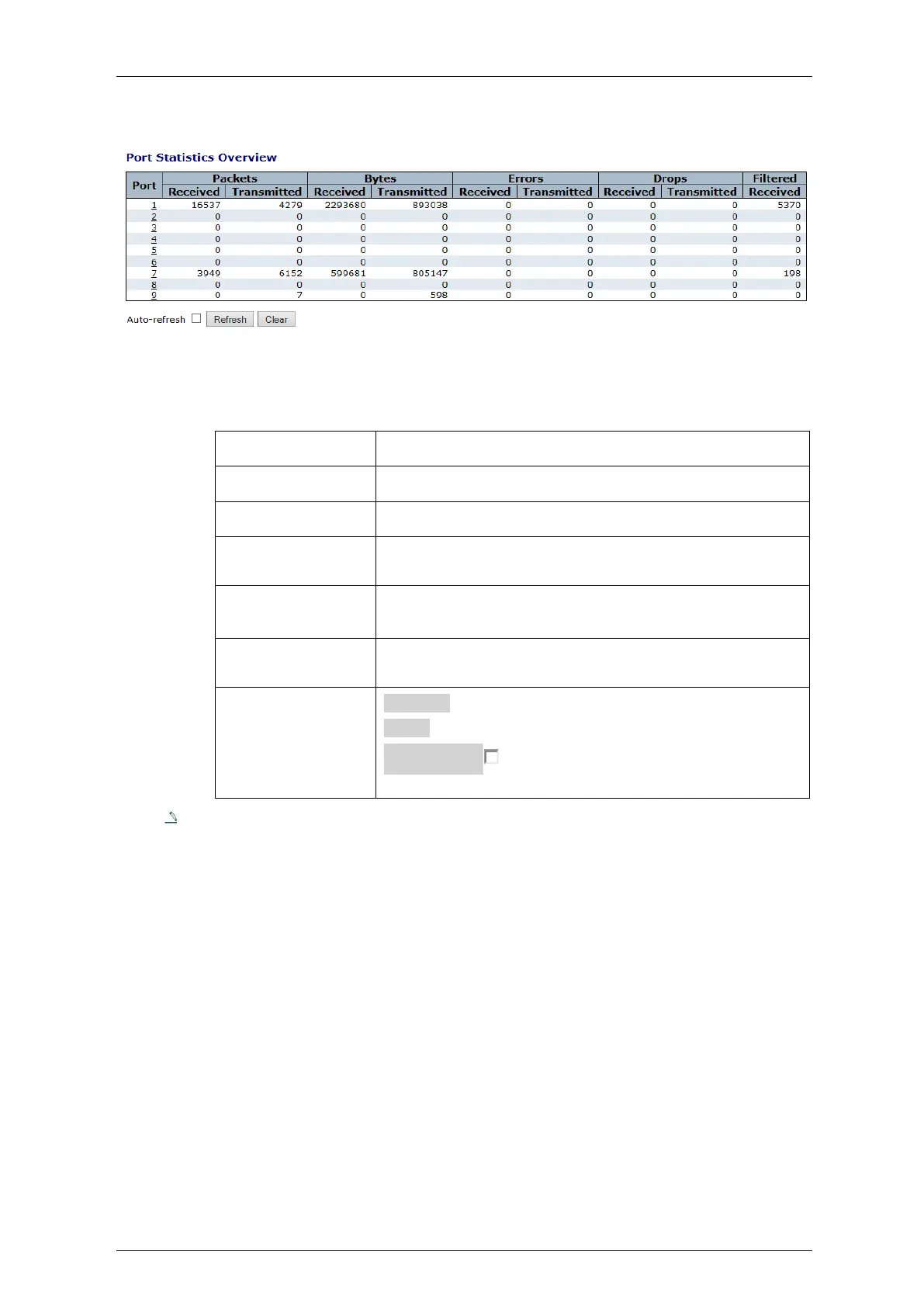
Figure 4-18: Port Statistics
Table 4-16: Port Statistics Overview Parameters
The logical port for the settings contained in the same row.
The number of received and transmitted packets per port.
The number of received and transmitted bytes per port.
The number of frames received in error and the number of
incomplete transmissions per port
The number of frames discarded due to ingress or egress
congestion
The number of frames discarded due to ingress or egress
congestion
Refresh: Click to refresh the page immediately
Clear: Clears the counters for all ports
Auto-refresh : Check this box to enable an automatic
refresh of the page at regular intervals
Note: by clicking on any underlined port , you get its detailed Statistics info. Refer to
next page



 To Next Page