Falcon M-Class | User Guide
49
4.5.8 Detailed Port Statistics
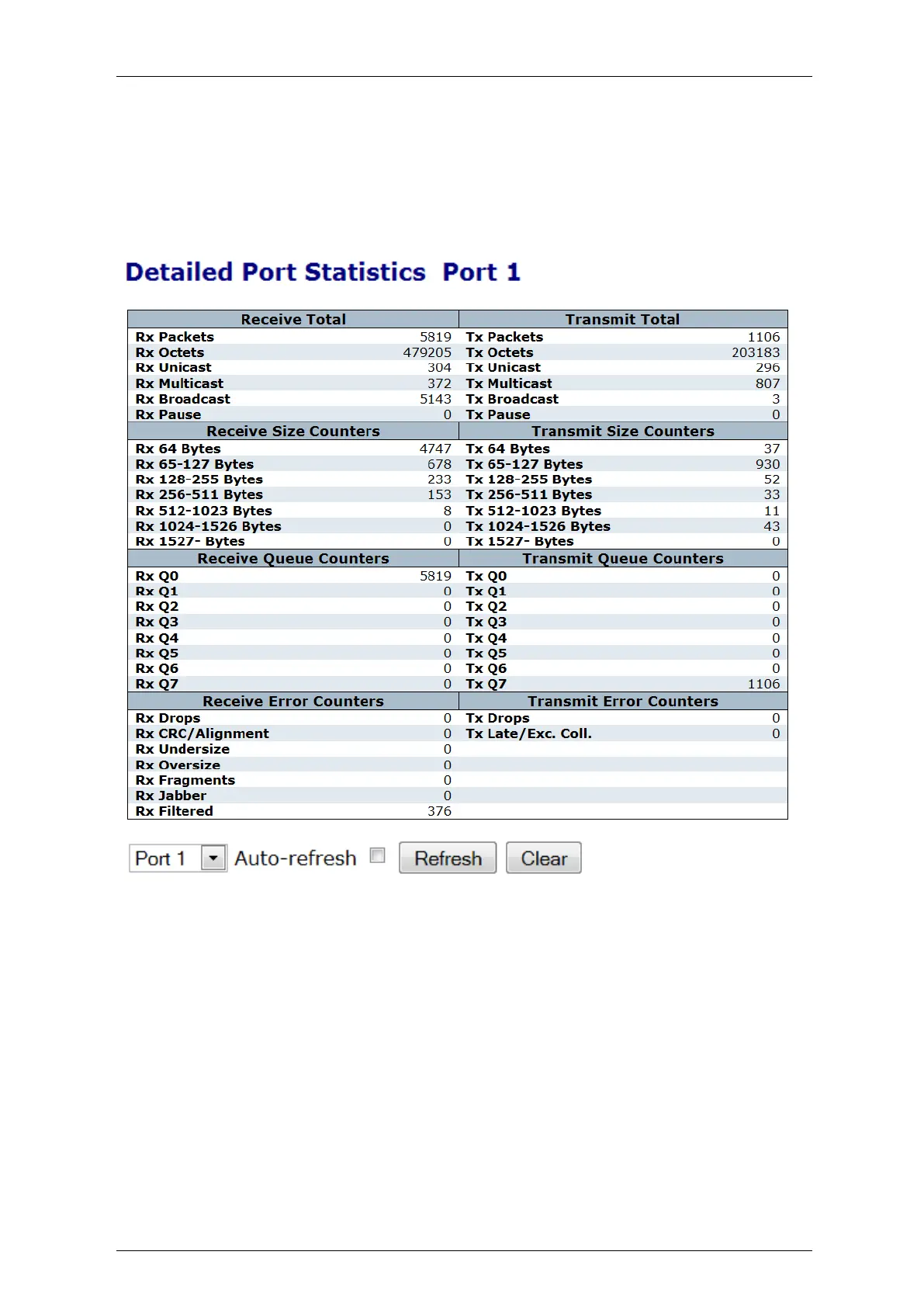
This section provides detailed traffic statistics for a specific switch port. Use the port select box to
select which switch port details to display
The displayed counters are the totals for receive and transmit, the size counters for receive and
transmit, and the error counters for receive and transmit
Figure 4-21: Detailed Port Statistics Display



 To Next Page