54200
Users Manual
6-4
Remote control of the instrument requires the instrument address to be known. On
delivery from the factory the address is set to 21. You can display the set address and
select a different address in the
support
submenu (F5 softkey).
•
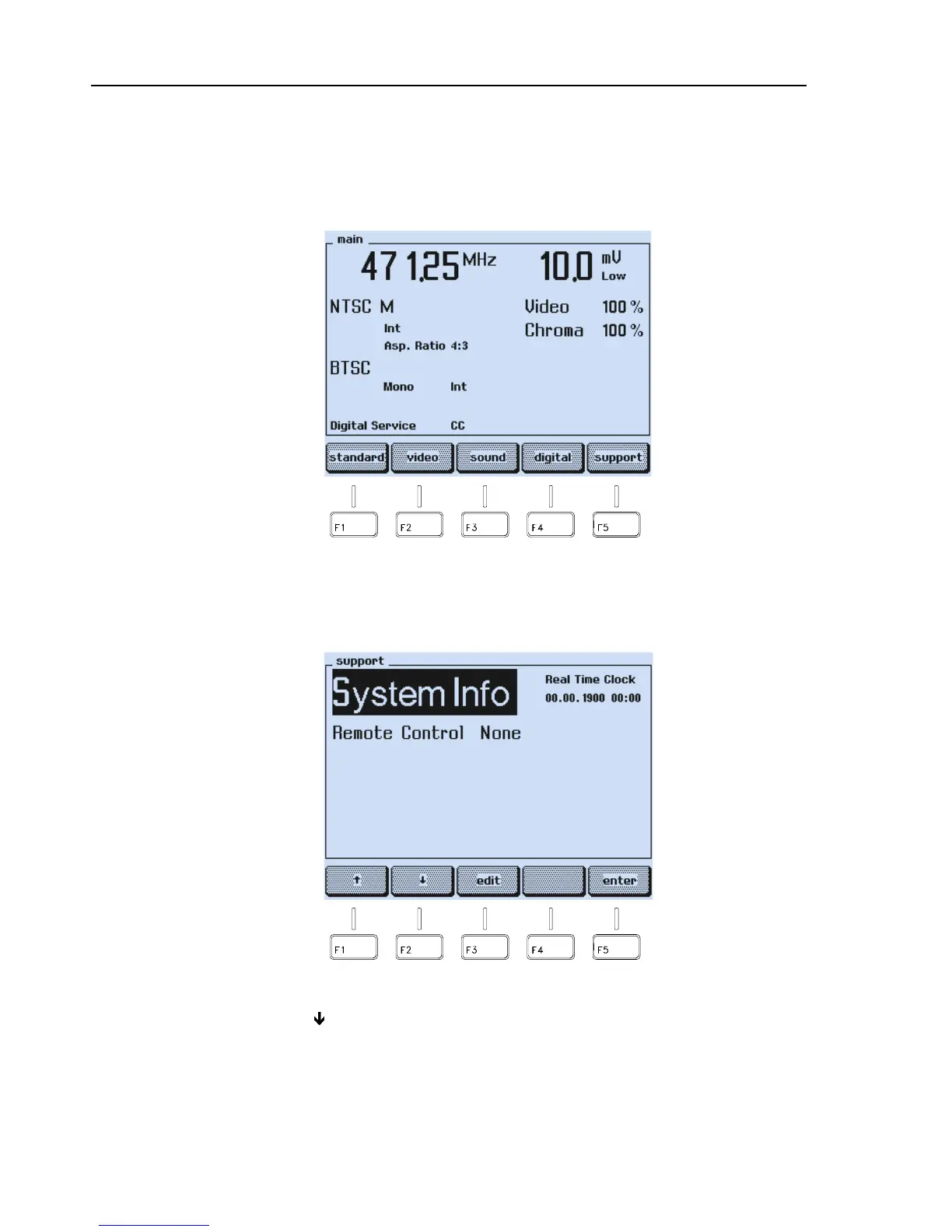
Set the instrument to the
main
screen.
Figure 6-1. Main Screen
•
Press the
support
softkey (F5).
•
The
support
submenu appears:
Figure 6-2. Support Submenu
•
Press the
ê
softkey (F2) to select the
Remote
Control
indication, in this example:
None
.
•
Press the
edit
softkey (F3).



 To Next Page