Remote Control
IEEE-488 Interface
6
6-5
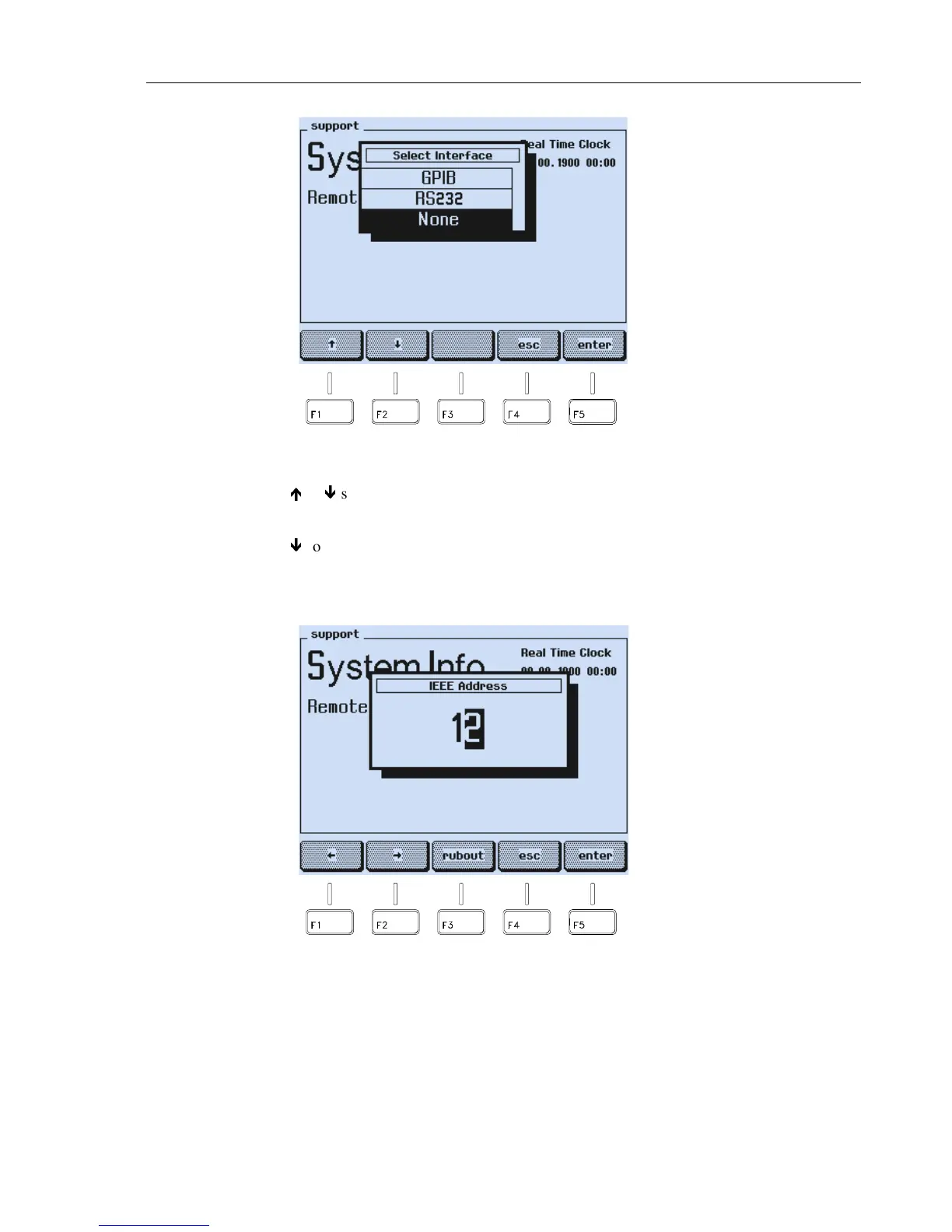
Figure 6-3. GPIB/IEEE-Interface Selection
•
Press the
é
or
ê
softkey (F1 or F2) to select
GPIB
.
•
Press the
enter
softkey (F5) to confirm your selection.
•
Press the
ê
softkey (F2) to select the address number.
•
Press the
edit
softkey (F3).
•
A popup menu for the numerical input of the instrument address appears:
Figure 6-4. IEEE Address Popup Menu
•
Key in the required instrument address, for example,
2 5
using numerical keypad.



 To Next Page