54200
Users Manual
6-8
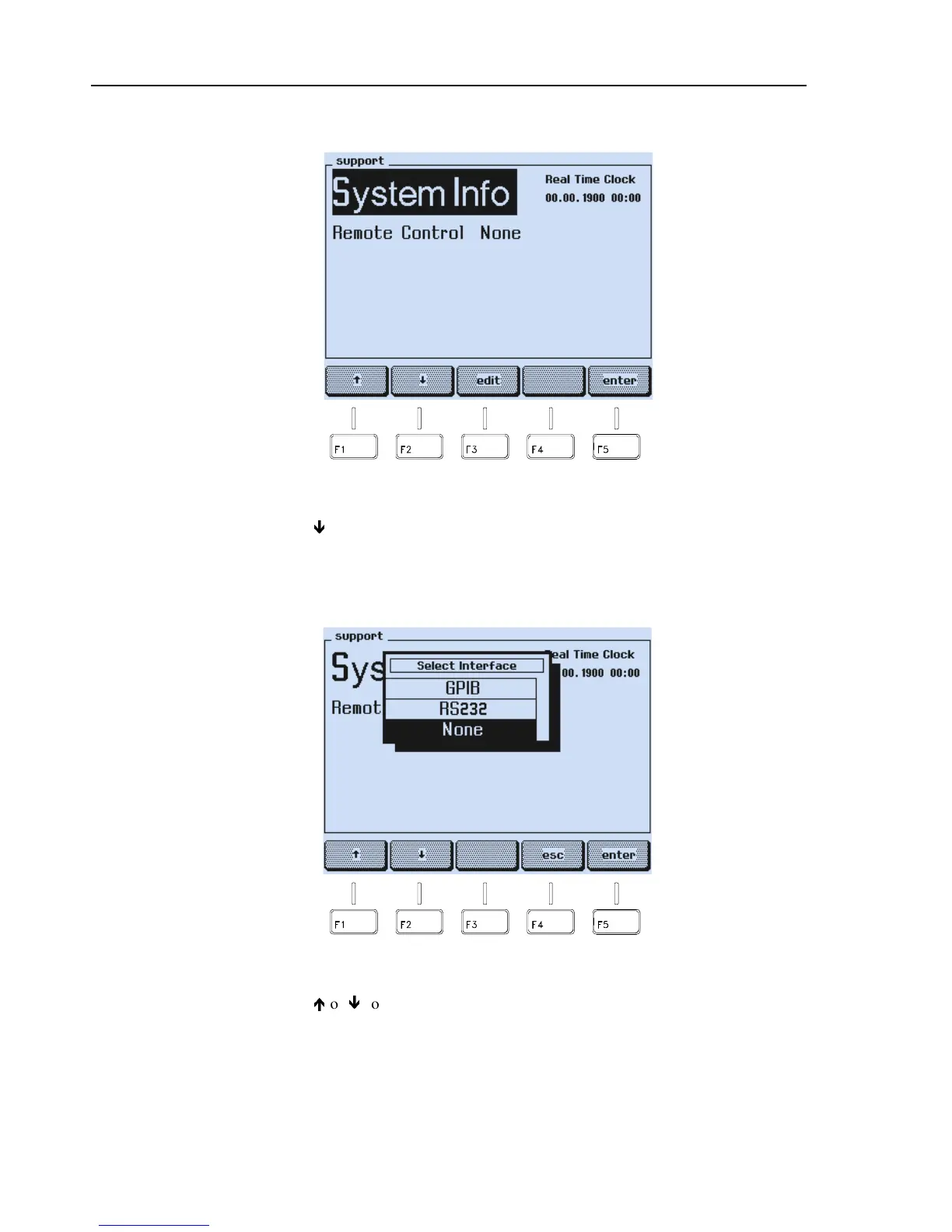
•
The
support
submenu appears:
Figure 6-7. Support Submenu
•
Press the
ê
softkey (F2) to select the
Remote
Control
indication, in this example:
None
•
Press the
edit
softkey (F3).
•
A popup menu with the interface selection appears:
Figure 6-8. RS-232 Interface Selection
•
Press the
é
or
ê
softkey (F1 or F2) to select
RS232
.
•
Press the
enter
softkey (F5) to confirm your selection.



 To Next Page