Getting Started
Brief Checking Procedure
3
3-5
•
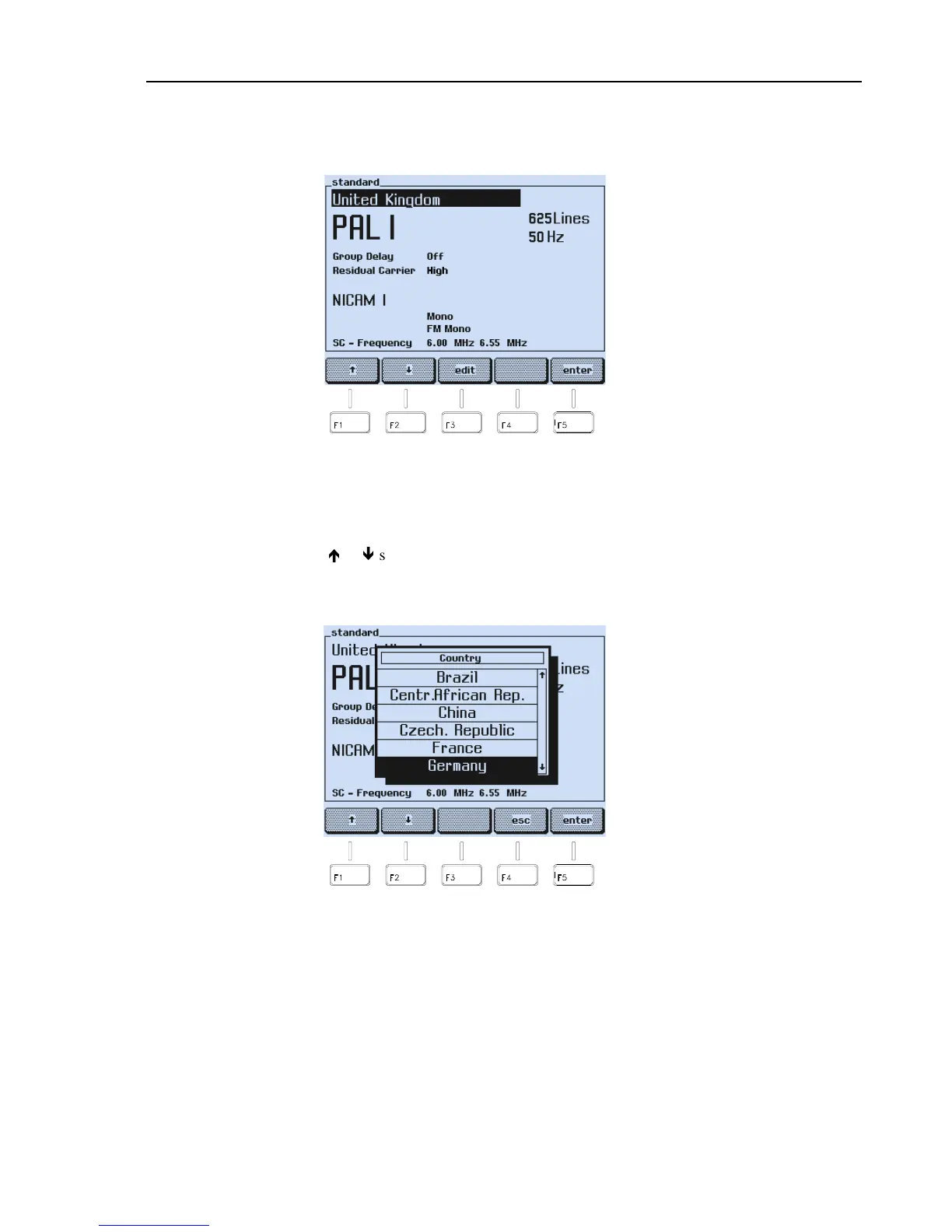
A submenu with the selected country and its default settings appears, in this
example, United Kingdom.
Figure 3-2. Current Country with Video Standard and Sound System
•
Press the
edit
softkey (F3).
•
A popup menu with a pre-defined country list appears.
•
Select with the
é
or
ê
softkey (F1 or F2) your country, for example, Germany. If
your country is not listed, select a country that uses your or a similar video standard
and sound system.
Figure 3-3. Popup Menu with the Pre-defined Country List
•
Press the
enter
softkey (F5) to confirm your selection.



 To Next Page