54200
Users Manual
3-6
•
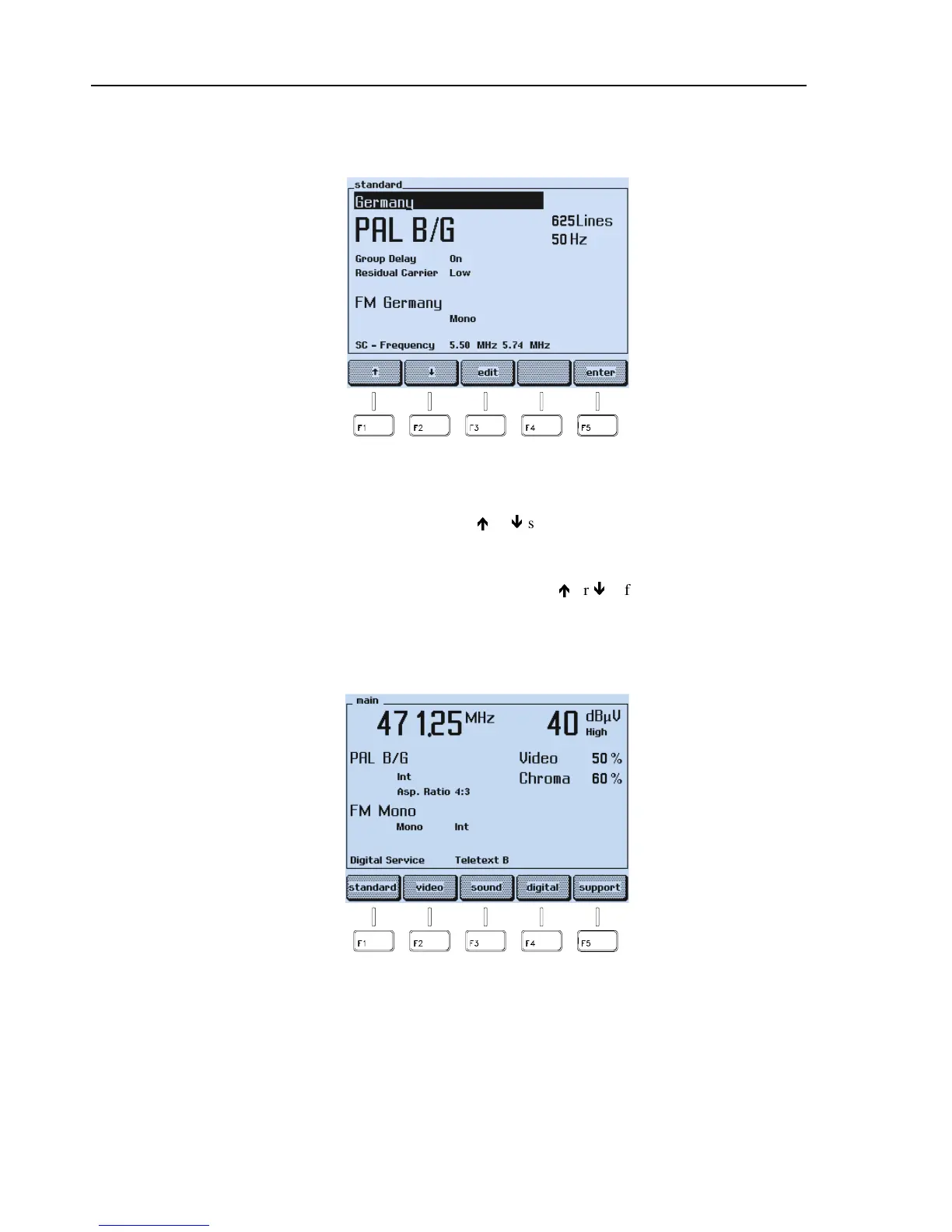
The display shows the video standard and the sound system according to the selected
country.
Figure 3-4. Selected Country with Video Standard and Sound System
•
If your TV equipment does not support the TV system, select the required video
standard or sound system with the
é
or
ê
softkey (F1 or F2), for example,
FM Germany
.
•
Press the
edit
softkey (F3).
•
Select the required standard or system with the
é
or
ê
softkey (F1 or F2), for
example,
FM Mono
.
•
Press the
enter
softkey (F5) to confirm your settings.
•
Press the
enter
softkey (F5) again to return to the
main
menu.
Figure 3-5. Main Menu with Selected Settings
•
Check if the video and chroma amplitudes are set to 100%.
•
If not, press the
video
softkey (F2).



 To Next Page