How to Use the Instrument
Operating via Keyboard
4
4-17
Step Function
•
Press the
FREQ
key.
•
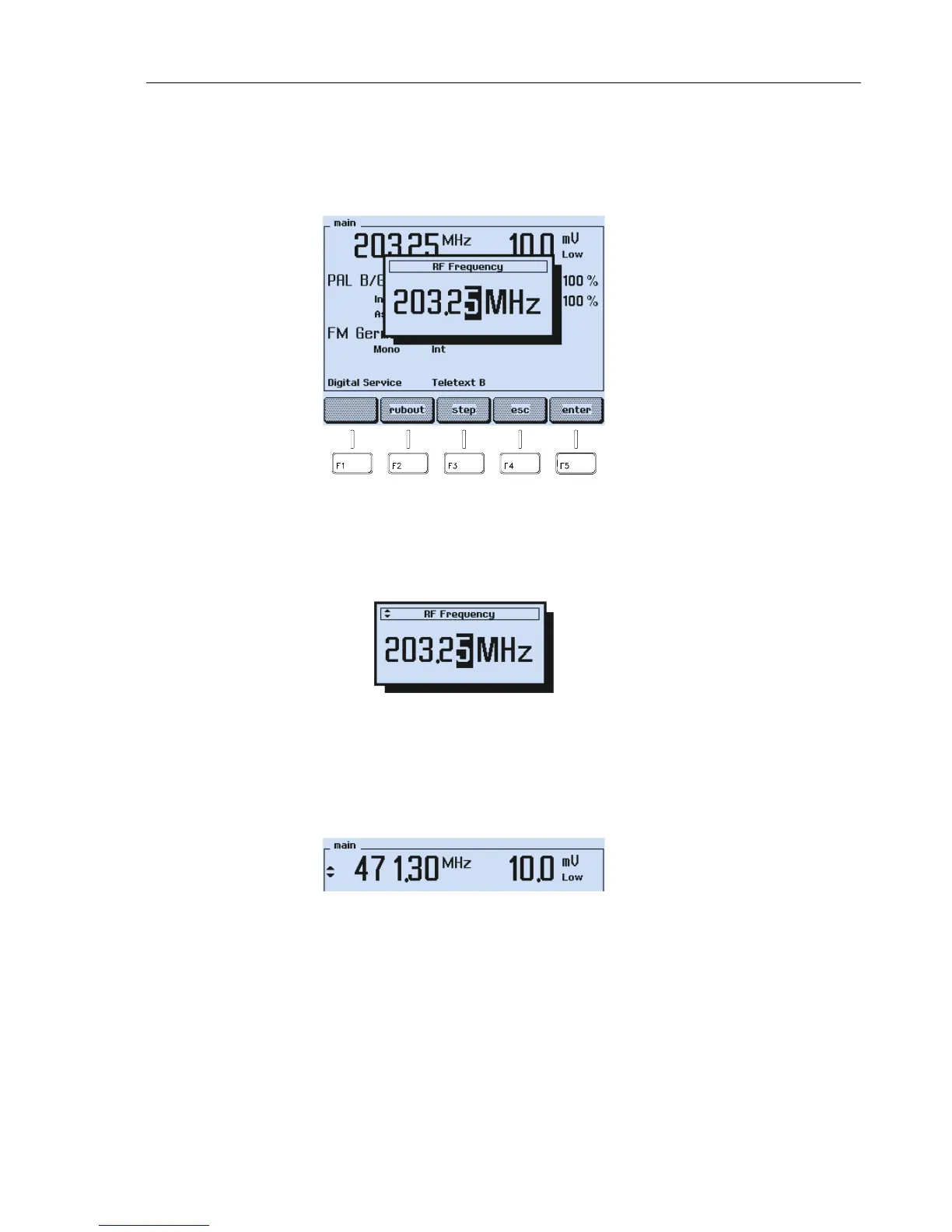
A popup menu for numerical input appears, showing the current frequency.
Figure 4-25. Carrier Frequency
•
Press the
step
softkey (F3).
•
The symbol for the stepping function appears in front of the
RF Frequency
label.
Figure 4-26. Stepping Function Indicator
•
Press the
enter
softkey (F5) to confirm and to return to the
main
screen.
•
Press the
▲
or
▼
key to increase or decrease the frequency in units of 50 kHz steps.
Keeping a key pressed effects continuous stepping with increasing stepwidth.
Figure 4-27. Frequency Stepping
The stepping function indicator next to the frequency value shows that the stepping
function is selected for the vision carrier frequency.



 To Next Page