Cockpit Reference Guide for the Cirrus SR2x with Perspective Touch+ by Garmin
190-02954-01 Rev. A
Appendix
259
Flight
Instruments EIS
Nav/Com/
XPDR/Audio
Flight
Management
Hazard
Avoidance AFCS
Additional
Features Annun/Alerts Appendix Index
Flight
Instruments EAS
Audio and
CNS
Flight
Management
Hazard
Avoidance AFCS
Additional
Features
Abnormal
Operation Annun/Alerts Appendix Index
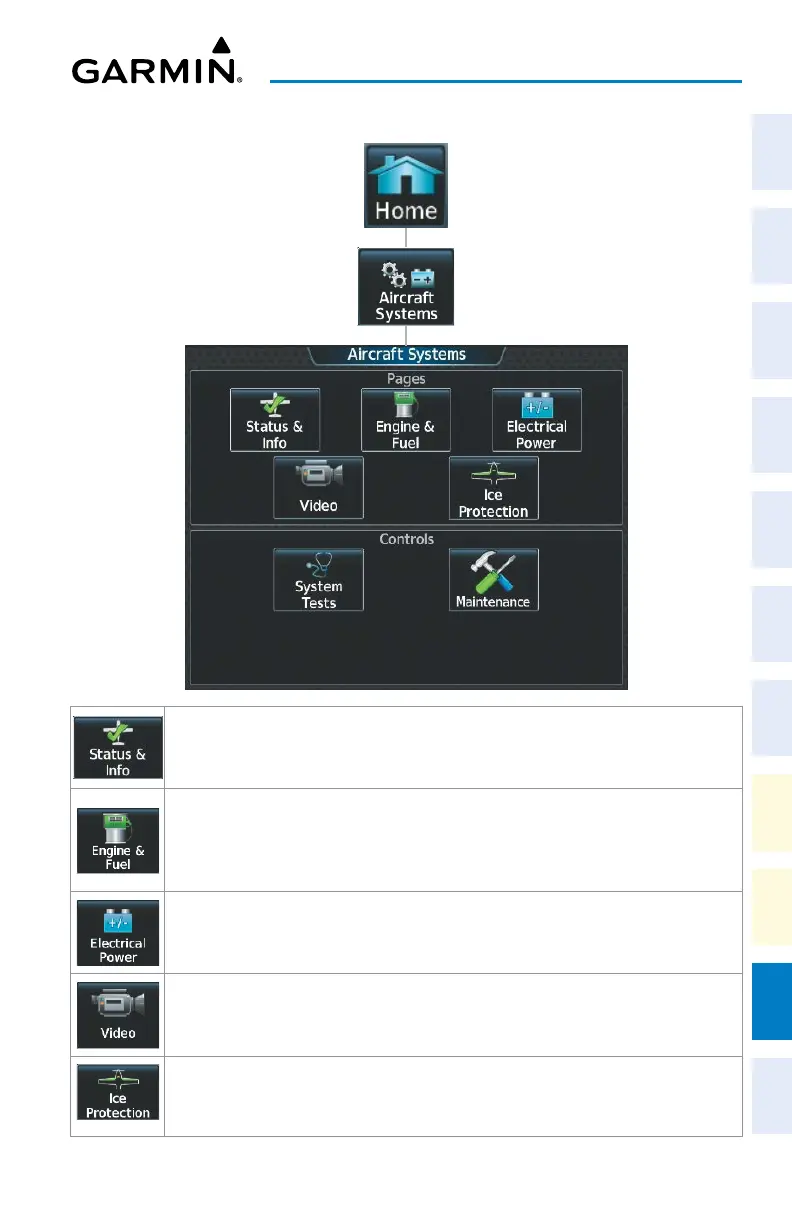
‘Aircraft Systems’ Screen
Shows the ‘Status & Info’ Pane, with synoptic information about the aircraft doors, brakes,
oxygen and oil temperature. Also shows approximate values and parameters for certain
performance calculations.
Shows the ‘Engine & Fuel’ Pane, with information about fuel quantities, flow, valve, pump
states and other engine information (e.g. CHT/EGT, MAP, and MAT). When the Engine &
Fuel Button is touched, the Lean Assist Button will be displayed on the ‘Aircraft Systems’
Screen.
Shows the ‘Electrical Power’ Pane, with information about the batteries, alternators, and
electrical buses.
Shows the ‘Video’ Pane in the selected Display Pane. Provides controls for adjusting EVS
video on the display (brightness, contrast, saturation).
Shows the ‘Ice Protection’ Pane, with synoptic information about the ice protection system,
OAT, and pitot and AOA heat. When the Ice Protection Button is touched, the IPS Left,
IPS Auto, and IPS Right buttons will be displayed on the ‘Aircraft Systems’ Screen.












 To Next Page