Cockpit Reference Guide for the Cirrus SR2x with Perspective Touch+ by Garmin
190-02954-01 Rev. A
Appendix
258
Flight
InstrumentsEIS
Nav/Com/
XPDR/Audio
Flight
Management
Hazard
AvoidanceAFCS
Additional
FeaturesAnnun/AlertsAppendixIndex
Flight
InstrumentsEAS
Audio and
CNS
Flight
Management
Hazard
AvoidanceAFCS
Additional
Features
Abnormal
OperationAnnun/AlertsAppendixIndex
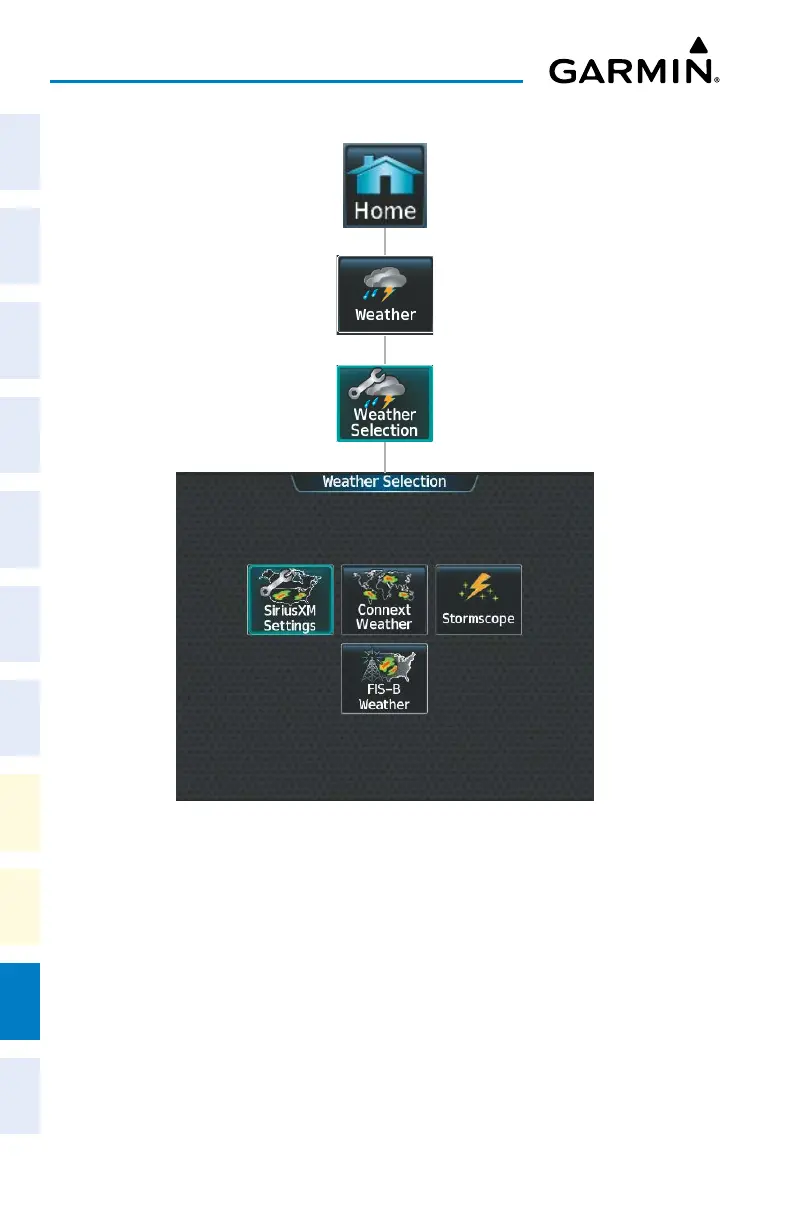
‘Weather Selection’ Screen
Touching a button within the ‘Weather Selection’ Screen (shown above) will display a re-
spective ‘SiriusXM Weather’, ‘Connext Weather’, ‘Stormscope’ or ‘FIS-B Weather’ Pane. Ad-
ditionally, once touched, the button name will change to a ‘Settings’ syntax. Touching any of
these ‘settings’ buttons will open a settings screen discussed in the Hazard Avoidance Section.












 To Next Page