Cockpit Reference Guide for the Cirrus SR2x with Perspective Touch+ by Garmin
190-02954-01 Rev. A
Appendix
257
Flight
Instruments EIS
Nav/Com/
XPDR/Audio
Flight
Management
Hazard
Avoidance AFCS
Additional
Features Annun/Alerts Appendix Index
Flight
Instruments EAS
Audio and
CNS
Flight
Management
Hazard
Avoidance AFCS
Additional
Features
Abnormal
Operation Annun/Alerts Appendix Index
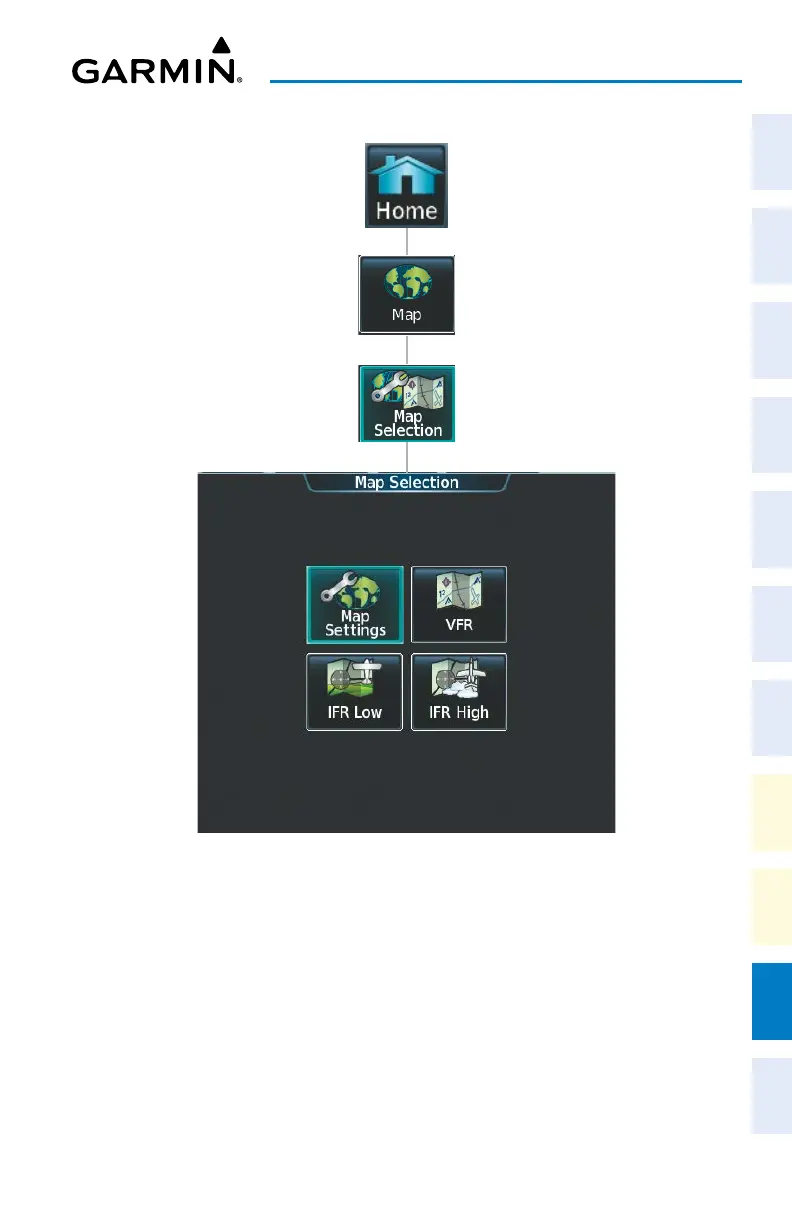
‘Map Selection’ Screen
Touching the Map Button on the ‘Map Selection’ Screen displays the ‘Navigation Map’ Pane
and the button name will change to Map Settings. Additionally, once touched, the Map Set-
tings Button displays the ‘Navigation Map Settings’ Screen which is discussed in the Flight
Management Section.
Touching the VFR, IFR Low, or IFR High Buttons will respectively display the ‘VFR’, ‘IFR
Low’, or ‘IFR High’ Panes. After touching the IFR Low or IFR High Button, the button name
will change to ‘IFR Low Settings’ or ‘IFR High Settings’ respectively. Touching either settings
button again opens the ‘IFR/VFR Charts Settings’ Screen which is discussed in the Additional
Features Section.












 To Next Page