Cockpit Reference Guide for the Cirrus SR2x with Perspective Touch+ by Garmin
190-02954-01 Rev. A
Appendix
270
Flight
InstrumentsEIS
Nav/Com/
XPDR/Audio
Flight
Management
Hazard
AvoidanceAFCS
Additional
FeaturesAnnun/AlertsAppendixIndex
Flight
InstrumentsEAS
Audio and
CNS
Flight
Management
Hazard
AvoidanceAFCS
Additional
Features
Abnormal
OperationAnnun/AlertsAppendixIndex
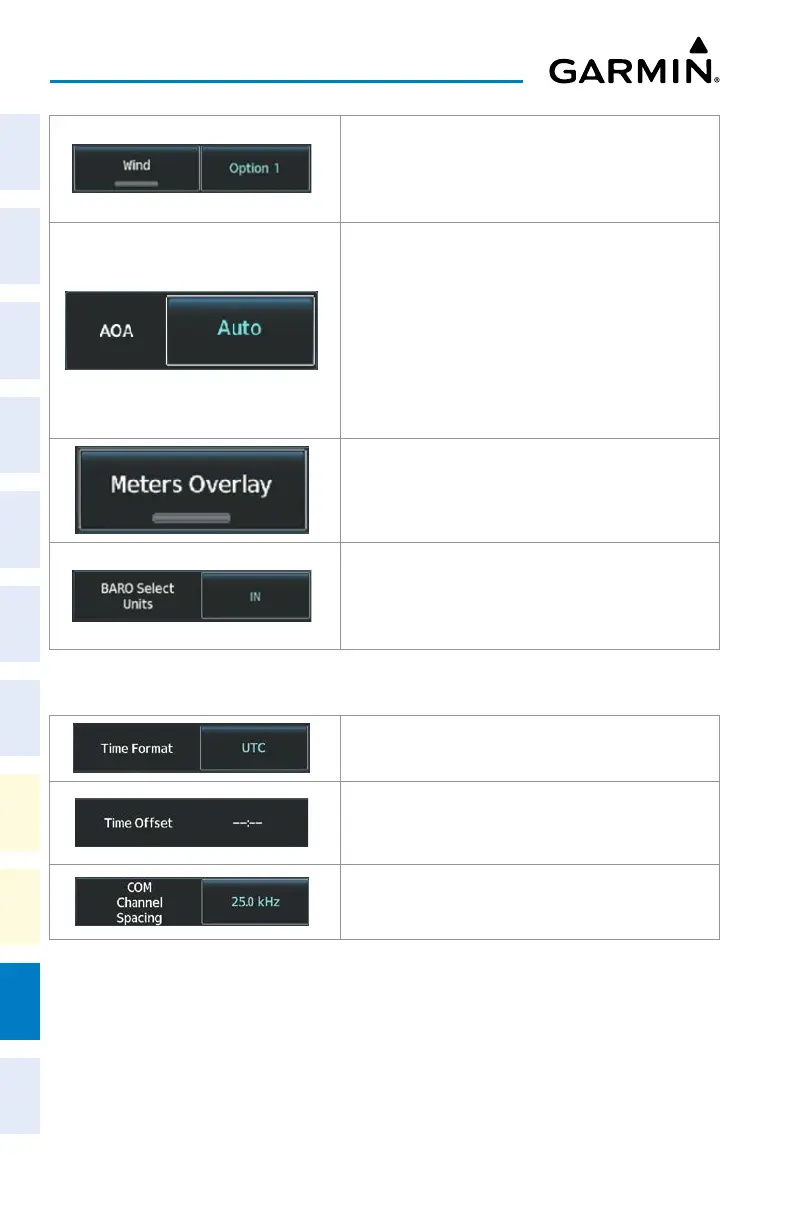
Option 1: Wind direction arrows with wind direction and
speed.
Option 2: Wind direction arrows with headwind and
crosswind components.
Selects the display mode for the Angle of Attack (AOA)
indicator on the PFD.
Auto: Automatically displays the Angle of Attack Indicator
when the aircraft is in a landing configuration, or when
normalized AOA is greater than 0.35.
On: Displays the Angle of Attack (AOA) Indicator
on the PFD / PFW.
Off: Removes AOA Indicator from the PFD / PFW.
Enables/disables the display of the meter overlay on the
Altimeter.
Inches (IN): Displays the BARO setting as inches of
mercury.
Hectopascals (HPA): Displays the BARO setting as
hectopascals.
General Tab
Selects the Time Format: Local 12hr, Local 24hr, or UTC.
Displays the Local and UTC time offset.
Selects the COM Channel Spacing: 25 kHz or 8.33 kHz.












 To Next Page