Cockpit Reference Guide for the Cirrus SR2x with Perspective Touch+ by Garmin
190-02954-01 Rev. A
Appendix
269
Flight
Instruments EIS
Nav/Com/
XPDR/Audio
Flight
Management
Hazard
Avoidance AFCS
Additional
Features Annun/Alerts Appendix Index
Flight
Instruments EAS
Audio and
CNS
Flight
Management
Hazard
Avoidance AFCS
Additional
Features
Abnormal
Operation Annun/Alerts Appendix Index
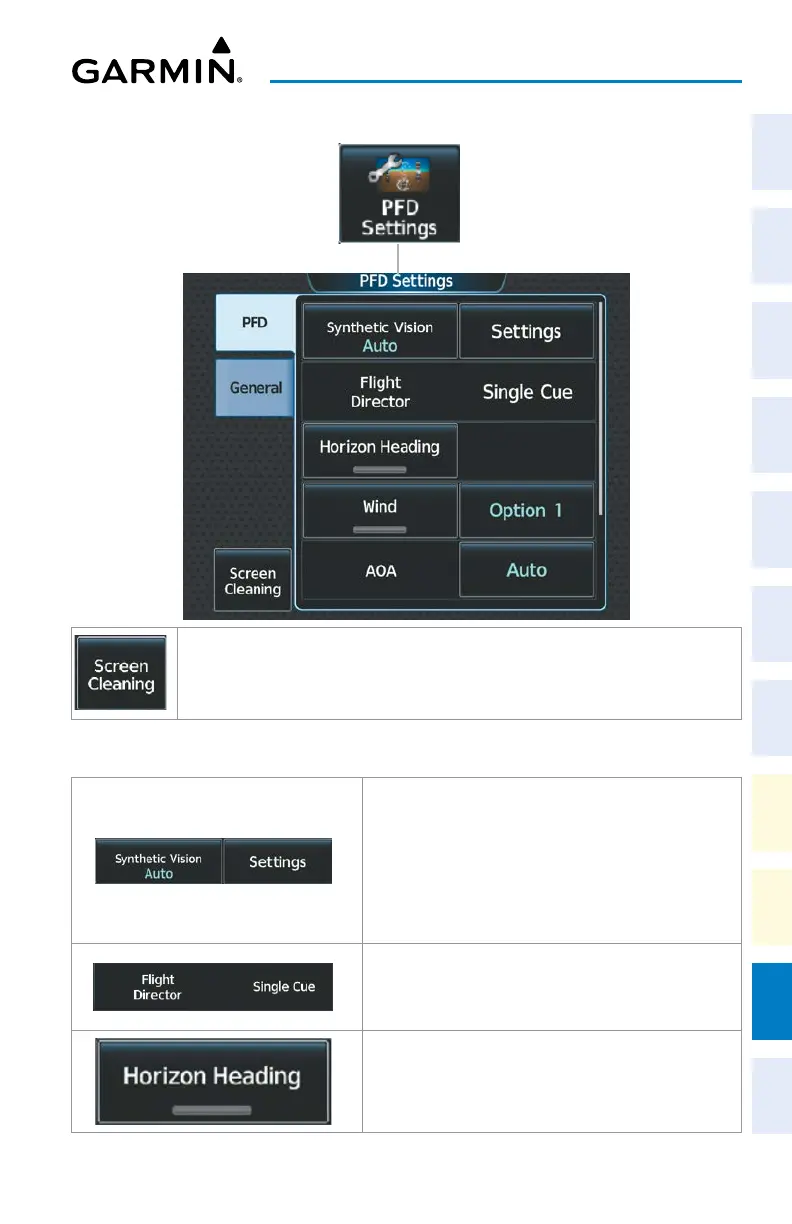
PFD Settings
Deactivates touch input on the Touchscreen Controller to facilitate cleaning. Press or
turn a knob on the controller to resume touch input.
PFD Tab
Synthetic Vision Button selects Synthetic Vision Mode
on the PFD.
• Auto: Selects SVT Auto Mode.
• Flight: Selects SVT Flight Mode.
• Off: SVT is off.
Shows the type of Flight Director available. Single Cue is
the only available format.
Enables/disables display of compass heading along the
Zero-Pitch line. When Enabled, the annunciator is green.
Button is subdued when synthetic terrain is disabled.












 To Next Page