Cockpit Reference Guide for the Cirrus SR2x with Perspective Touch+ by Garmin
190-02954-01 Rev. A
14
Engine & Airframe Systems
Flight
InstrumentsEIS
Nav/Com/
XPDR/Audio
Flight
Management
Hazard
AvoidanceAFCS
Additional
FeaturesAnnun/AlertsAppendixIndex
Flight
InstrumentsEAS
Audio and
CNS
Flight
Management
Hazard
AvoidanceAFCS
Additional
Features
Abnormal
OperationAnnun/AlertsAppendixIndex
6
V
FE
(Flaps
Extended Speed)
This displays the V
FE
speeds for the airframe based on current flap
deflection.
7
Fuel Tank Quantity
The fuel quantity is displayed as a total fuel quantity, and individual
quantities are shown for the left and right tanks. The Fuel Tank Left
and Right arrows will change to amber or red as fuel depletes. The fuel
amount will show black lettering over an amber box if in the amber
range. The fuel amount will flash white over a red box if in the red
range.
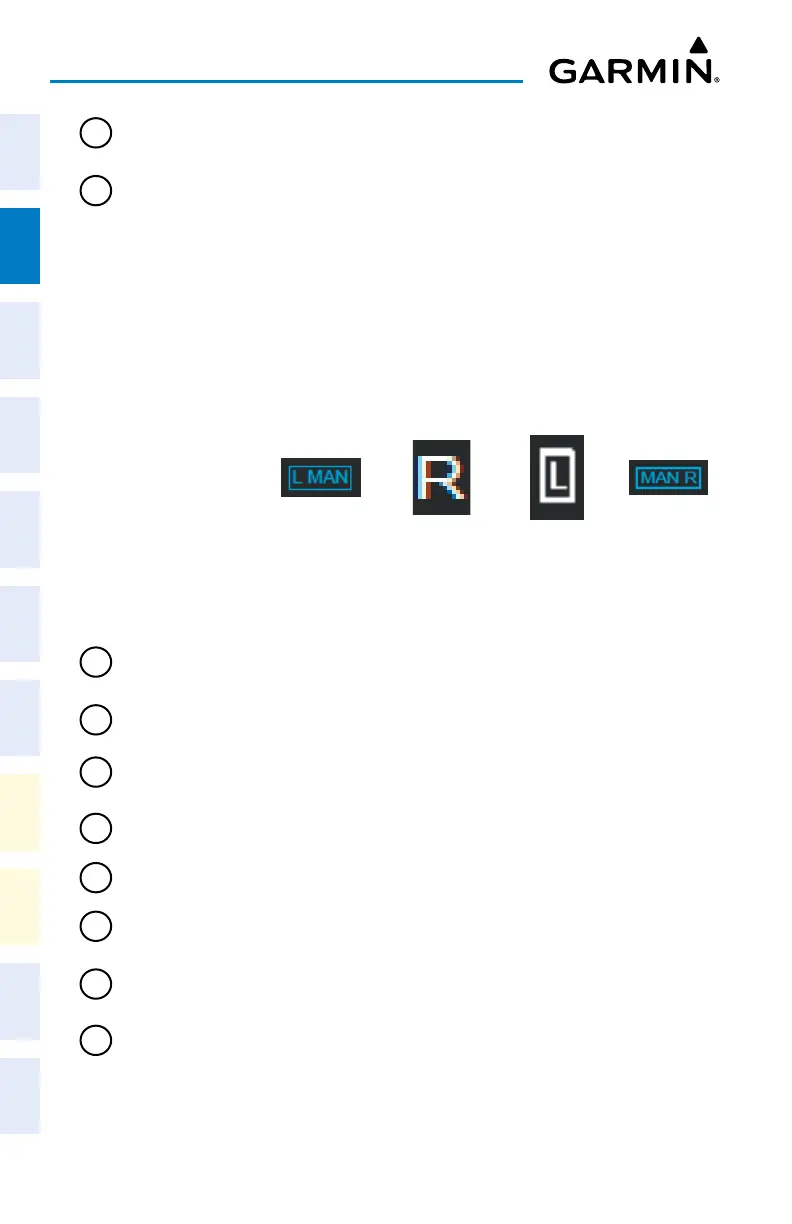
The tank selection indicator will appear above the fuel quantity
indication. Cyan boxes indicate manual tank selection. White boxes
indicate automatic tank selection.
Left Tank
Manual Selec-
tion
Right Tank Left Tank
with Auto
Selection
Box
Right Tank
Manual Selec-
tion
8
Engine Manifold
Pressure
Displays manifold pressure in inches of Mercury to indicate engine
power.
9
Tachometer
Displays propeller speed in revolutions per minute.
10
Oil Pressure
Displays pressure of oil supplied to the engine in pounds per square
inch (psi).
11
Oil Temperature
Displays engine oil temperature in degrees Fahrenheit.
12
Ammeter
Displays the battery 1 load in amperes.
13
Essential Bus
Voltage
Displays ESS Bus in Volts
14
Alternator Load
Displays the Alternator 1 (Left) Load and Alternator 2 (Right) Load in
amperes.
15
Oxygen Pressure
Displays Oxygen Pressure in Pounds per Square Inch (PSI). If the oxygen
system is on then the word “ON” will be displayed in a Cyan Box.












 To Next Page