4-7
Chapter 4 Example of Use
Contents General Description
Checks and Preparation
Settings and Measurement
Example of Use Specification
Data capturing destination setting
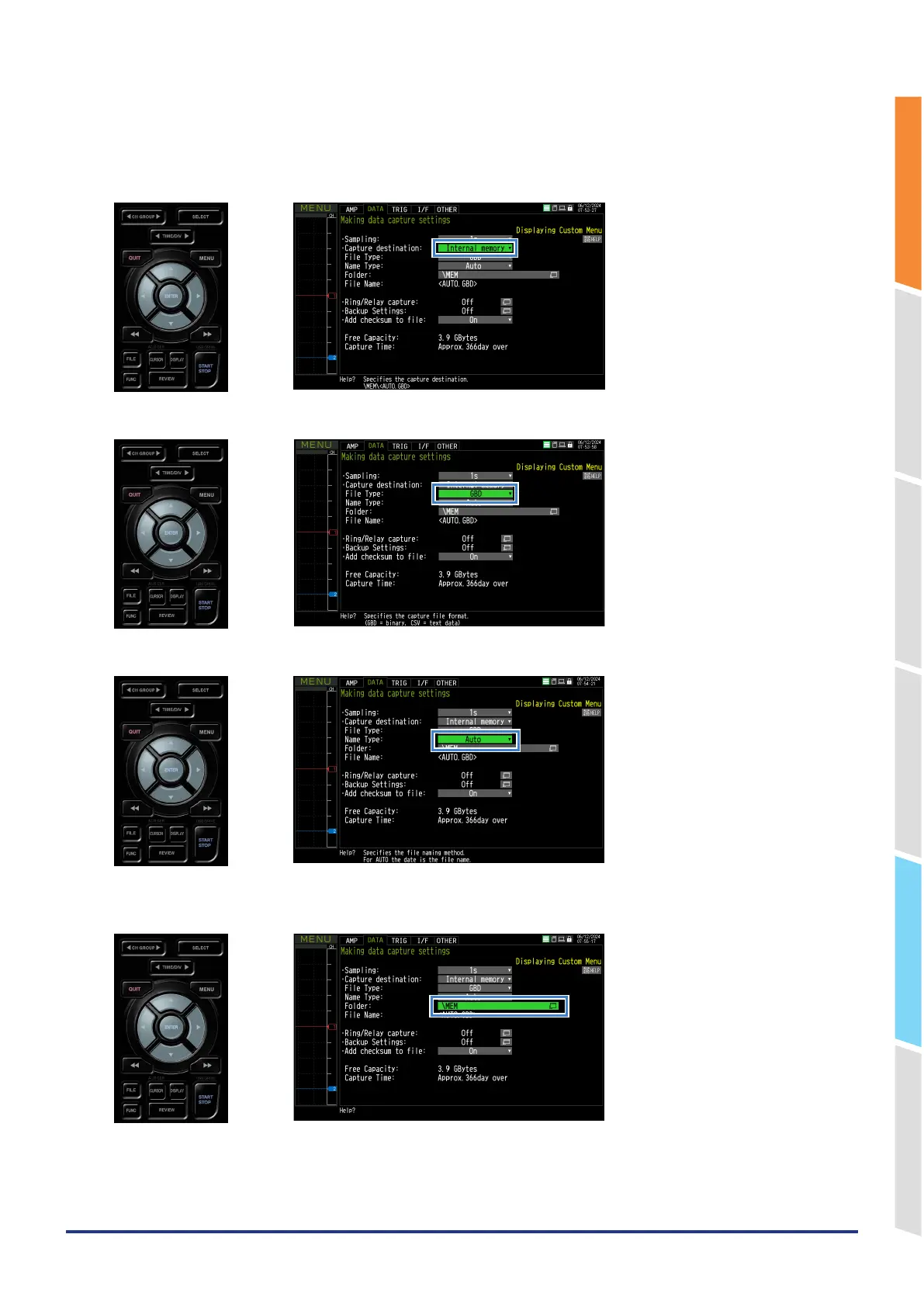
Set the data capturing destination media, file format, and file naming method.
1. Set the capturing destination to "Internal memory".
2. Set the file format to "GBD".
3. Set the naming method to "Auto".
4. Set the capturing destination folder.
Move the cursor to the folder and press the "ENTER" key.















 To Next Page