3-26
Chapter 3 Settings and Measurement
Contents General Description
Checks and Preparation
Settings and Measurement
Example of Use Specification
Switching displays
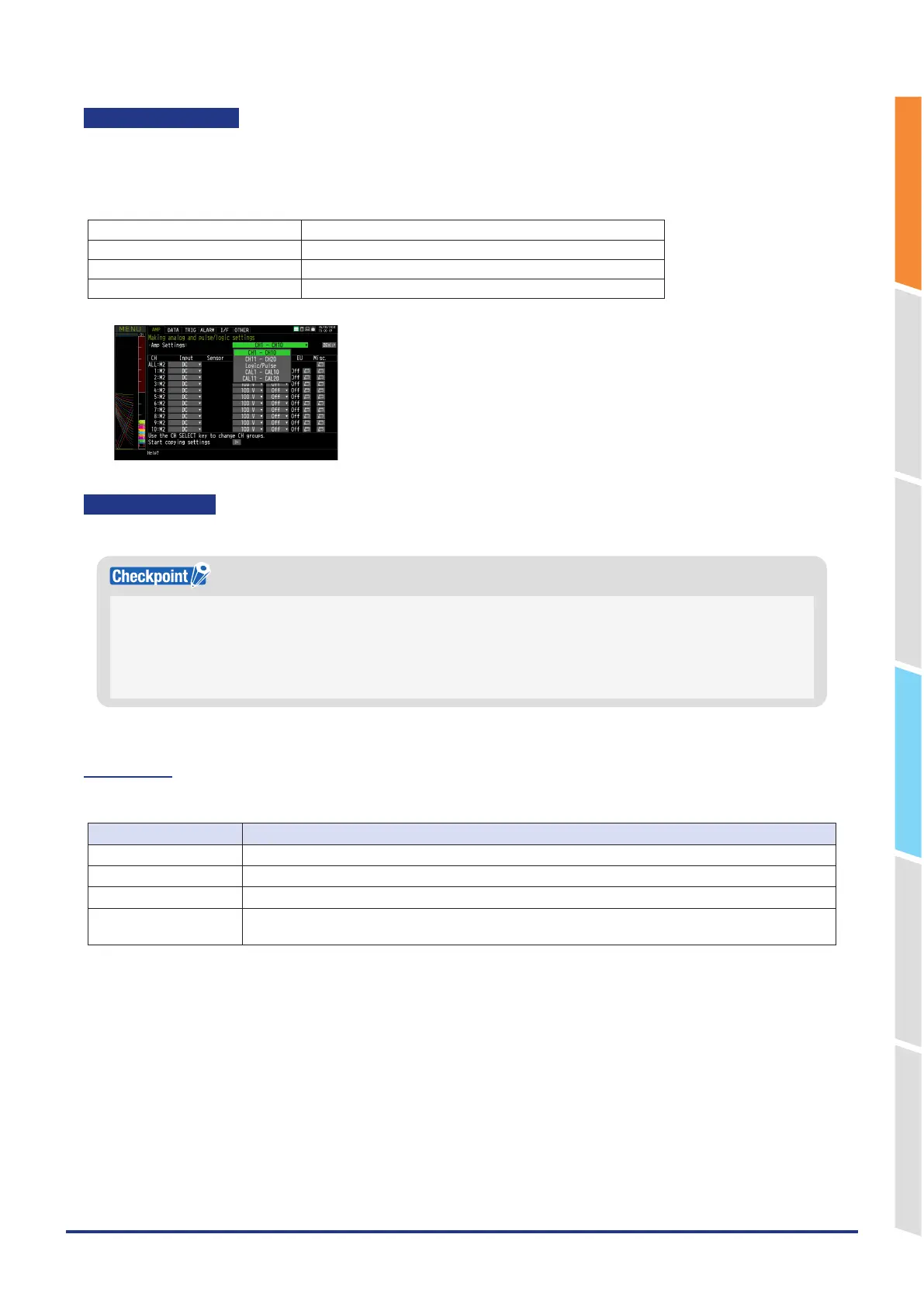
Switching between Analog, Logic/Pulse and Calculation is as follows.
Select the channel to be displayed from the amplifier.For analog channels, the items displayed change depending on
the number of terminals connected.
Select Target Channel
CHx - CHy Displays the analog channel.
Logic/ Pulse Displays the Logic/ Pulse.
CALCx - CALCy Displays the calculation channel.
Analog settings
Specifies the conditions for analog signals.
When you use CH ALL to set an input, range and filter, all channels are set to the same values if the input is the same.
Range is set only for the same input channels. However, the range of a channel is not changed if its EU (scaling) is set to
On.
Span All Settings is set only for the same range channels.
* If the first channel in a channel group (CH1 if CHs 1 to 10 are displayed) has an input that is set to Off, the input of CH
ALL is set to Off.
1-1. Input
This is used to select the input condition
Selection item Description
Off Input signal measurement is disabled. No waveform or digital value is displayed.
DC Used for measuring direct-current voltage.
TEMP Used for measuring temperature.
RH Used for measuring humidity with the humidity sensor B-530.
In this case, the voltage range will become 1V, and the EU settings will not be available.
*Depending on the recording environment, it may take a long time to write files during recording.
If writing takes a long time, reduce the number of channels or adjust the sampling interval.















 To Next Page