3-38
Chapter 3 Settings and Measurement
Contents General Description
Checks and Preparation
Settings and Measurement
Example of Use Specification
●
Pt100, JPt100, and Pt1000 settings cannot be copied to amplifiers that do not support RTDs.
●
Alarm and trigger settings can be copied if they are enabled in the custom menu.
(1)-15 How to specify copy channel
< Operation Procedure >
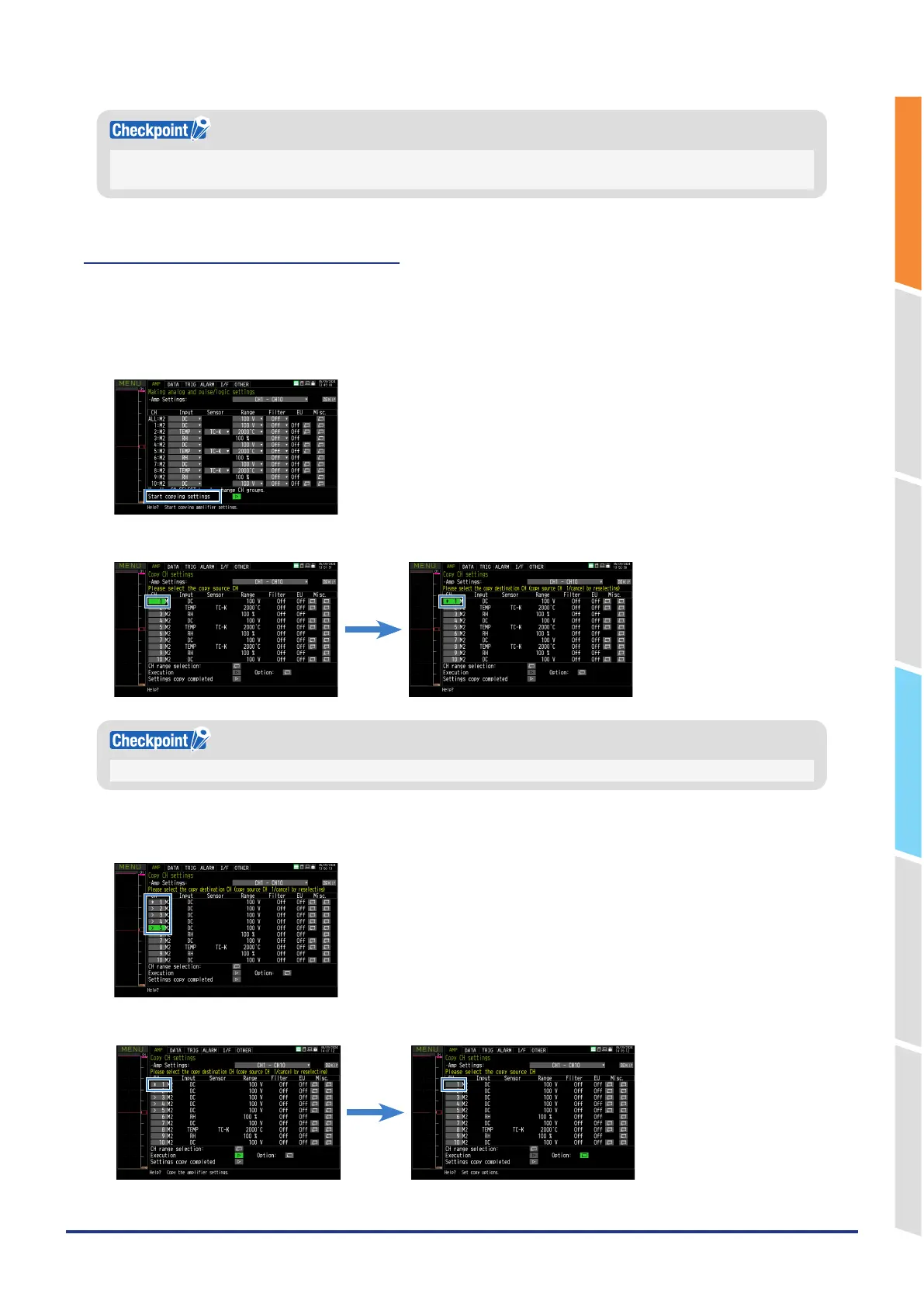
Copy settings from any CH to the specified destination CH.
1. Start copying settings on the “AMP” tab.
2. Select the source channel. The source channel will be marked with a “*” mark.
Selecting the same channel again will cancel the source channel.
3. Specify the copy destination. The copy destination CH will be marked with a “>” mark.
You can specify multiple copy destinations, and specifying a CH again will remove it from the copy destination.
4. Execute the copy.















 To Next Page