Overdrive & Multi-Effects
241
Extra Voice Effects - Flanger
“Flanging” occurs when two identical signals are mixed together, and one of the signals is time-delayed by a very
small amount. The small time delay produces peaks and valleys in the harmonic structure of the sound, resulting in a
sweeping effect sometimes referred to colloquially as a “Jet Airplane” sound.
The term, “Flanger” derives from the means originally used to produce this effect. Two tape machines turning at
exactly the same speed would play the same material into a third machine, and an engineer would drag his finger along
the flange or outer edge of the tape reel, thereby causing the small time delay and creating the sweeping effect.
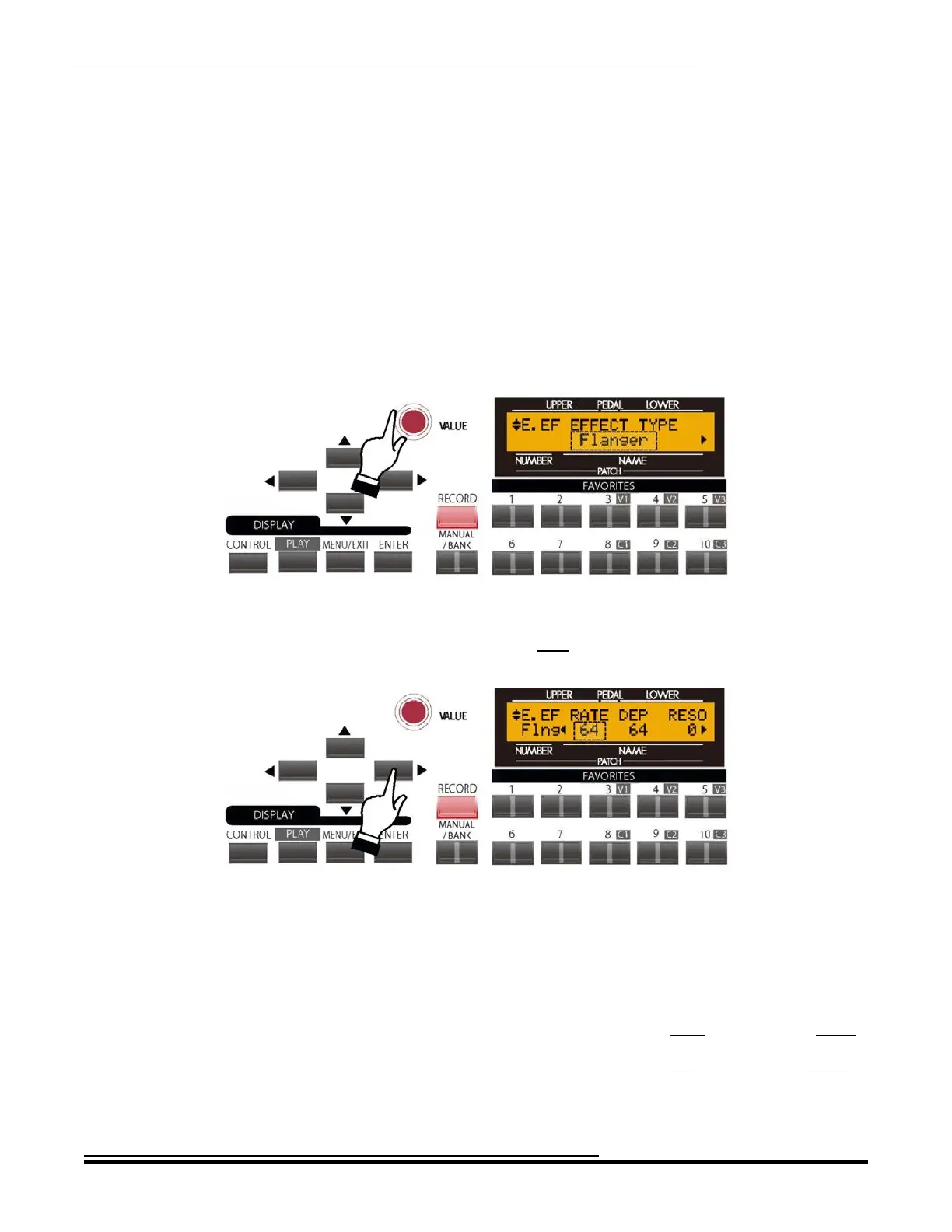
From the previous screen, touch the PAGE LEFT Touch Button repeatedly until the words, “EFFECT TYPE”
appear on the top line of the display. If “Flanger.” does not appear on the bottom line, turn the VALUE Rotary
Control until the Information Center Display looks like this
The word “Flanger” should be blinking.
From the above screen, touch the PAGE RIGHT Touch Button once. The Information Center Display should now
look like this:
The number underneath the word “RATE” should be blinking.
RATE - Flanger Rate
This Advanced Feature allows you to set the rate of the Flange effect. You can select from “0" (slowest rate) through
“127" (fastest rate).
Turn either the VALUE or the EXTRA VOICE EFFECT Rotary Control to the right to make the rate faster.
Turn either the VALUE or the EXTRA VOICE EFFECT Rotary Control to the left to make the rate slower.
HA<O> SKX Owner’s Playing Guide


 To Next Page
 Loading...










