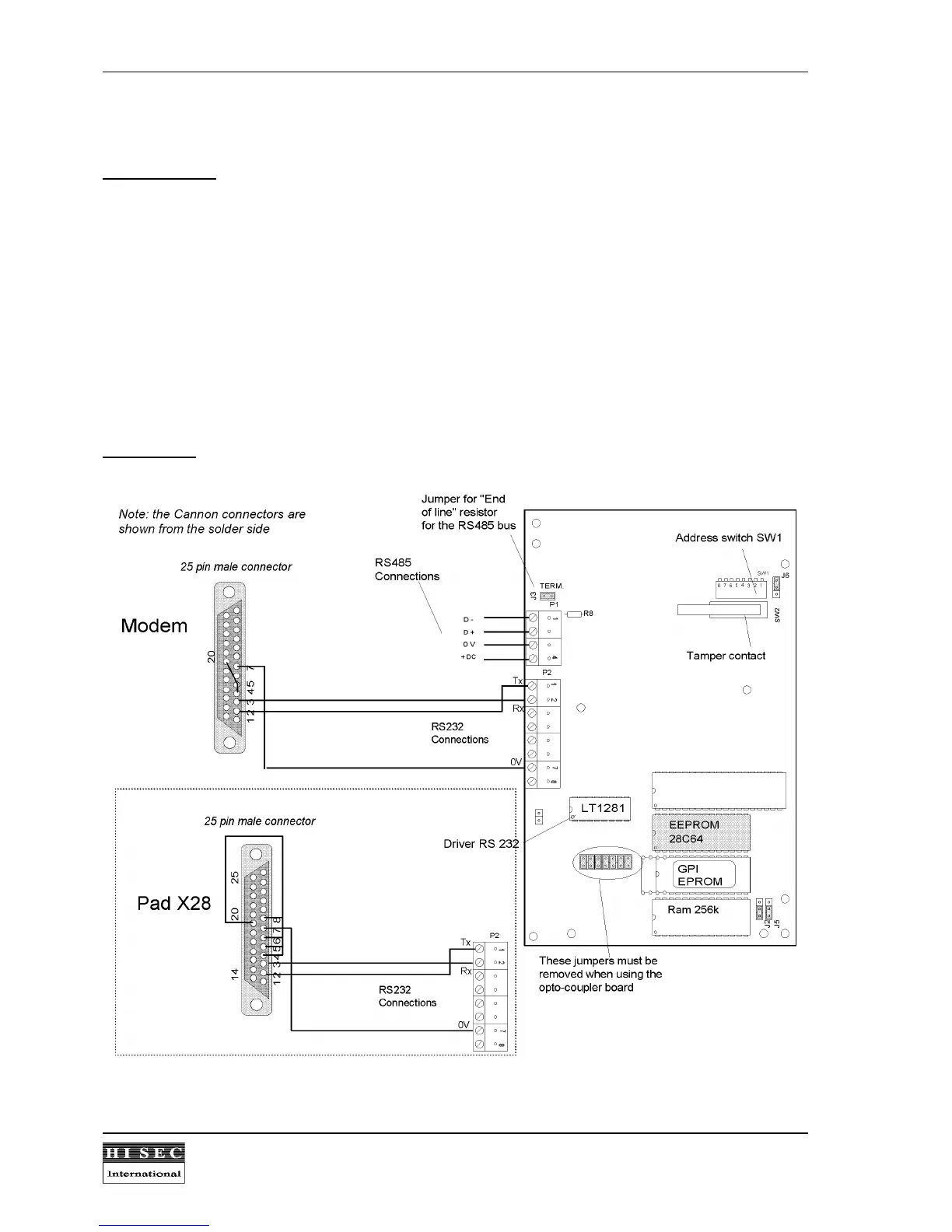
2.9.5 Modem/X28 Interface application.
Switch position:
Switch position for modem/x28 application: SW1/6 = ON, SW1/7 = OFF.
The modem interface can be used in two different ways: Hayes modem or X28 Pad interface. Default the
interface will be a Hayes modem interface. To change this the SW1/6 must be changed
with DC connected
as follows:
SW1/6 OFF --> ON : X28
SW1/6 ON --> OFF : Hayes
After changing SW1/6 for selecting modem/x28 type power must be removed from the interface and the
SW1/6 must be put back to the default Modem/X28 setting (SW1/6=ON, SW1/7=OFF). When the power is
put back the interface will start up in the mode (Hayes or X28) last selected when changing the switch with
power on.
Connections:


 To Next Page