4.8 Submenu 3 - System Status Display.
For the user priority 2, 3 and Service priority it is possible to display the programmed system configuration, card
database and logs.
The following menus can be used:
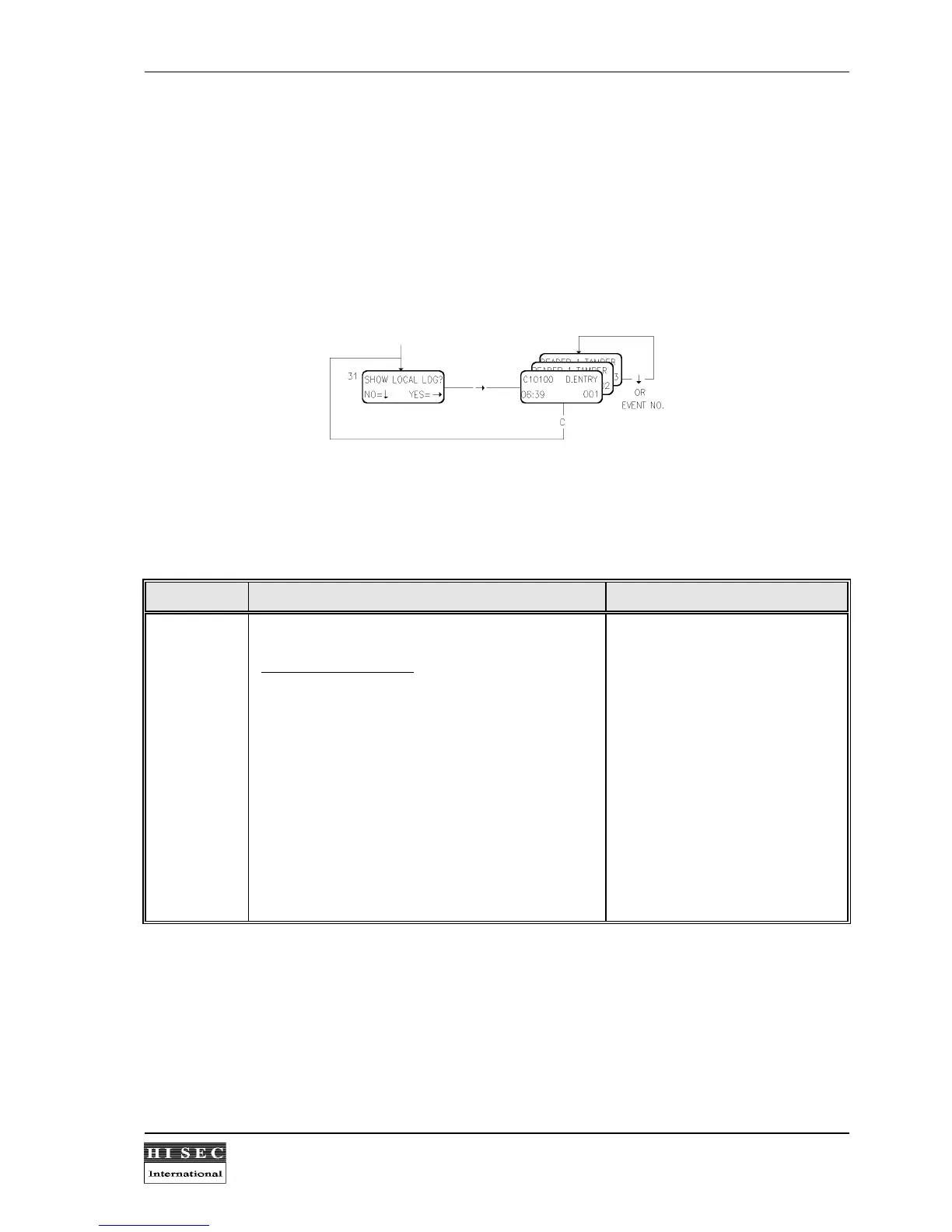
Menu 31. Show Local Log.
The local log includes the normal door/card transactions and alarms concerning the reader which is operated.
Each reader has its own log with 1000/2300 events. When the log is full the oldest event will be overwritten.
It is possible to call an event number by keying in the event number, or the next event number by using the
↓
-
key. The latest (newest) event is displayed first (001). To return to the Menu 31, the
C
- key is used.
The following events will be logged in the events log:
Text Explanation Parameters
D.ENTRY
D.EXIT
SET INT.
UNS.INT.
IN.TEST
LOGIN
LOGOUT
ED.CARD
DEL.CARD
BLK.CARD
REL.CARD
OLD TIME
NEW TIME
EXECUTE
CARD REF
D. CLOSE
Door entry
Door Exit
Date shift "New date"
Set Alarm system
Unset Alarm system
Input test
Log-in
Log-out
Edit card
Delete card
Block card
Release card
Old time (change of time)
New time (change of time)
Execute menu
Card refused
Door closed (after door held)
Card no.(C) Reader no.(R)
(Card no.)(C) Reader no.(R)
Card no.(C) Reader no.(R)
Card no.(C) Reader no.(R)
S-ART no. Input status(S)
Card no.(C) Reader no.(R)
Card no.(C) Reader no.(R)
Card no.(C) Reader no.(R)
Card no.(C) Reader no.(R)
Card no.(C) Reader no.(R)
Card no.(C) Reader no.(R)
Time date
Time date
Card no.(C) Menu no.(M)
Reader no.(R)
Reader no.(R)
The reader no. will appear only on the print-out of the log but will not be shown in the menu for display of log as
the log is only for the reader which is operated.
For each event time and date will be shown.
All local alarms for the reader will also be shown in the event log. See below for the explanation of each event.


 To Next Page