4.14 Submenu 9 - System Test.
The Service Card has also access to certain test functions f. ex. S-ART input/output test and memory test.
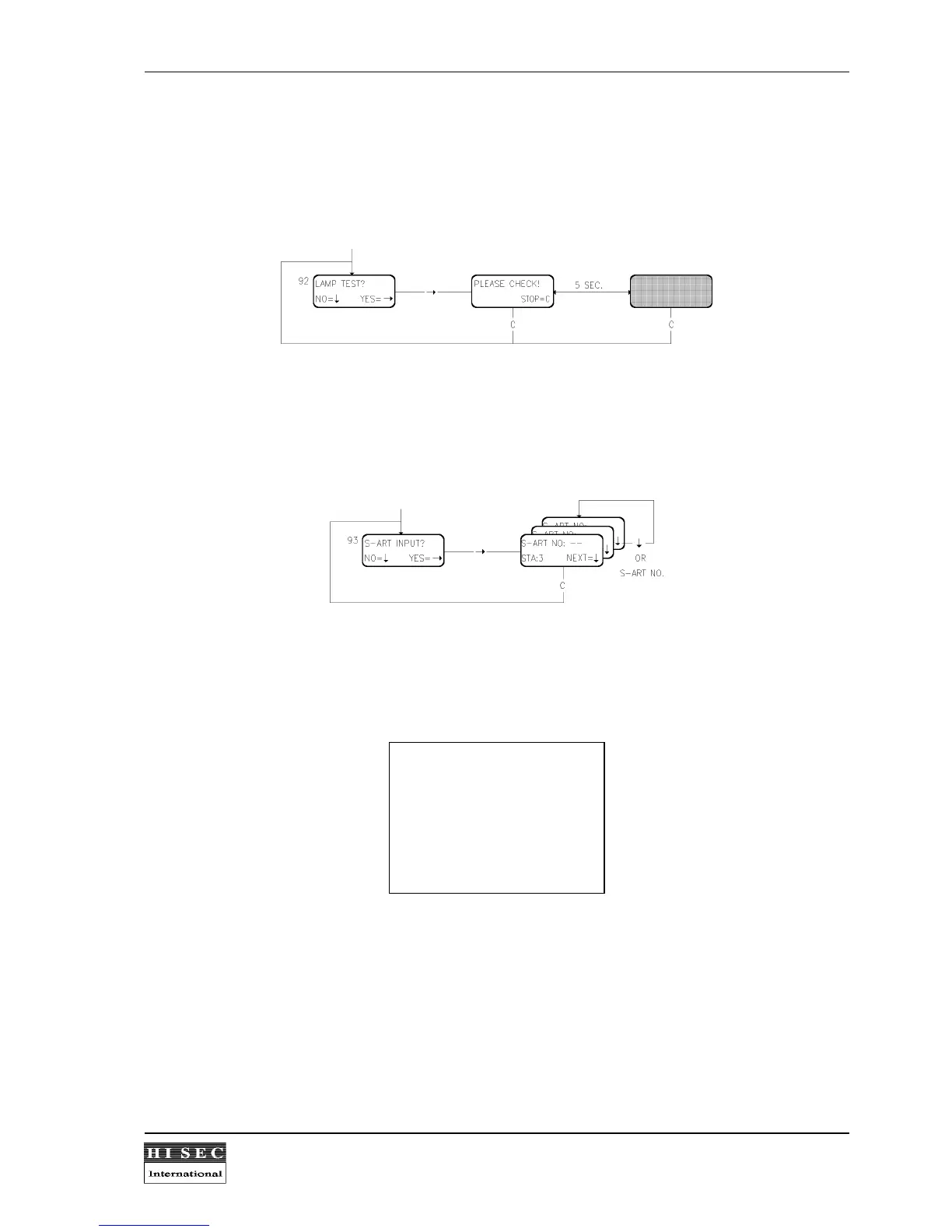
Menu 92. Lamp Test.
The 5 status lamps starts flashing in 1 sec. intervals and the display shows the text above alternating with all
segments turned on in 5 sec. intervals. By means of the
C
- key, the test is stopped and a return to Menu 92 is
made.
Menu 93. S-ART Input Test.
When a 2 digit address is entered, the input is transferred to a test state. During this test, the normal alarm
reaction is blocked - instead each input state-shift is indicated by activating the internal buzzer for app. 1 sec. All
input activations may be repeated and are listed in the event-log.
Status of the S-ART inputs are displayed and updated every 5 sec. as:
-STA:0 : quiet
-STA:1 : IN0 = 1, IN1 = 0
-STA:2 : IN0 = 0, IN1 = 1
-STA:3 : IN0 = 1, IN1 = 1
-STA:4 : no communication
-STA:5 : parity fault.
In order to select another address, the number is just overwritten or the
↓
- key pressed (next number). The test
time is time-unlimited, but may be stopped by the
C
- key, in which case Menu 93 appears again.


 To Next Page