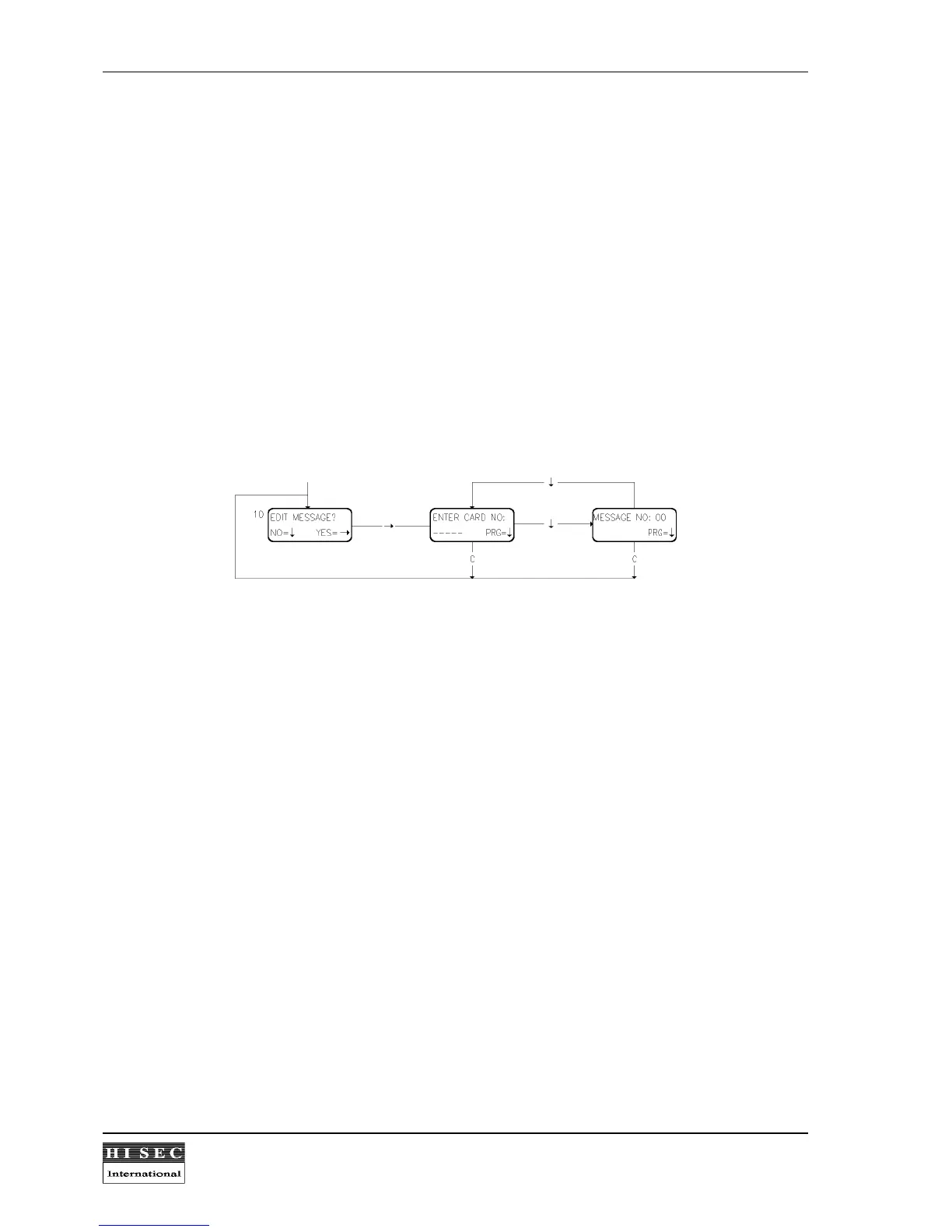
4.6 Submenu 1 - Edit Message.
The following messages are typically preprogrammed in the reader and cannot be changed from the reader
keyboard:
Message no. 0: No message to user.
Message no. 1: CONTACT PERSONNEL DEPT.
Message no. 2: CONTACT YOUR HOME
Message no. 3: CONTACT SECURITY
Message no. 4: CONTACT RECEPTION
Message no. 5: IMPORTANT PHONE MESSAGE
Message no. 6: CONTACT YOUR MANAGER
Up to 31 messages can be programmed in the reader by the AICS Configuration software.
The message programmed to the card will automatically be removed (message = 0) when it is accepted by the
cardholder.
Menu 10. Edit Message.
When this function is called the card number must be keyed in and after the
↓
-key is used the message no.
already connected to the card is shown. A new message number can then be keyed in followed by
↓
. After
programming a message the display will suggest the next card in the same personnel group.
By the "C" key the display returns to the Menu 10 without creating a message.



 To Next Page