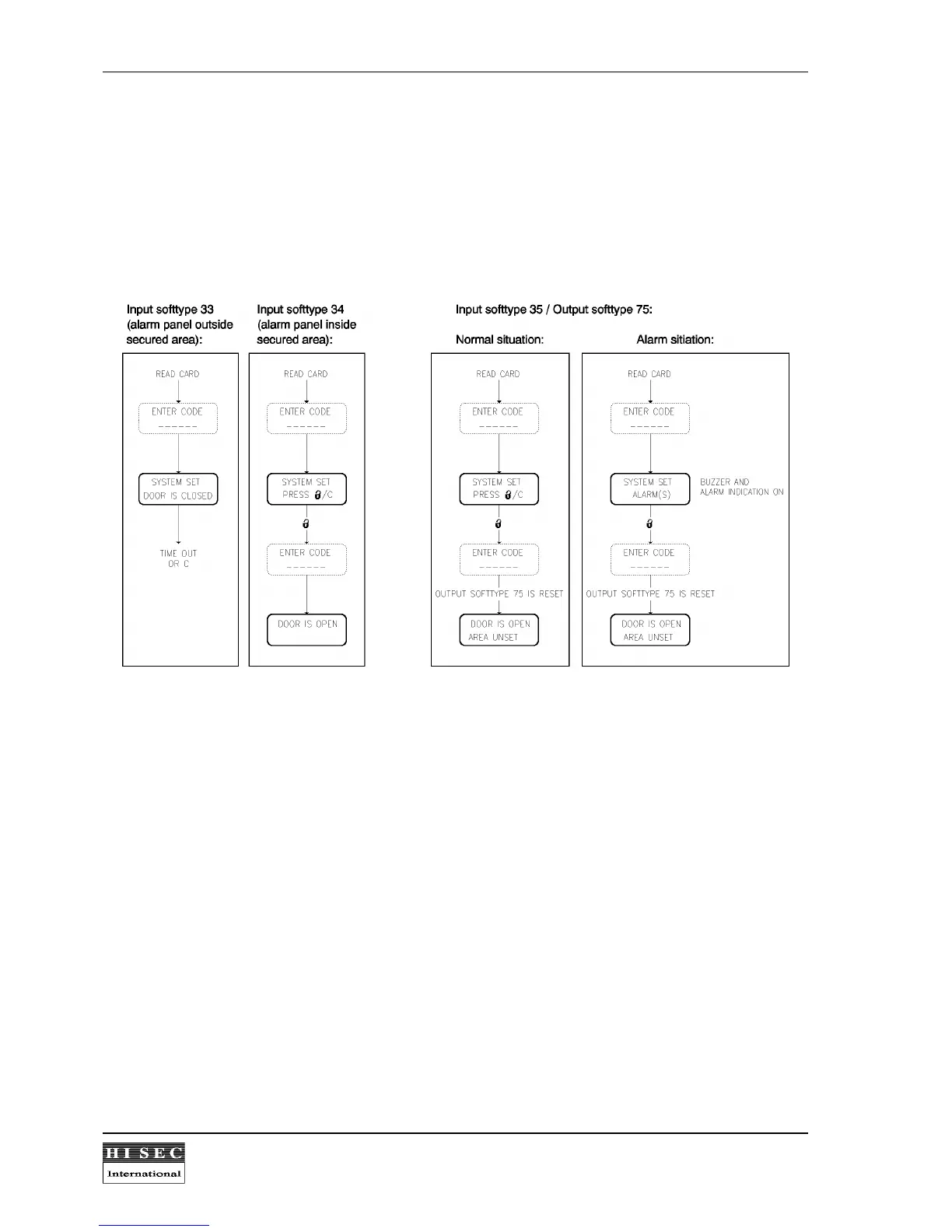
4.3 Set/unsetting a non-THOR alarm system from the THOR reader.
A reader can indicate or control the setting state of a non-THOR intrusion system in different ways depending on
the defined input softtypes used.
Unset-procedure:
Input softtype 33
is a set/unset signal from an intrusion system where the alarm panel is placed outside the
secured area. If the alarm system is set the reader will show the text SYSTEM SET but will not open the door as
shown above. It is necessary to go to the alarm panel to unset the panel before access is given by the THOR
reader.
Input softtype 34
is a set/unset signal from an intrusion system where the alarm panel is placed inside the
secured area. If the alarm system is set the reader will show the text SYSTEM SET but will open the door as
shown above by pressing "open lock". It is then necessary to go to the alarm panel after entering the area to
unset the system.
Input softtype 35
is used together with output softtype 75 where it is possible to set and unset an intrusion
system with an on/off signal. The THOR reader will act in this mode in the same way as when it is connected to
a THOR intrusion system. When the card (and code) is accepted the reader will ask the user to press "open
lock" to unset the intrusion system and after unsetting the door will be opened.
When an intrusion system must be unset (or set) the THOR-reader will always demand the PIN-code belonging
to the card also in cases where the system is programmed not to use PIN-code in connection with normal
door-open procedures. The code can be entered before or after keying in open/closed padlock depending on if
the used card is programmed normally to use PIN-code or not. In all cases it is only necessary to key in the
PIN-code once.



 To Next Page