In this condition the Service card is allowed with a low priority even without the acceptance from the user.
When the Service card is read the door will be opened and the reader will go directly into THOR Intrusion mode
and the Service man must key in his THOR Intrusion Service- or Guard-code.
When the THOR intrusion system is in alarm condition , it is possible to use the Access Menus "Display System
Status" and "System Test" by using the Access Service code.
4.2.7 Messages To The User.
The reader can display a personal message for a user. Two different ways of representing the message to the
user exist depending on the reader type.
Standard indoor reader:
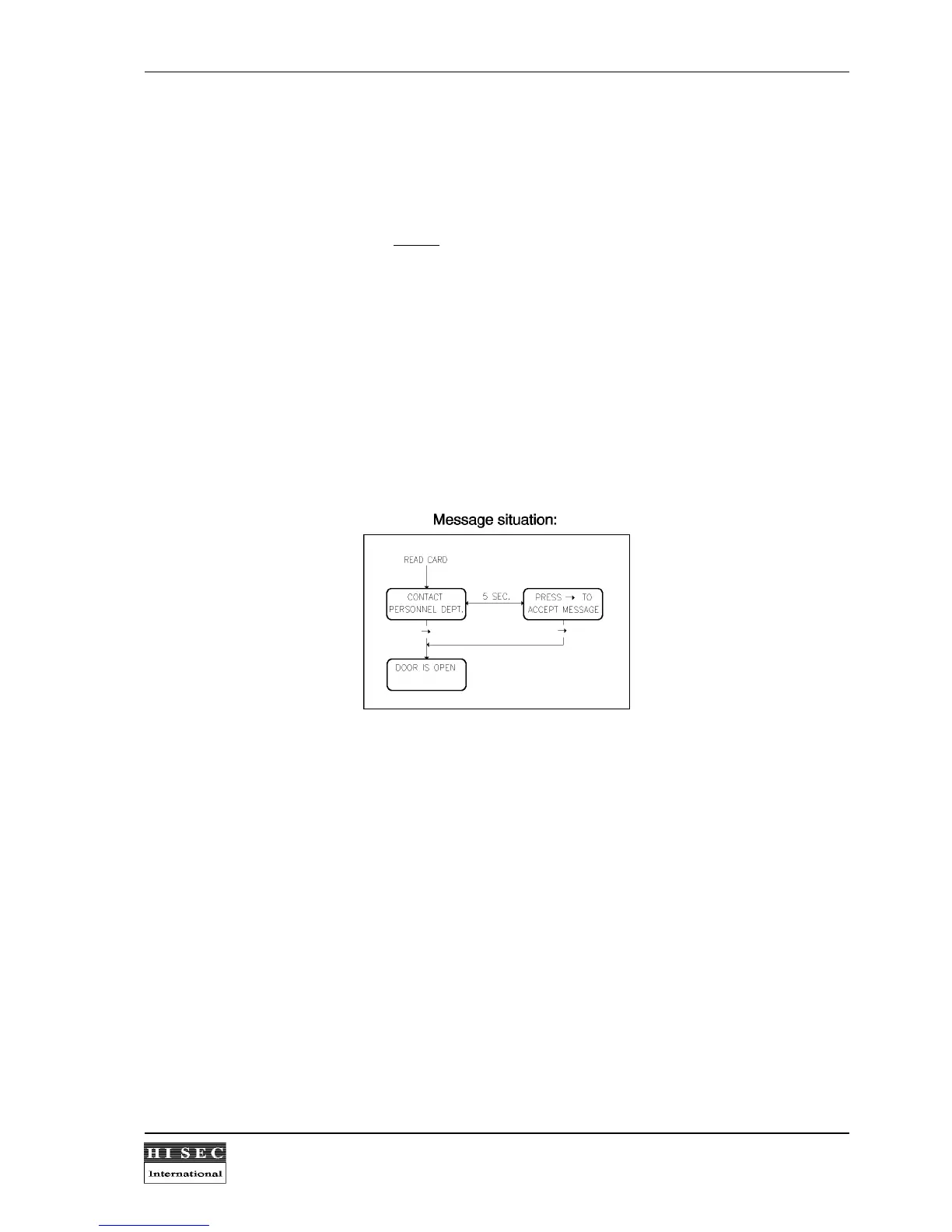
The message is presented after the card has been read, and the user is reminded of a message by a short
beep. An example of a message could be :" Call home " or " Contact Personnel Dept. "
The message is displayed with 2 lines of 16 characters.
The display will switch between the message and the standard text shown in the second display. When the
message has been acknowledged by pressing the
→
- key, it is possible to make a normal door entry.
When acknowledging, the message is logically removed from the card. If it is not acknowledged, it will be
removed after having been showed several times, but will be presented next time the card is being used.
Controller/terminal for external reader heads:
As the terminal with the display and the external reader head normally are placed on each side of the door, the
procedure to show and accept messages is a little different.
After reading the card and
opening the door
the terminal will activate the buzzer for one minute or until the
message has been accepted. The display will switch between the message and the standard text shown in the
second display. When acknowledging, the message is logically removed from the card. If it is not acknowledged,
it will be removed after having been showed several times, but will be presented next time the card is being
used.
31 standard messages are preprogrammed in the reader (see 4.4 Submenu 1 - Edit Message). These standard
messages can be changed by the AICS Configuration software.



 To Next Page