4 digits can be keyed in after calling the menu. The first digit can only be 0 or 1 and is indicating if the clock must
be adjusted positive or negative.
0 means negative correction (the clock will go slower)
1 means positive correction (the clock will go quicker)
The next 3 digits is the number of seconds that the built-in clock must go quicker or slower during
one week
.
Maximum 999 seconds can be adjusted.
The clock will be adjusted once every day (midnight) with the keyed-in number of seconds divided by 7.
Please note
that menu 54 and 55 cannot be used in an integrated intrusion and access system. The time and
date must be corrected, if necessary, in the Intrusion menu 41.
Menu 56. Allow/Block Service.
When Menu 56 is called the text displayed will depend on the condition of the system, meaning if Service is
allowed or not.
If Service is allowed the text "BLOCK SERVICE?" will appear and by answering YES =
→
, the text will change
and Service is NOT any more allowed.
If Service is NOT allowed the text "ALLOW SERVICE?" will appear and by answering YES =
→
, the text will
change and Service is now allowed.
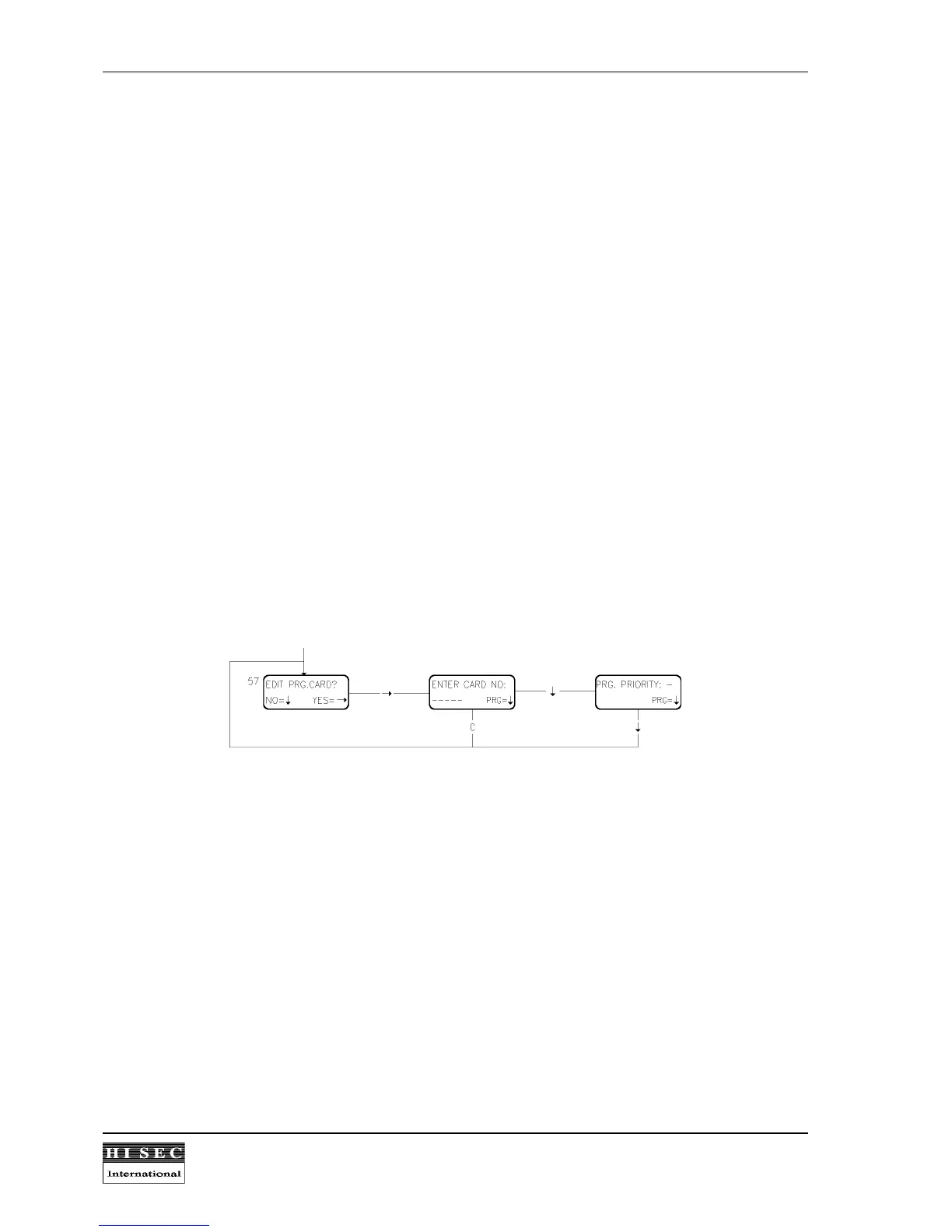
Menu 57. Edit Programming Cards.
This function is used to give or edit a priority to a programming card. A programming card must be created by
menu 41 before it can be given a priority.
A card with a priority more than 0 is called a programming card and can do certain menus. In the menu survey is
indicated at each menu which priority (Px) is needed to call the menu.



 To Next Page