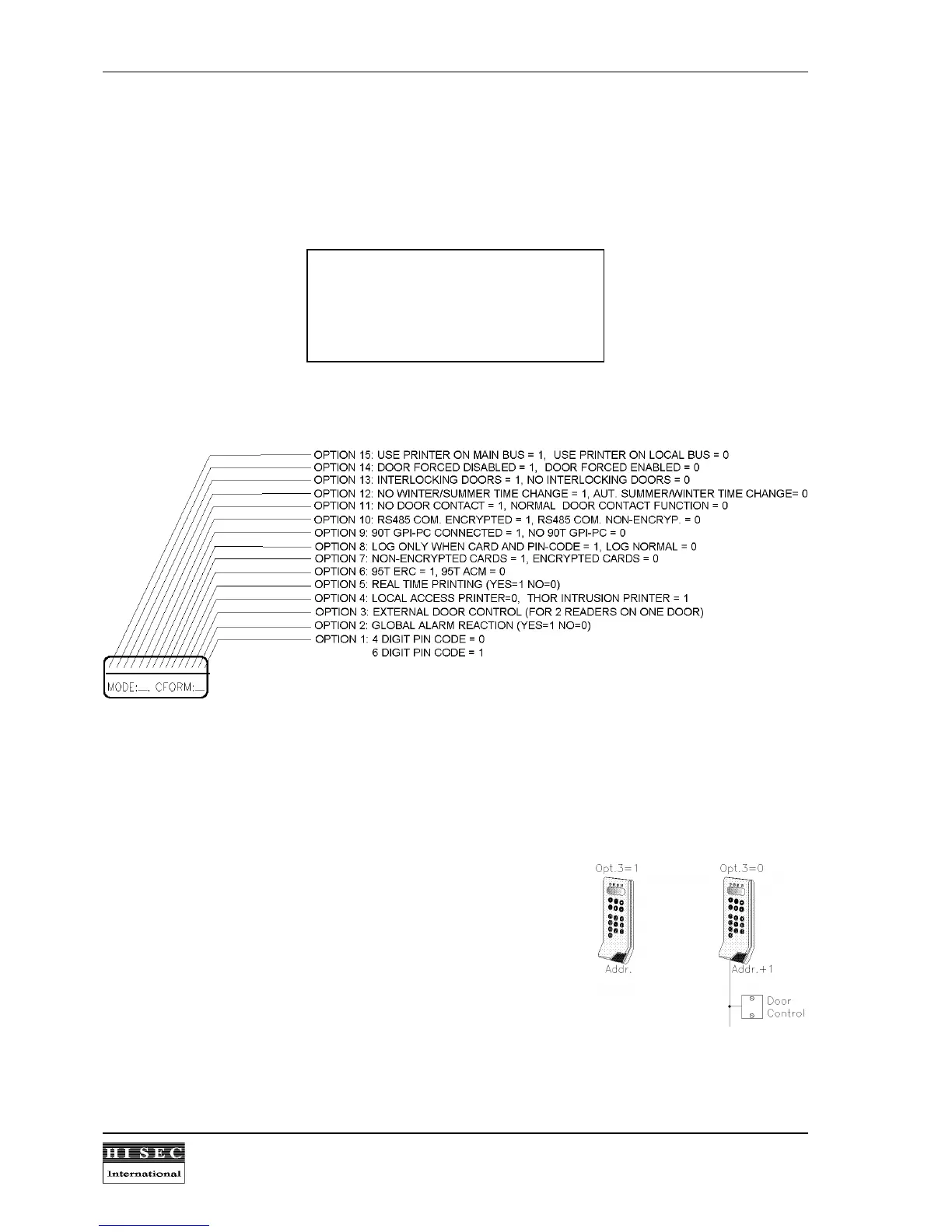
1.9.5 Card Reader data (mode / options).
For each reader it is possible to select different features. The choice of these general program options are
programmed during initialization, where the Mode and Option list are keyed in.
The first 2 digits are the reader Mode. At the moment the following Modes are specified:
Mode 00: Reader not initialized
Mode 01: Stand Alone Reader
Mode 02: Multi Reader System
Mode 03: THOR Integrated Reader
Each of the 16 fields in the option list represents one option that either can be selected (1) or not (0). The
following options are available:
2
Option 1: 4 or 6 digits PIN codes can be selected. 0 = 4 digits and 1 = 6 digits.
Option 2: Local or global alarm reaction can be selected. If global alarm reaction has been selected
alarms from all readers will be included in the IF/THEN alarm functions. If local option is
selected only the alarms from the concerned reader will be included in the alarm functions.
Option 3: External door control. When two readers are used on the
same door for in / out passage, one of the readers must
be selected as a reader with external door control (no S-
ART connected). This reader will then transmit the door
control via the RS485 bus to the address plus one. 0 =
Local door control (address+1) and 1 = External door
control (address). See also 1.9.1 External and Internal
readers on the same door in Integrated Systems.
Option 4: Local/THOR Intrusion printer. Print-outs can be made on a printer connected directly on the
THOR Intrusion central unit or on a printer specially dedicated for the access printouts. 0 =
Local Access printer and 1 = THOR Intrusion printer.



 To Next Page