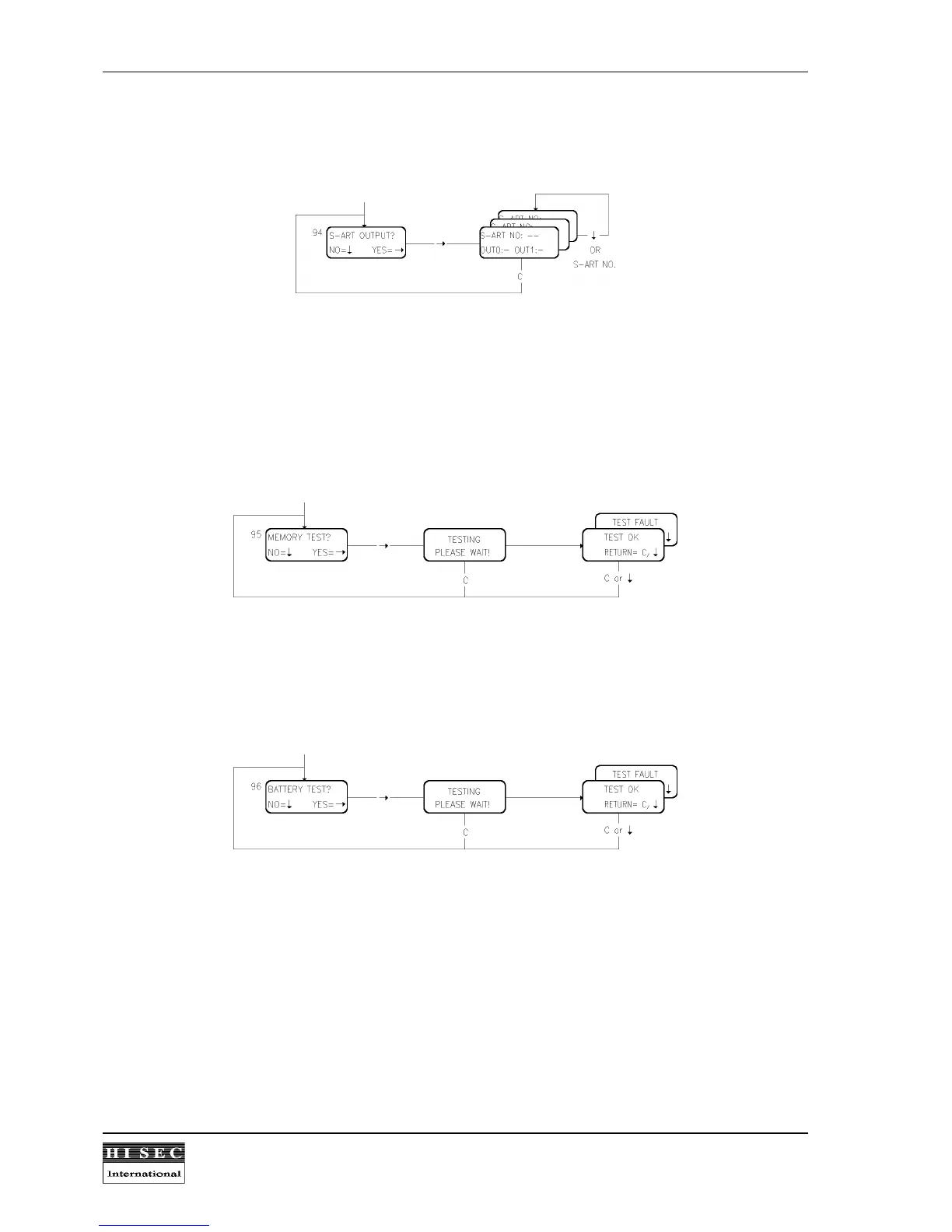
Menu 94. S-ART Output Test.
It is possible to set or reset the two outputs on a S-ART by this function for test purposes. This "write" order will
override the existing output condition.
By entering the S-ART no. and the values for the two outputs OUT0 and OUT1 the outputs will be activated
corresponding (1 = SET and 0 = RESET). The test is time-unlimited, but may be stopped by the
C
- key, in
which case the Menu 94 appears again. In order to select another S-ART no., the number is just overwritten or
the
↓
- key is pressed for the next number. After that new values for OUT0 and OUT1 must be keyed in.
Menu 95. Memory Test.
By Menu 95 it is possible to check if all the memory for the software in the reader is OK or defective. The test is
local only for the reader where it is called.
After the test it will return to Menu 95 by pressing
↓
or
C
.
Menu 96. Battery test.
By Menu 96 it is possible to check the battery. All S-ART's defined as output softtype for battery test will be
activated in 15 seconds. The test is local only for the reader where it is called.
After the test the result of the test will be shown and it will return to Menu 96 by pressing
↓
or
C
. A battery fault
will activate the "Fault" LED and the corresponding output softtypes as long as the fault exists. A new battery test
with a "Battery OK" will reset the fault condition.
The test menu can only be called, if the test battery output exists in the reader programming.


 To Next Page