The program version no. is equal to the number marked on the EPROM's inside the reader and the company
code is the OEM no. (3 digits), Installer no. (3 digits) and the Company no. (3 digits). By using the
→
- key the
Options and Mode no. for the reader is shown. To return to the Menu 33 the
C
- key is used.
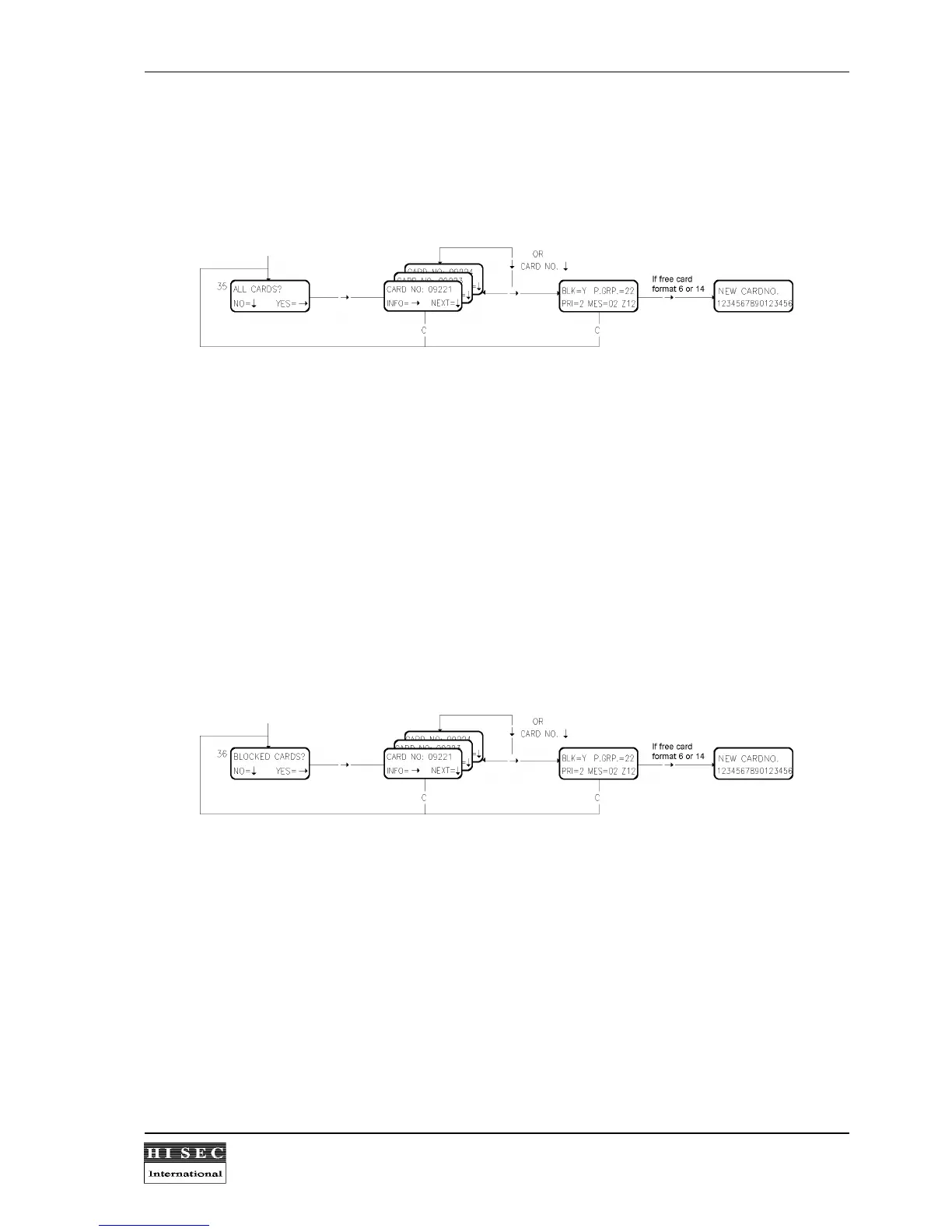
Menu 35. Show All Cards.
By this menu it is possible to see information about all programmed cards.
When this display function is called the display will show the first card no. from the card data base. The following
information can then be displayed by using the
→
- key:
BLK = Card blocked or not.
P.GRP. = Personnel group number connected to the card.
PRI = Programming priority.
MES. = Message no. sent to this card for the moment (if any).
Z = Zone no. where the card is registered.
If the Free card format (6 or 14) is being used the card number can be displayed by using the
→
- key (only 95T
readers).
By using the
↓
- key the next programmed card no. will be shown. By keying in a card no. the first following
programmed card no. will be shown. When the list is finished it will display the first no. again. By means of the
C
- key, the display function is stopped and a return to Menu 35 is made.
Menu 36. Show Blocked Cards.
When this menu is called it will display the first blocked card no. The following information can then be displayed
by using the
→
- key:
If the Free card format (6 or 14) is being used the card number can be displayed by using the
→
- key (only 95T
readers).
BLK = Card blocked or not.
P.GRP. = Personnel group number connected to the card.
PRI = Programming priority.
MES. = Message no. send to this card for the moment (if any).
Z = Zone no. where the card is registered.



 To Next Page