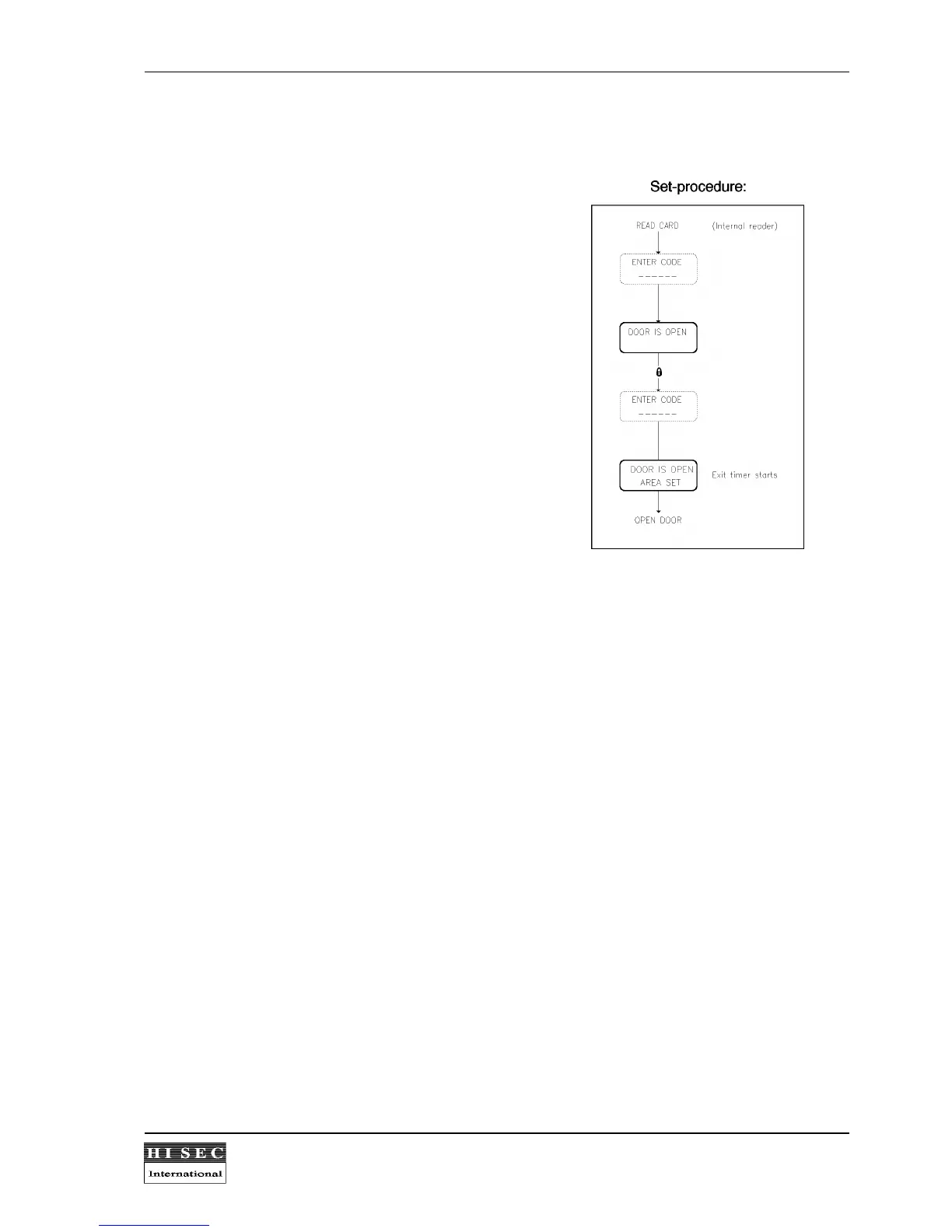
Set-procedure:
Setting an area or complete system follows the
procedure as on a standard indoor reader.
After a setting of an area in the THOR Intrusion
system, the reader will activate the door and the text
DOOR IS OPEN will be shown in the display (a
normal 95T ACM will block the door).
Even if the THOR Intrusion system is set, the reader
will always activate the door to avoid that you can be
locked inside the building, if you are not allowed to
unset the Intrusion system. AREA SET will be
indicated in the display.


 To Next Page