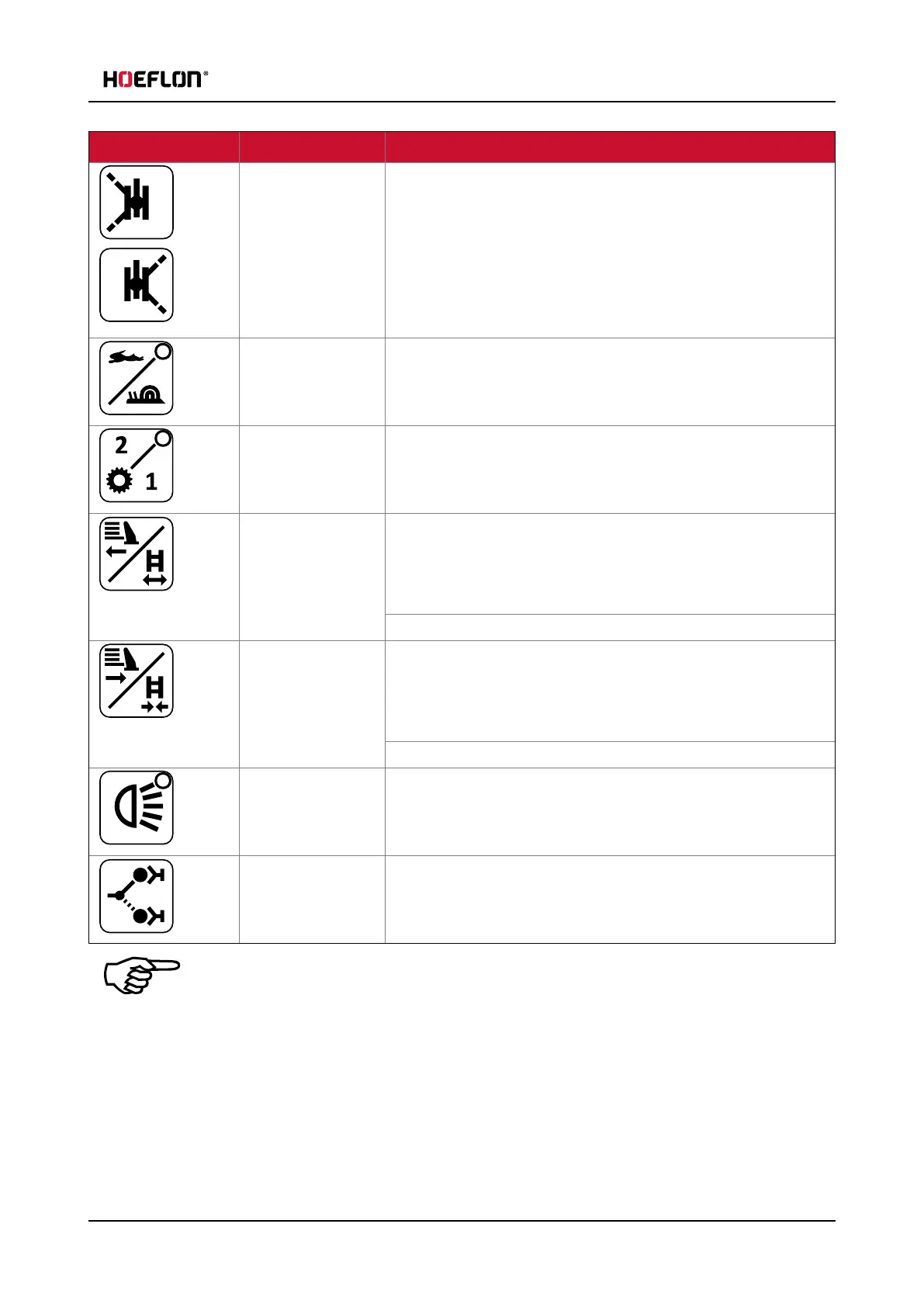
5.2 Buttons
Button Function Explanation
Release left
outriggers
Release right
outriggers
Push one of the buttons to unlock the outriggers on one of the
two sides of the crane. When the outriggers are unlocked you can
turn them to the correct position.
Push one of the buttons and use an outrigger lever to extend or
retract the outrigger(see 5.3 Levers).
If none of these buttons are pushed then the outrigger legs are
locked in position and cannot move.
Crane speed Toggle between fast and slow precise crane movements.
The crane is in fast moving mode when the LED is ON.
Driving speed Toggle between LOW and HIGH gear(see 5.2.4 Driving speed).
The crane is in HIGH gear when the LED is ON.
Extend crawler
tracks /
counterweight
Extend crawler tracks in undercarriage mode.
You can extend both crawler tracks at the same time or you can
extend the left or the right crawler track separately. (see 7.3.1
Setting the Track state).
Extend counterweight in superstructure mode.
Retract crawler
tracks /
counterweight
Retract crawler tracks in undercarriage mode.
You can retract both crawler tracks at the same time or you can
retract the left or the right crawler track separately. (see 7.3.1
Setting the Track state).
Retract counterweight in superstructure mode.
Work light (see 5.2.6 Work light)
Lock/unlock
multitool
This button controls the multitool. Refer to the manual of the
multitool for more information.
Note
If a LED is lit, the function is active.
User guide - C30e Compact crane 37



 To Next Page