7. Installation
Note
If the ground on one side of the crane is higher than the ground on the other side:
l
Set the track on the high side closer to the crane.
l
Set the track on the low side further from the crane.
Set the Track state in the remote control first (see 7.3.1 Setting the Track state)
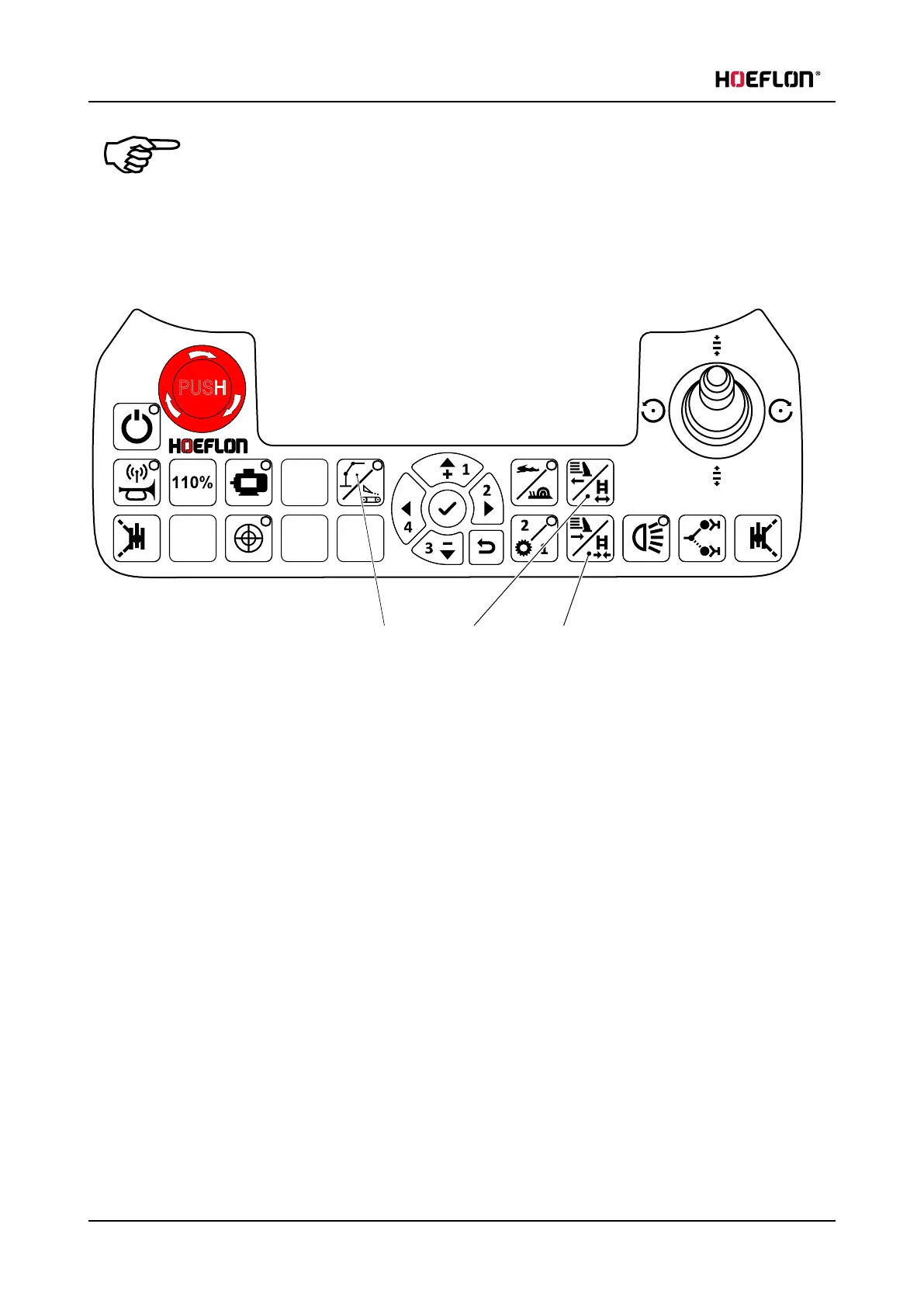
1. Make sure that the green LED on button A is OFF.
2. Push button B Extend tracks/counterweight on the remote control to extend the tracks.
3. Push button C Extend tracks/counterweight on the remote control to retract the tracks.
7.3.1 Setting the Track state
Set the track state so that you can:
l
extend both crawler tracks at the same time (Both enabled)
or
l
extend the left or the right crawler track separately (Left enabled or Right enabled).
68 U.C30e.00.00.EN Version



 To Next Page