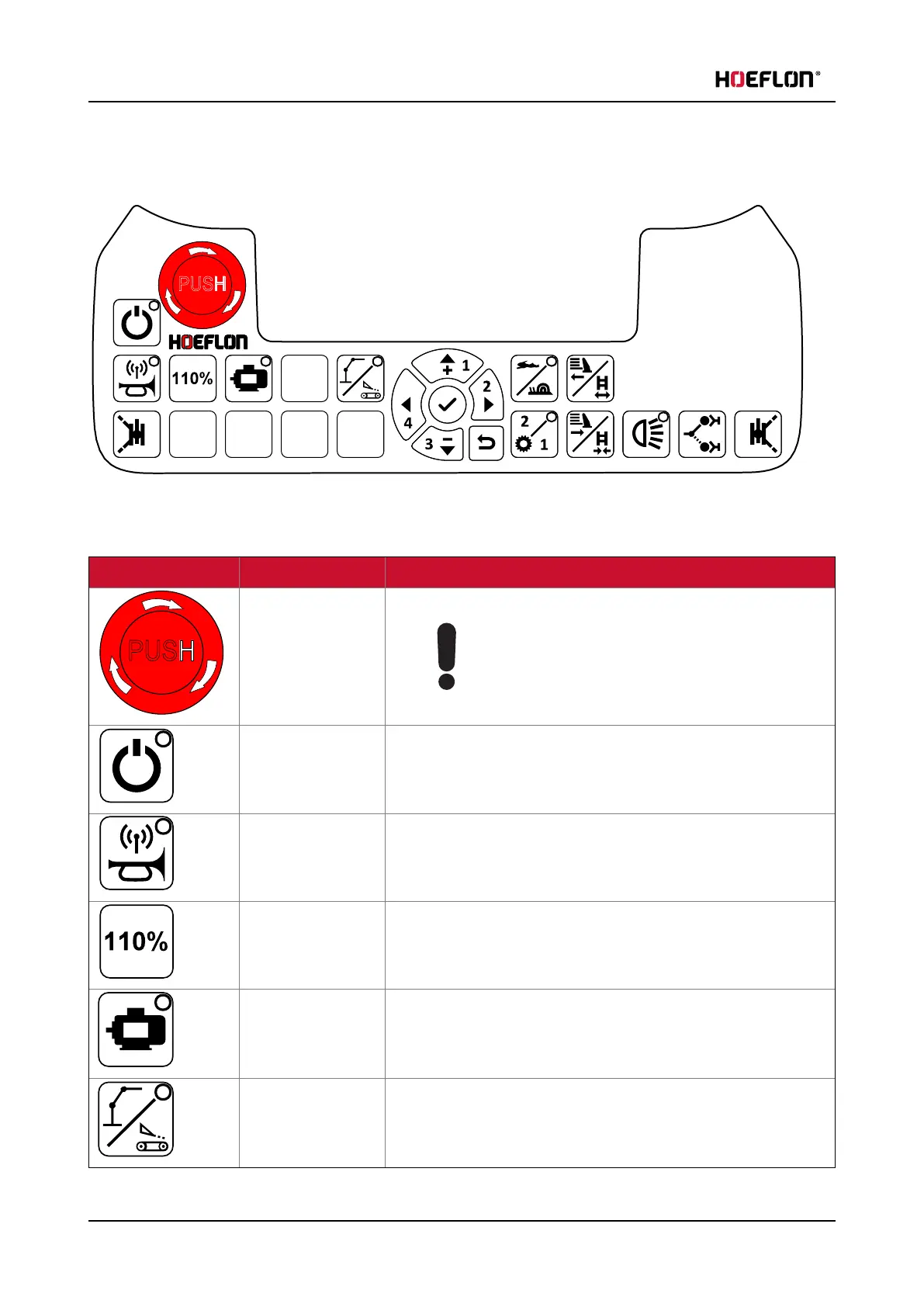
5. Remote control
5.2 Buttons
5.2.1 Control buttons for the compact crane
Button Function Explanation
Emergency stop Immediately stops all functions of the crane.
Caution
ONLY use in an emergency.
Do not use this button for ANY other reason.
On/Off Start and stop the remote control.
The remote control is ON when the LED is ON.
Connect remote
control and crane /
operate horn
Push once to connect the remote control with the crane.
The remote control is connected to a crane when the LED is ON.
This button operates the horn when the crane is connected.
Temporarily
increase RCL
(see 5.2.3 110% button)
Electric motor Start and stop the electric motor.
The electric motor is ON when the LED is ON.
Undercarriage /
superstructure
toggle
LED OFF: undercarriage (driving)
LED ON: superstructure (lifting)
36 U.C30e.00.00.EN Version



 To Next Page