7. Installation
3. Lower the extension.
4. Insert the locking pin and the clip
7.7 Setting the counterweight
7.7.1 Preparation
1. Start the crane, (see 7.2.1 Starting the crane)
2. Connect to the remote control (see 5.5 Connect with the crane)
3. Lift the crane on the outriggers, (see 7.5.2 How to set the outriggers).
Caution
Make sure that the counterweight will not touch the outriggers when it is extended.
7.7.2 How to set the counterweight
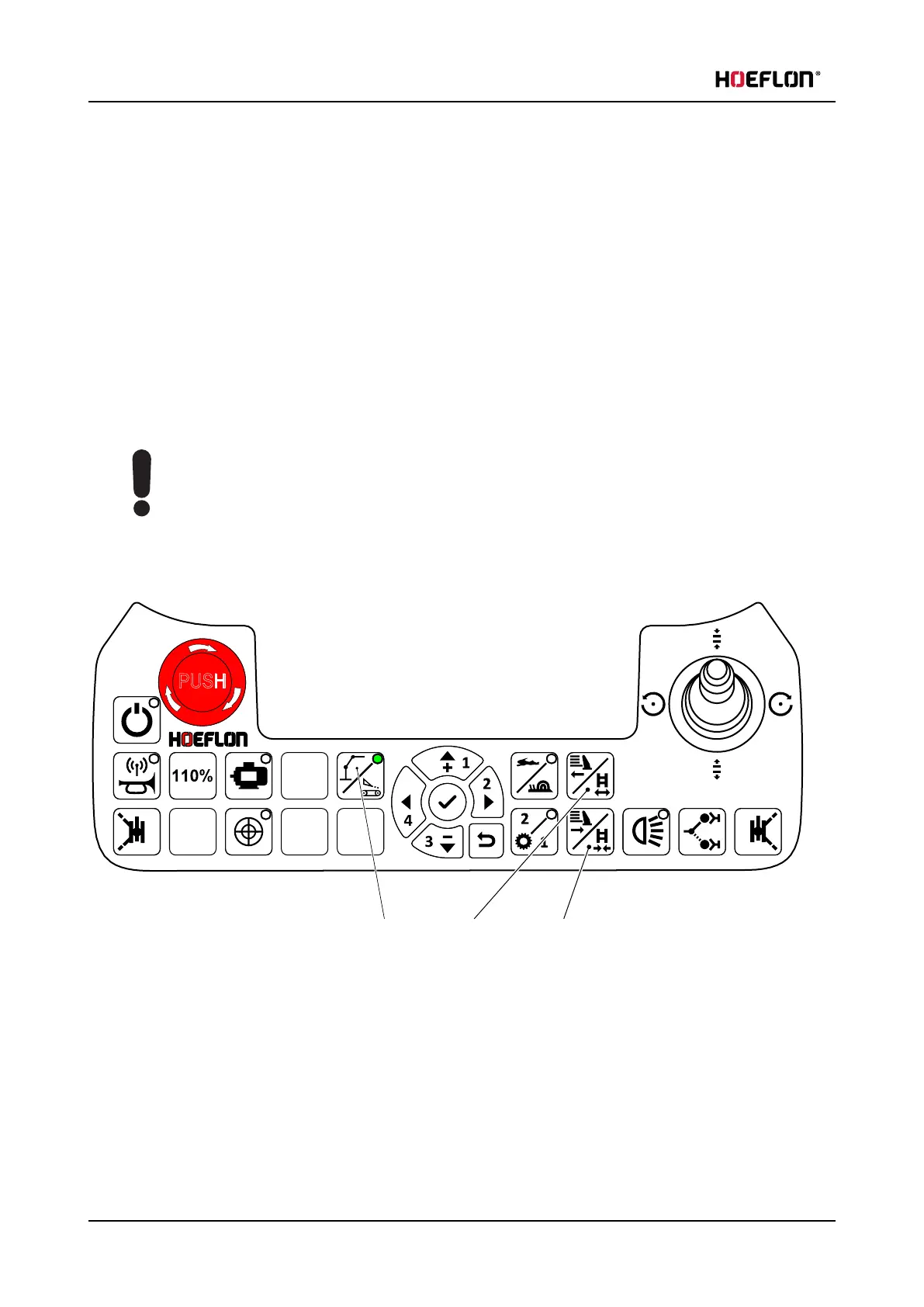
1. Make sure that the green LED on button A is ON.
2. Push button B Extend tracks / counterweight on the remote control to extend the counterweight.
3. Push button C Retract tracks / counterweight on the remote control to retract the counterweight.
74 U.C30e.00.00.EN Version



 To Next Page