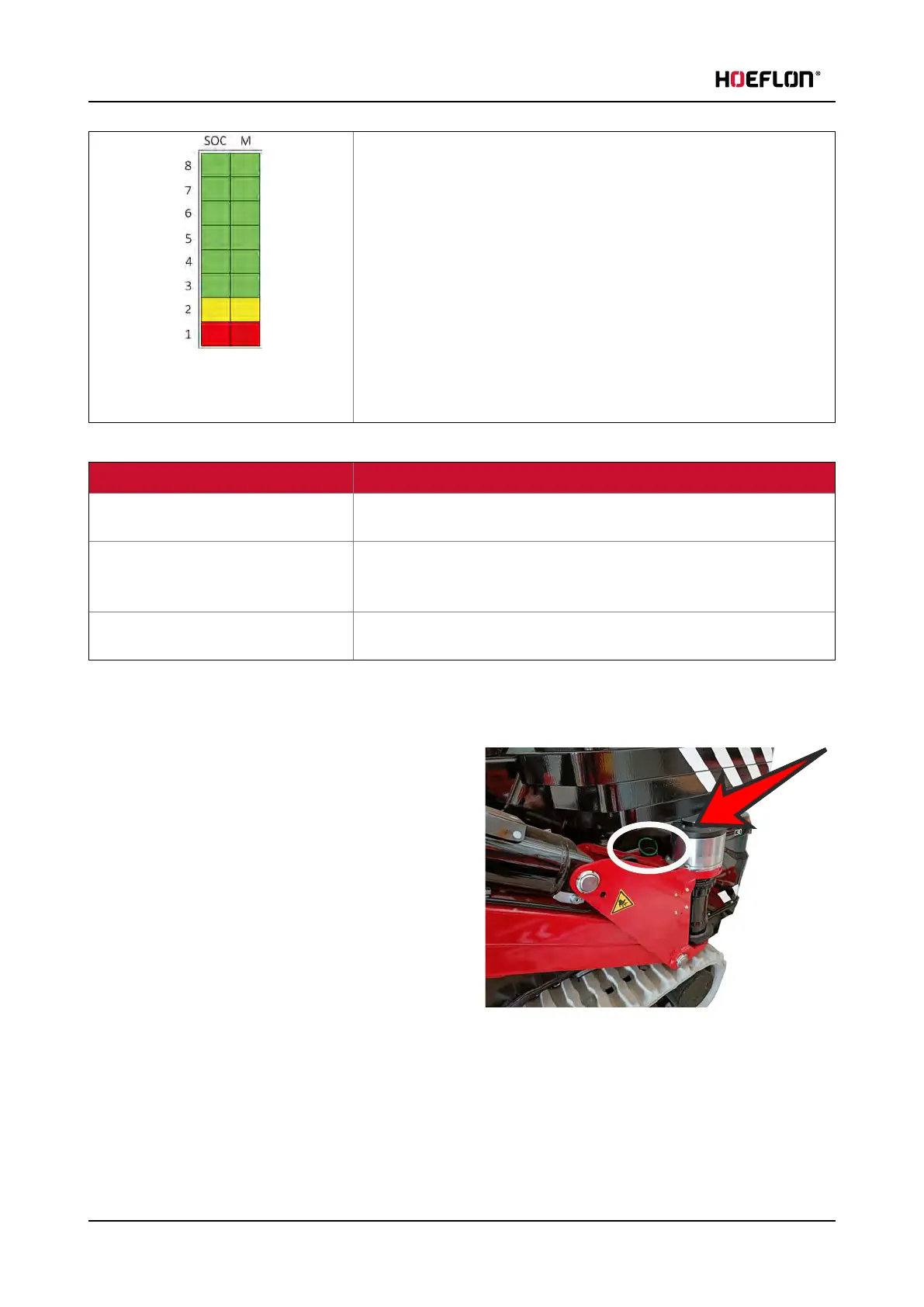
6. Care of the battery pack
The following LEDs light up to indicate the corresponding state of
charge (SOC):
LED 8: 88%
LED 7: 76%
LED 6: 65%
LED 5: 53%
LED 4: 42%
LED 3: 30%
LED 2: 19%
LED 1: 7%
The following table shows the different modes:
Charging mode indicator Charging mode
The right column of the charge
indicator fills every 4 seconds (fast)
Rapid charging (>2 A)
The right column of the charge
indicator fills every 16 seconds (slow)
Balance charging: The voltages of the cells in the battery pack are
equalized. This extends the life of the battery pack life and increases
its capacity.
All the LED segments in both columns
are on continuously.
The charging process is complete.
6.3 Charging the battery pack
1. Set the main switch on the electrical cabinet to
position 0.
2. Use the charging cable from the top drawer on
the front right of the compact crane.
3. Make sure that the charging cable plugs are clean
and dry.
4. Connect the plug to the charging socket on the
undercarriage.
5. Connect the plug to the power grid.
l
Charging starts automatically.
6. During charging, the charge indicator fills up.
l
When the state of charge is above 88%, all LEDs in the SOC column are lit.
l
When the battery is fully charged, all the charging mode LEDs are continuously ON.
62 U.C30e.00.00.EN Version



 To Next Page