7.4 Moving the crane
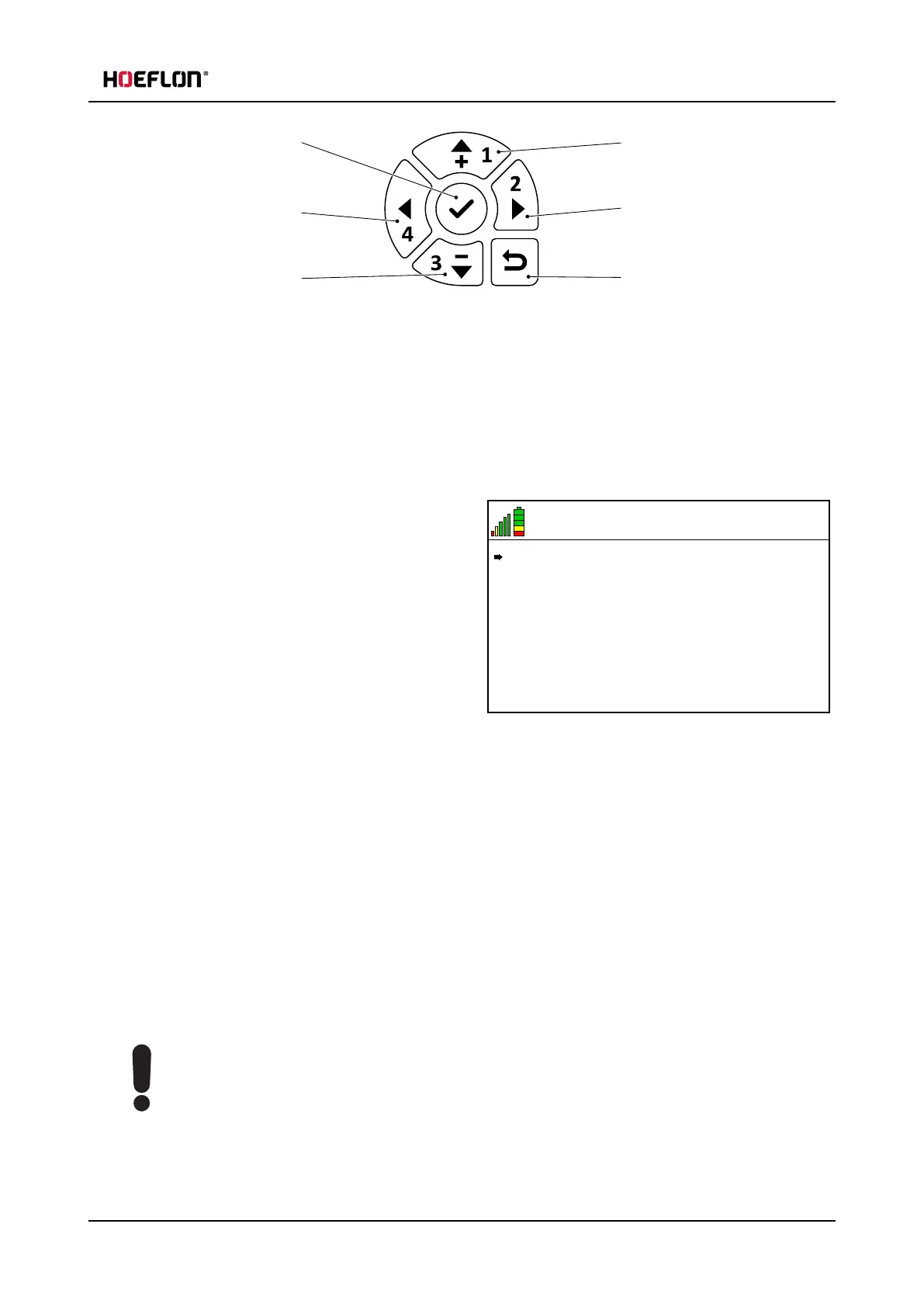
1. Confirm / go into menu
2. Left
3. Down
4. Up
5. Right
6. Return to previous menu
1. Start the remote control.
2. Push the Confirm button (1) to go into the Remote control menu.
6.5 V
21
MENU
Settings
Lever calibration
3. Make sure that the arrow in the display points to
Settings.
l
Push the Up arrow or the Down arrow to
move the arrow in the display until it points to
Settings.
4. Push the Confirm button (1) to go into the
Settings menu.
5. Push the Down arrow (3) to move the arrow in the display until it points to Track state: Both enabled.
6. Push the Right arrow (5).
l
The Function mapping toggles between "Both enabled" and "Left enabled" and "Right enabled"
7. Select the track state that you want.
8. Push the Back button (6) two times to go back to the home screen.
7.4 Moving the crane
7.4.1 Using the controls
Caution
Always use maximum track width when you move the crane.
Only retract the tracks if it is really necessary.
User guide - C30e Compact crane 69



 To Next Page