Section 4 - Alignment & Calibration
4-37
5.
From the main menu select
Scan
, then
Spine
, then
Array
.
6.
Change the scan length to 6 inches (15.25cm for metric units), and Press <F10> to
begin the scan.
7.
When the scan has finished, analyze it following the standard AP scan analysis routine
(i.e., analyze L1 through L4).
8.
Press <End>. The final AP analysis report will now appear on the screen.
9.
Start the Field Service Calibration program by exiting to DOS (<Alt> <F1>) and, at the
DOS prompt, typing FSCAL <Enter>.
10.
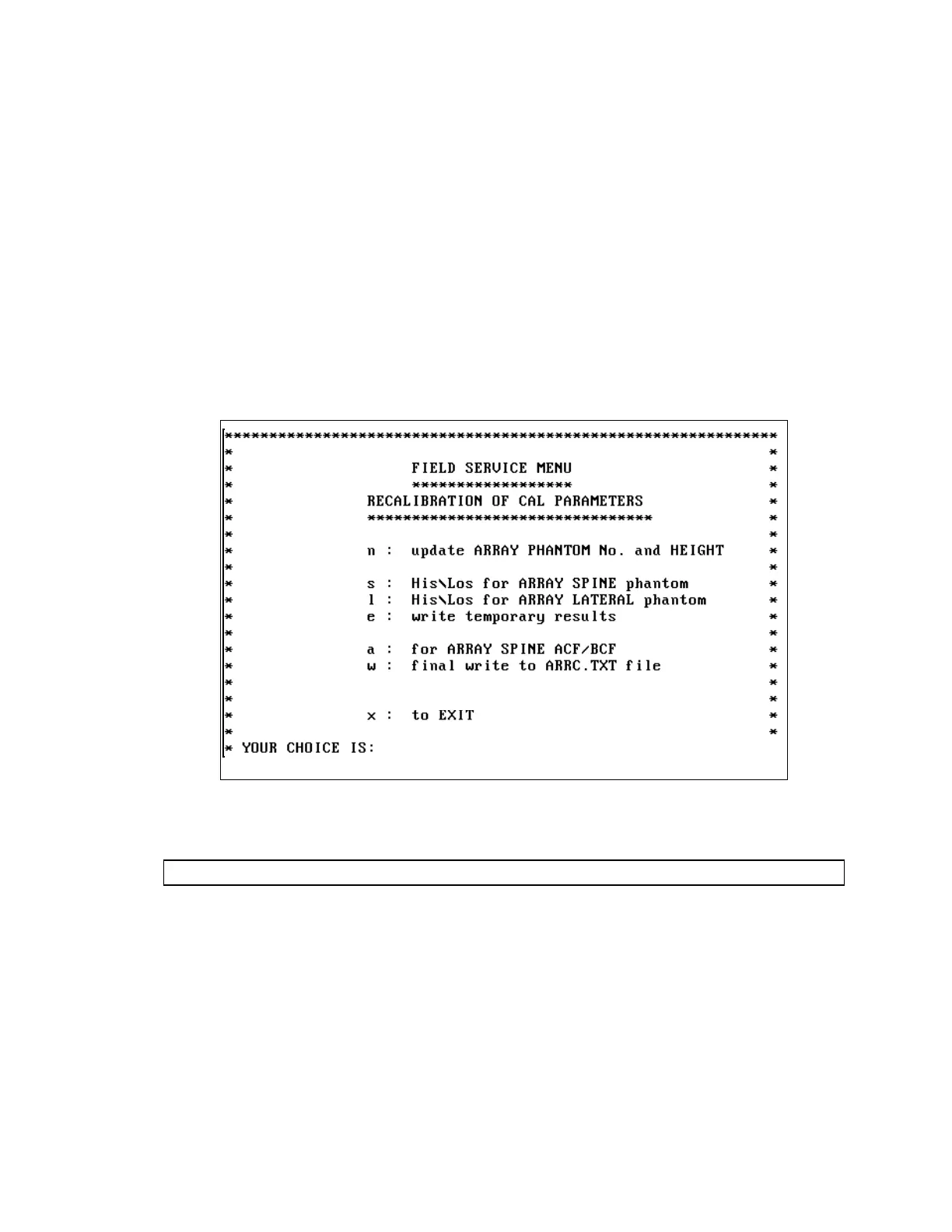
The FSCAL opening menu appears (above).
11.
Press "S" <Enter> to select the "
s: His\Los for ARRAY SPINE phantom
"
option and to calculate the new thickness indicators for array spine mode (HIA_N,
LOA_N, HIT_N, and LOT_N).
12.
Press "+" to select the
AP spine scan
, performed at Step 6 above, using the array scan
mode. The program will then calculate new HIA_N, LOA_N, HIT_N, and LOT_N
values and present them on the screen.
WARNING:
Do not modify any values.
13.
Press <F10> (to display the second screen).
14.
Press <F10> again (to accept the values). The program will now verify that these values
are within specification, display those which are out of range, and return to the FSCAL
opening menu.
15.
Press "E" <Enter> to select the "
e: write temporary results
" option, which
will write the calculated values into the ARRC.TXT file and then return to the FSCAL
opening menu.












 To Next Page