QDR
4500 Technical Manual
5-36
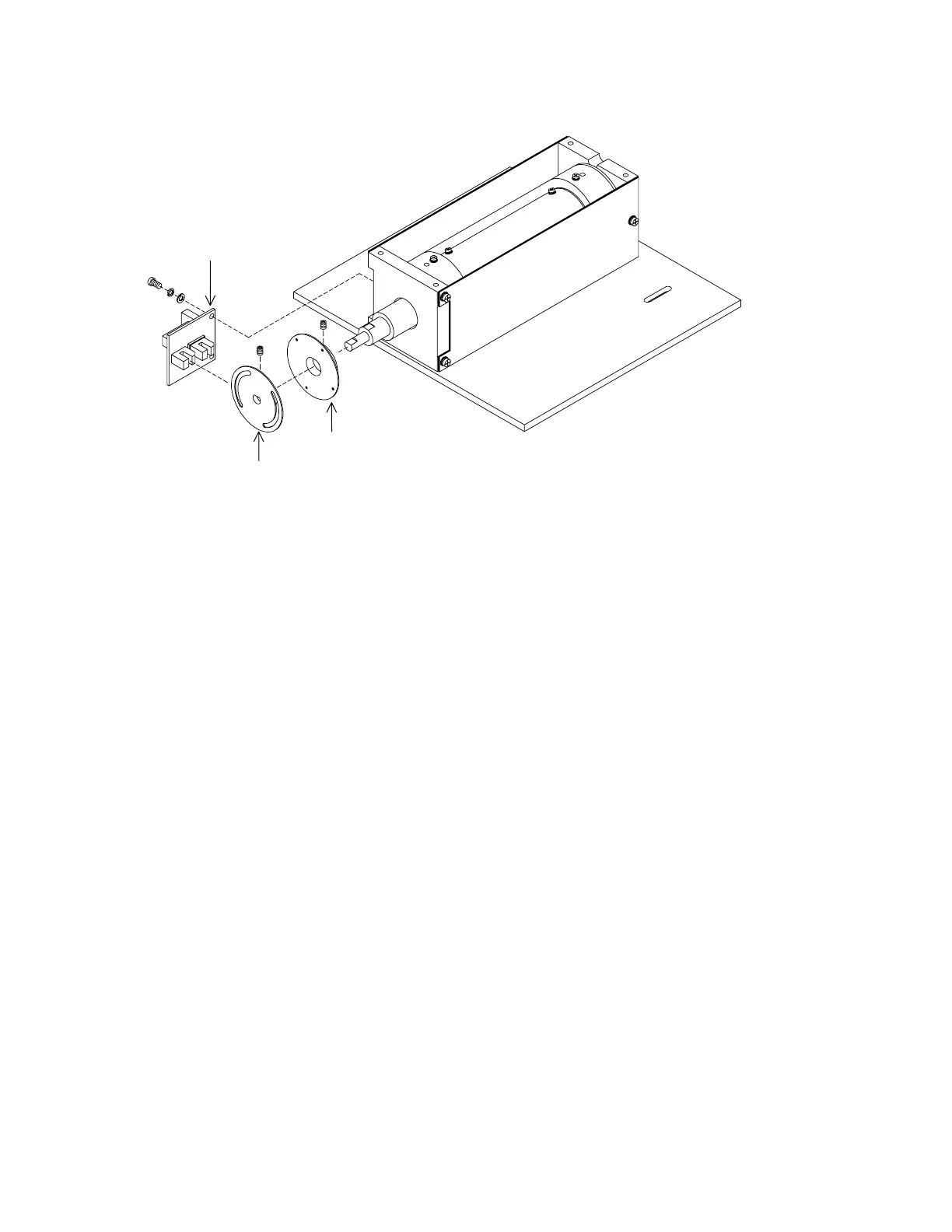
Encoder Wheel, Inner
Encoder Wheel, Outer
Drum Encoder PCB
140-0065
Figure 5-21. Rear Drum Assembly FRUs
3.
Install the Filter Drum Alignment Pin (099-0110), small end first, through the slotted
holes and into the small hole at the base plate. If the pin is installed properly, the drum
will not rotate.
4.
Install the 150 tooth belt on the back pulley (ensure the belt is positioned under the
idler).
5.
Install the 130 tooth belt on the front pulley.
6.
Tighten the 2 drum motor mount screws (the motor mount is spring loaded to seek
proper tension).
7.
Tighten the idler screw (the idler is spring loaded to seek proper tension).
8.
Tighten the outer pulley set screw.
9.
Remove the Filter Drum Alignment Pin.
Stepper Motor Assembly
To remove and replace the Stepper Motor Assembly refer to Figure 5-21 and follow the
procedure below:
1.
Remove the Aperture Assembly.
2.
Remove the drum belts (see procedure above).
3.
Remove the stepper motor pulley.
4.
Remove and replace the motor (4 flathead Phillips screws).
5.
Replace the pulley, use Loctite 222 (540-0100) on the set screw.












 To Next Page