Section 5 - Remove & Replace
5-37
6.
Refer to the Drum Belts procedure above and replace the belts.
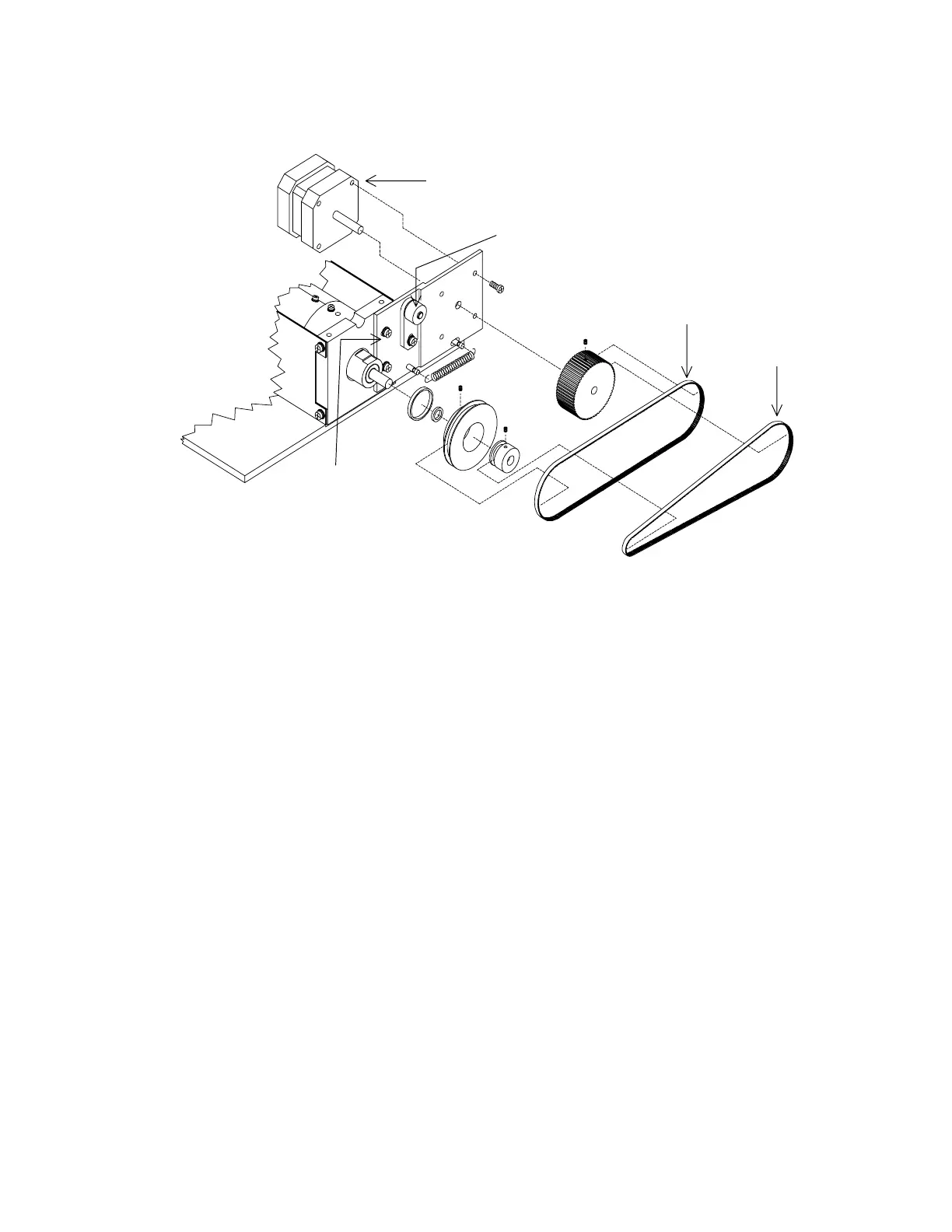
Stepper Motor Assembly
010-0627
Belt, 150 Teeth
Belt, 130 Tee
255-0030
255-0031
Drum Motor Mount
Idler Arm
Figure 5-22. Front Drum Assembly FRUs
Drum Bearings
To remove and replace the drum bearings refer to Figure 5-22, and Figure 5-23, and follow the
procedure below:
1.
Remove the aperture assembly and drum belts (see procedures above).
2.
Remove the 2 drum motor mount screws (see Figure 5-21).
3.
Remove 6 screws from underneath the drum assembly base plate (4 screws hold the end
plates and 2 screws hold the motor mount spring tensioner block).
4.
Remove the side plates and lead shields (3 Phillips screws on each side).
5.
Remove the drum encoder PCB and both encoder wheels.
6.
Remove both drum belt pulleys.
7.
Remove the drum. from the endplates.
8.
Remove one drum endcap (4 Phillips screws) and remove the inner drum.
9.
Replace the bearings.
10.
Reassemble the drum and replace (and tighten) the screws in the endcap.












 To Next Page